Process Controllers
FAST Lit. Part No. 229-51317 Rev. B (EMPLOYEE) 11/01/2007 (L20-321 rev 0 12/07) Page 11
© 2005-2007 Food Automation – Service Techniques, Inc. All Rights Reserved
This document contains confidential information. The dissemination, publication,
copying, or duplication of this document without prior written authorization is
strictly prohibited.
8
Set Pressure Solenoid
Position
OR
STAGE 1 PRESSURE
(OPEN, CLOSED)
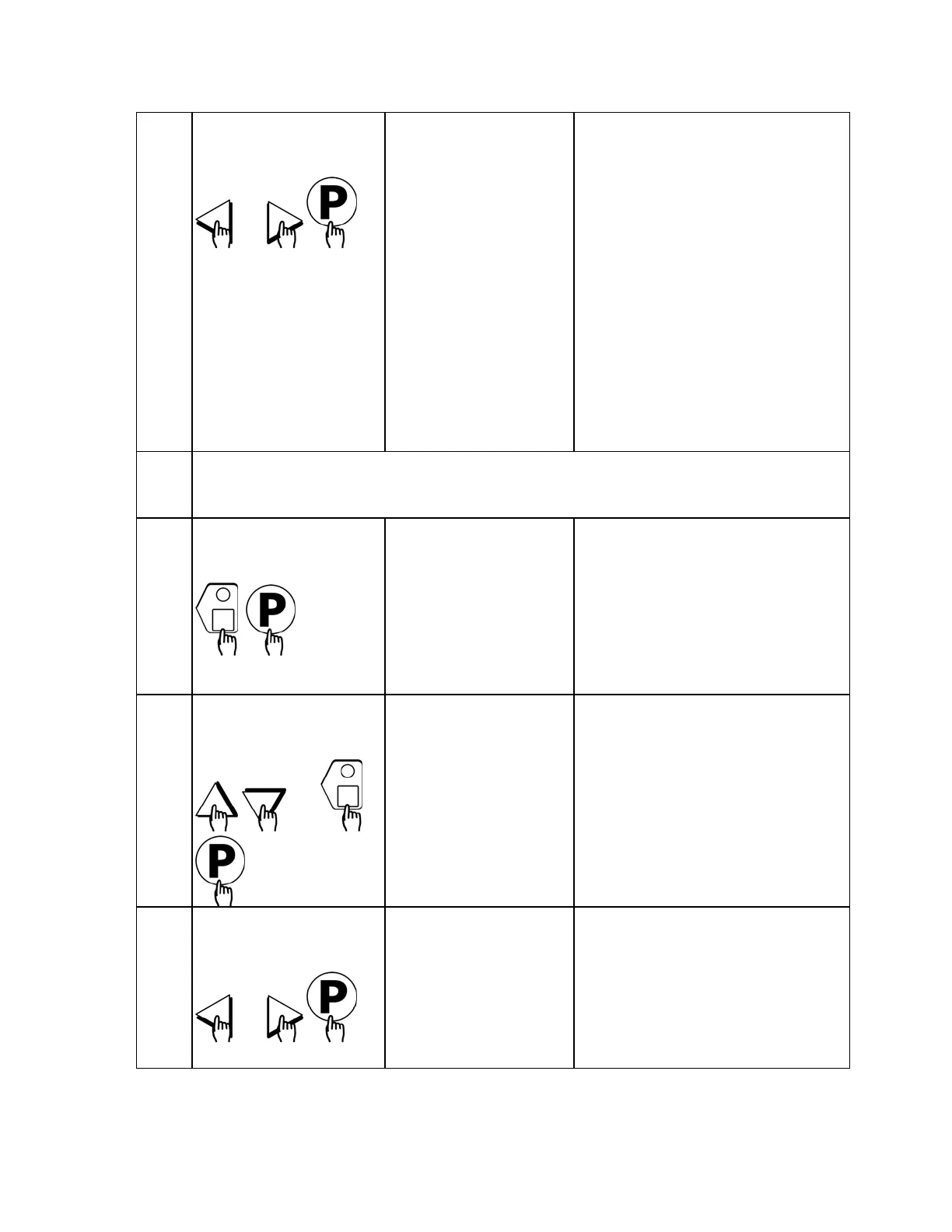
• Press the LEFT or RIGHT arrow
keys to select whether the
pressure solenoid should be
opened or closed. This
message will appear only if
the appliance is a pressure
fryer.
• Press the “P” key to advance to
next stage or parameter.
• The display will show “Stage
Time 2.” If you have a second
time, type in that time and repeat
steps 5-8. A total of 9 stage times
can be programmed.
9
If applicable, repeat steps 5-8 for additional stages.
A total of 9 stages can be programmed.
10
Set Alarm 1 Time
(Selectable)
ALARM 1 TIME
MM:SS
• Type in Alarm Time for
activating the Action Alarm.
Skip Steps 10-13 if the
Alarm Time for this stage is
zero.
• Press the “P” key to advance to
the next stage or parameter.
11
Set Alarm 1 Name
(Selectable)
OR
ALARM 1 NAME
“ACTION”
• Press the UP or DOWN arrow
keys to scroll through the Alarm
Names, OR start spelling the
desired action alarm name by
pressing the appropriate product
keys.
• Press “P” key to lock in the
selection.
12
Set Alarm #1 Cancel
Mode (selectable)
OR
ALARM 1 DONE
(AUTOMATIC,
MANUAL)
• Press the LEFT or RIGHT arrow
keys to select how the Action
Alarm is to be canceled.
• Press the “P” key to advance to
next stage or parameter.



 To Next Page
 Loading...