Advanced Function Instruction
7-12
FUN 35 D P
XOR
EXCLUSIVE OR
FUN 35 D P
XOR
Sa : Source data a for exclusive or operation
Sb :Source data b for exclusive or operation
D : Register storing XOR results
Sa, Sb, D may combine with V, Z, P0~P9 to
serve indirect address application
WX WY WM WS TMR CTR HR IR OR SR ROR DR K XR
Range
Ope-
rand
WX0
∣
WX240
WY0
∣
WY240
WM0
∣
WM1896
WS0
∣
WS984
T0
∣
T255
C0
∣
C255
R0
∣
R3839
R3840
∣
R3903
R3904
∣
R3967
R3968
∣
R4167
R5000
∣
R8071
D0
∣
D4095
16/32bit
+/-
number
V、Z
P0~P9
Sa ○ ○ ○ ○ ○ ○ ○ ○ ○ ○ ○ ○ ○ ○
Sb ○ ○ ○ ○ ○ ○ ○ ○ ○ ○ ○ ○ ○ ○
D ○ ○ ○ ○ ○ ○ ○ ○* ○* ○ ○
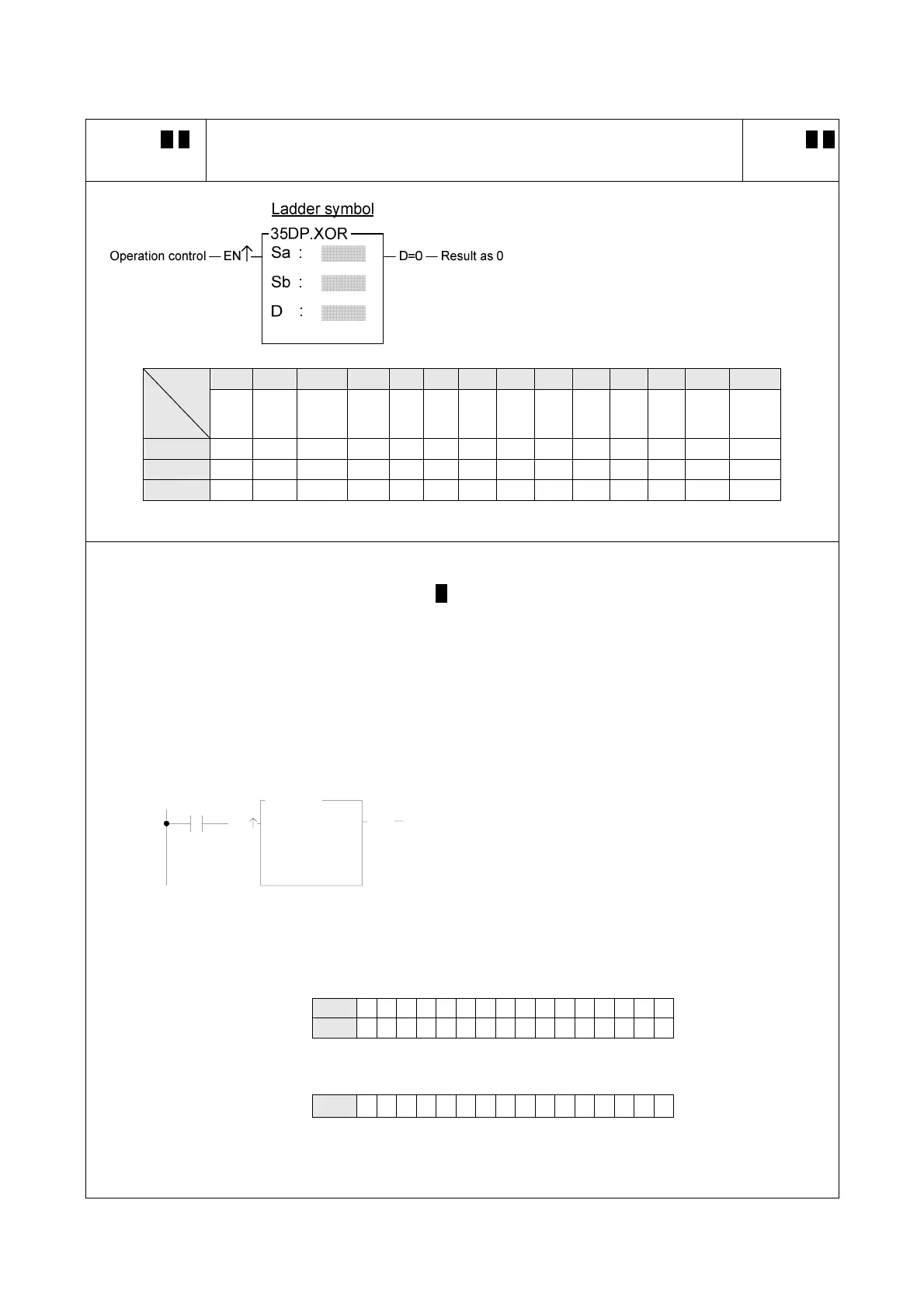
z When operation control "EN" = 1 or "EN↑" ( P instruction) changes from 0 to 1, will perform the logical
XOR (exclusive or) operation of data Sa and Sb. The operation of this function is to compare the
corresponding bits of Sa and Sb (B0~B15 or B0~B31), and if bits at the same position have different status,
then set the corresponding bit within D as 1, otherwise as 0.
z After the operation, if all the bits in D are all 0, then set the 0 flag "D = 0" to 1.
X0
EN
Sa :
Sb :
D :
R 0
R 2
35P.XOR
D=0
R 1
z The instruction at left makes a logical XOR operation
using the R0 and R1 registers, and stores the result
in R2.
Sa
R0 1 011101101101101
Sb R1 1 110111010100110
Ø
X0=
D
R2 0 101010111001011



 To Next Page