Advanced Function Instruction
7-14
FUN 37 D P
ZNCMP
ZONE COMPARE
FUN 37 D P
ZNCMP
S : Register for zone comparison
SU : The upper limit value
SL : The lower limit value
S, SU, SL may combine with V, Z,
P0~P9 to serve indirect address
application
WX WY WM WS TMR CTR HR IR OR SR ROR DR K XR
Range
Ope-
rand
WX0
∣
WX240
WY0
∣
WY240
WM0
∣
WM1896
WS0
∣
WS984
T0
∣
T255
C0
∣
C255
R0
∣
R3839
R3840
∣
R3903
R3904
∣
R3967
R3968
∣
R4167
R5000
∣
R8071
D0
∣
D4095
16/32-bit
+/-
number
V、Z
P0~P9
S ○ ○ ○ ○ ○ ○ ○ ○ ○ ○ ○ ○ ○
SU ○ ○ ○ ○ ○ ○ ○ ○ ○ ○ ○ ○ ○ ○
SL ○ ○ ○ ○ ○ ○ ○ ○ ○ ○ ○ ○ ○ ○
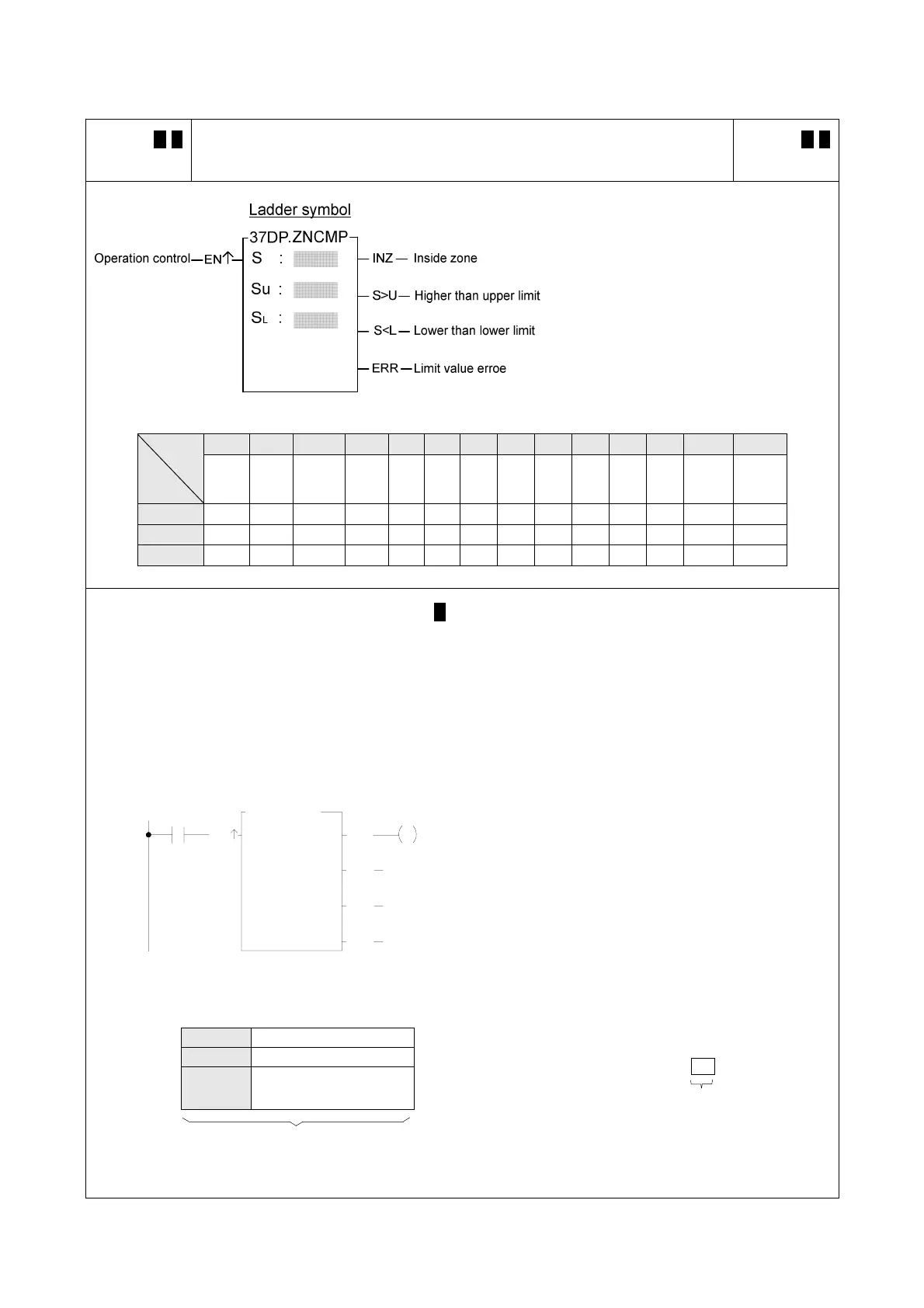
z When operation control "EN" = 1 or "EN↑" ( P instruction) changes from 0 to 1, compares S with upper
limit SU and lower limit SL. If S is between the upper limit and the lower limit (S
L
≦S≦S
U
), then set the
inside zone flag "INZ" to 1. If the value of S is greater than the upper limit S
U
, then set the higher than
upper limit flag "S>U" to 1. If the value of S is smaller then the lower limit S
L
, then set the lower than lower
limit flag "S<L" as 1.
z The upper limit S
U
should be greater than the lower limit S
L
. If S
U
<S
L
, then the limit value error flag "ERR"
will set to 1, and this instruction will not carry out.
X0
EN
R
R
0
1
37P.ZNCMP
S :
R
S
L :
S
U :
2
INZ
S>U
S<L
Y0
ERR
z The instruction at left compares the value of R0 with the
upper and lower limit zones formed by R1 and R2. If the
values of R0~R2 are as shown in the diagram at bottom
left, then the result can then be obtained as at the right
of this diagram.
z If want to get the status of out side the zone, then OUT
NOT Y0 may be used, or an OR operation between the
two outputs S>U and S<L may be carried out, and move
the result to Y0.
S R0 200
S
U
R1 300 (Upper limit value) X0=
S
L
R2 100
(Lower limit value)
)
Y0
1
Before-execution
Results of execution



 To Next Page