8-5
8.3 Introduction of Step Instructions: STP, FROM, TO and STPEND
● STP Sx : S0≦Sx≦S7 (Displayed in WinProladder)
or
STP Sx :S0≦Sx≦S7 (Displayed in FP-07)
This instruction is the initial step instruction from where the step control of each machine process can be derived. Up to 8
initial steps can be used in the FBs series, i.e. a PLC can make up to 8 process controls simultaneously. Each step
process can operate independently or generate results for the reference of other processes.
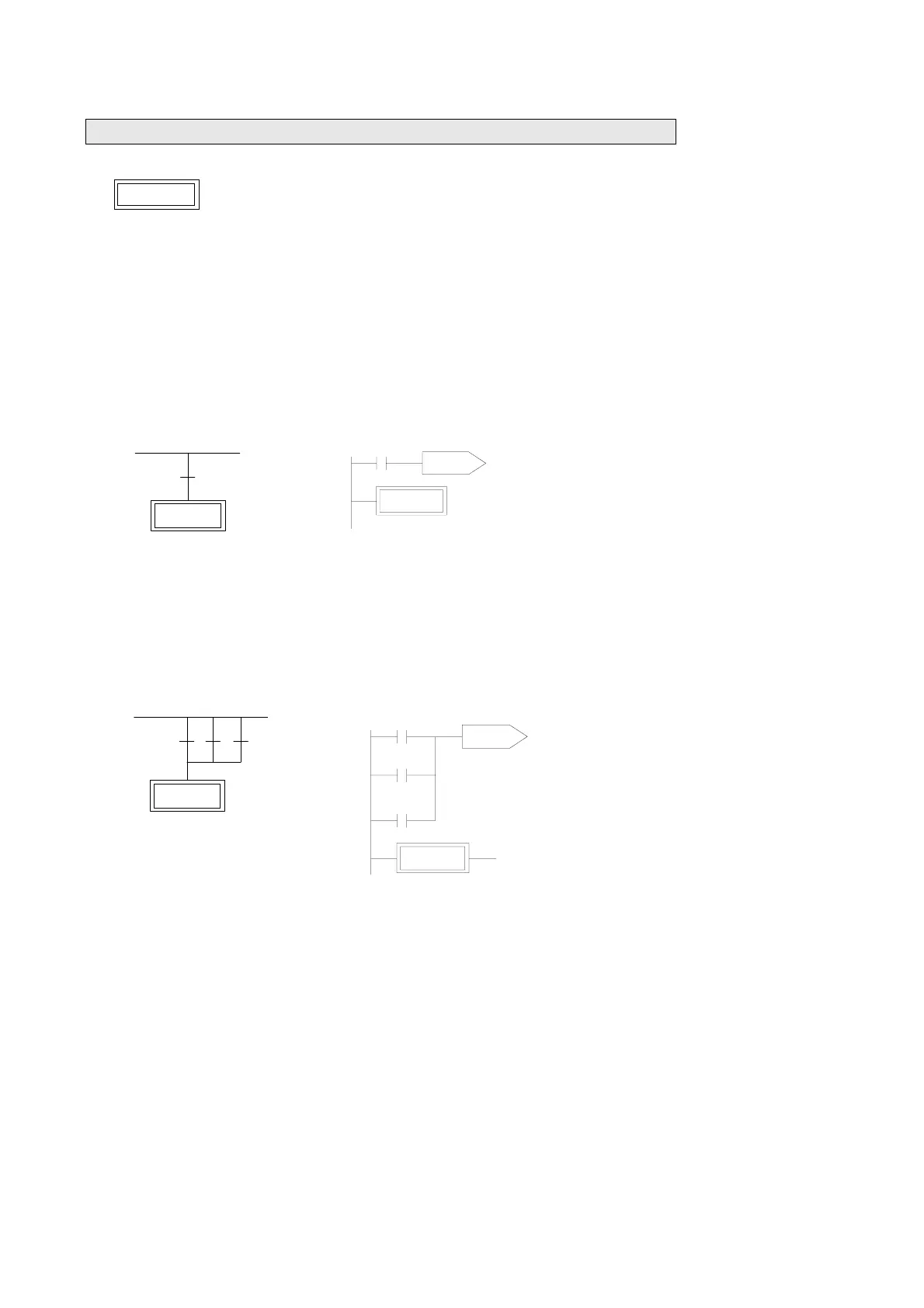
【Example 1】 Go to the initial step S0 after each start (ON)
WinProladder FP-07
M1924
STP S0
M1924
STP S0
TO S0
ORG
TO
STP
M1924
S0
S0
【Example 2】 Each time the device is start to run or the manual button is pressed or the device is malfunction, then the
device automatically enters the initial step S0 to standby.
WinProladder FP-07
ORG
OR
OR
TO
STP
M1924
X0
M0
S0
S0
M1924
X0 M0
STP S0
M1924
STP S0
X0
M0
Standby
Process
Program
TO S0
Standby process program
【Description】X0: Manual Button, M0: Abnormal Contact.



 To Next Page