Chapter 7 Introduction of Motion Flow
1-5
M-Series PLC Motion User Manual
7-4 Parallel Branch
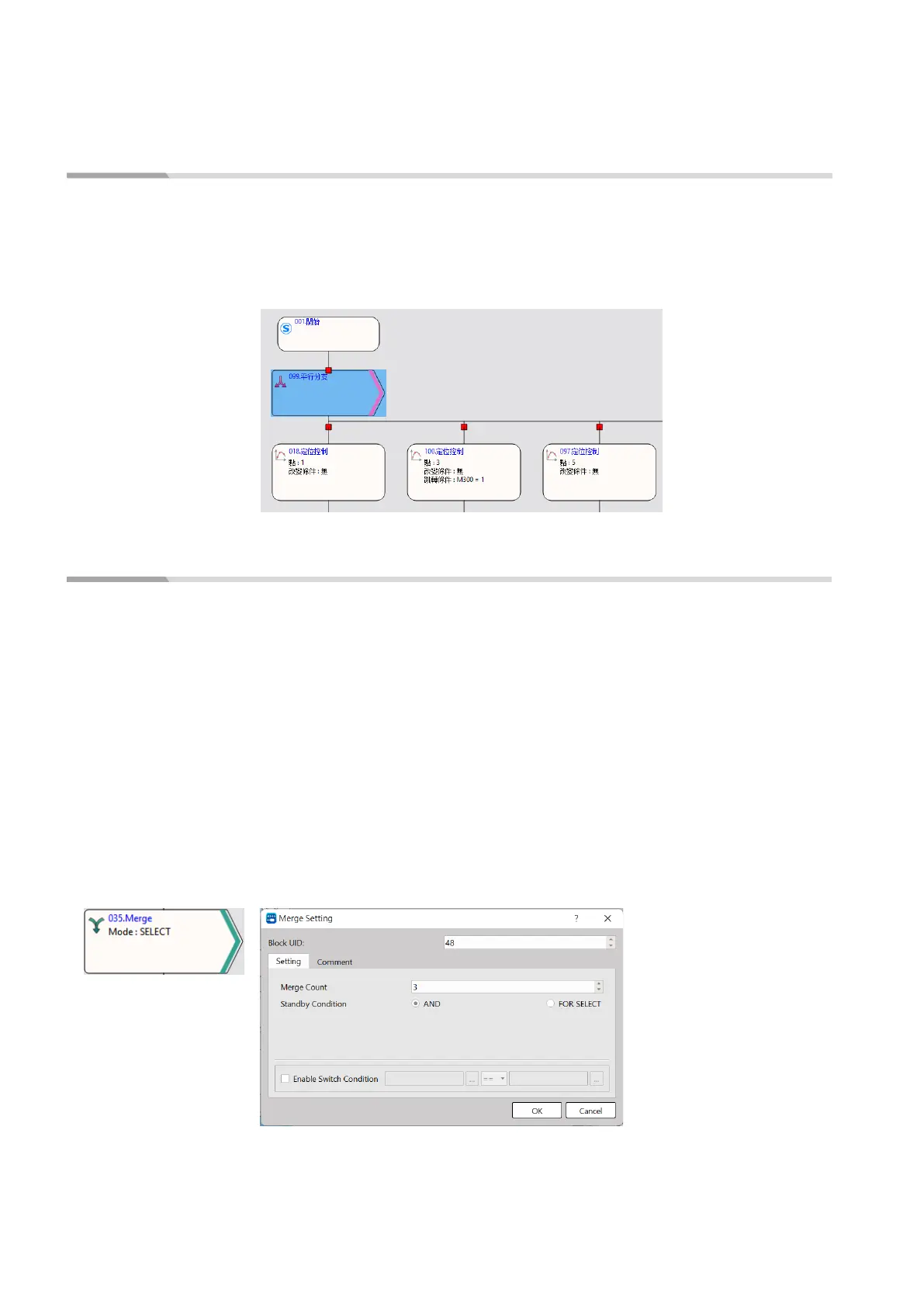
The parallel branch can execute an individual branch. When running the parallel branch, it is not
required to set up the conditions and you may access the block to execute all of the following
branches directly. The flow block ID of the parallel branch can be set by the user, and the maximum
number of branches shall be 20. As per the example in the right-hand side figure, access the parallel
branch and then execute all of the following branches.
7-5 Merge
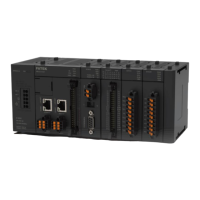
When selecting the branch and the parallel branch with the converging, the selected branch shall
appear in pairing type. In this case, it means the branch is the end.
The flow block ID required for merging can be set by the user.
The merged number can be divided into 2–20 branches. The standby condition AND is required for
merging the parallel branch, and the selection block is required for selecting the branch merging. By
using the jump conditions, you may set the conditions required for jumping to the next flow block. If
jump condition remains inactive, you may jump to the next flow block directly. The user may input the
notation in the function or the application of such flow block.
When using parallel branch merging function, all branches should be executed at the same time and
the sub-flow completed first will enter the converging flow block, waiting for the system to complete
other branches.




 To Next Page