Chapter 7 Introduction of Motion Flow
1-8
M-Series PLC Motion User Manual
7-8 Speed Control
For executing the speed control of the designated axis, per the following:
Flow Block ID: The ID will be assigned by the system automatically, but it can be changed by the user
as desired.
Axis: The axis required for executing the speed control.
Velocity Command: The speed required for executing the speed control.
Torque Limit: If setting the torque limit at “100”, then the Servo torque will be limited to 10% (0 means
limitless).
Switch Condition: The conditions required for jumping to the next flow block. If jump condition remains
inactive, you may jump to the next flow block directly. If the jump conditions are not set when using
the speed control, the motor will jump to the next flow block immediately after running.
Note: You may input the function or the application notation of such flow block.
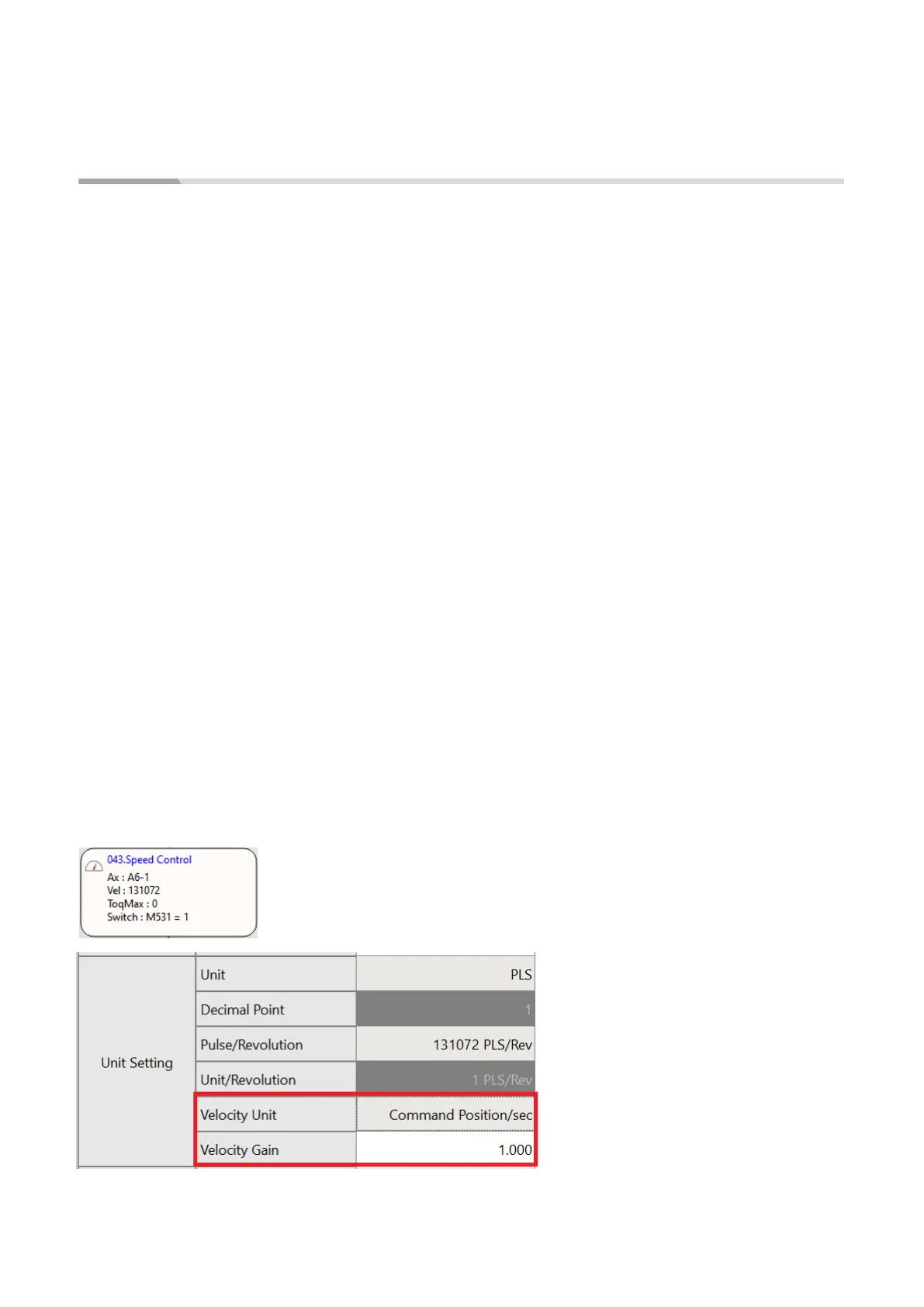
Example: When setting at SC3 for one turn =131072 = 1000mm
Assume that you want to set as per turn per second and that the unit of FATEK SERVO speed control is
expressed as Pulse, therefore you have the following result: 131072 = Running for 131072 pulses per
second.
Monitoring Table_Speed setting:
Motion axis speed setting:
Speed unit: The speed unit used by the monitoring table to display the transmitting speed of the
selected Driver.
Speed gain: Min. speed graduation mark transmitted by the selected Driver.
The speed shall be set as (command position/sec)
The gain shall be set as “1”.




 To Next Page