Chapter 7 Introduction of Motion Flow
1-7
M-Series PLC Motion User Manual
7-7 Positioning
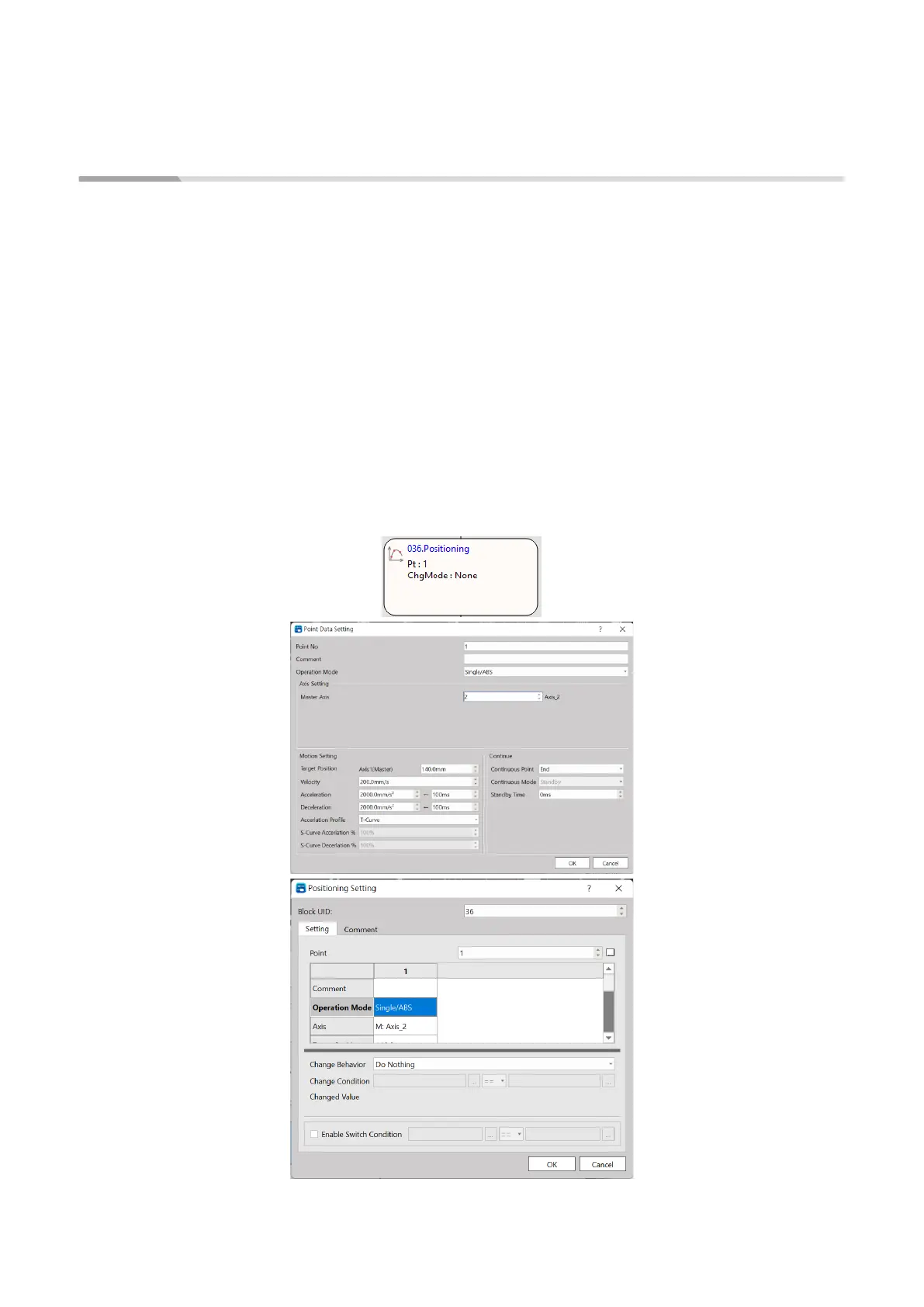
Select the parameters of the designed point for executing positioning control, as per the following:
Flow Block ID: The ID will be assigned by the system automatically, but it can be changed by the user
as desired.
Point: As per the corresponding Point Parameter Table, if the motion parameter in Point 9 equals to
point parameter 9, then the user may set up the desired point motion parameter in the motion
parameters. You may set the point motion related data when writing the flow and then it will be
created in the Point Parameter Table by the system automatically.
Change Behavior: No change/Change current coordinate/Change target position/Change speed
Change Condition: The conditions required for changing the behavior. To set the behavior change, then
it will be required to set up the change conditions.
Switch Condition: The conditions required for jumping to the next flow block. If jump condition remains
inactive, you may jump to the next flow block directly.




 To Next Page