.
Leave the port number of all FA-07s, shown in programming step P.05, at 50100 and modify it only in accordance with the
central management system.
The IP addresses of all apparatuses should be inserted in the central management programme.
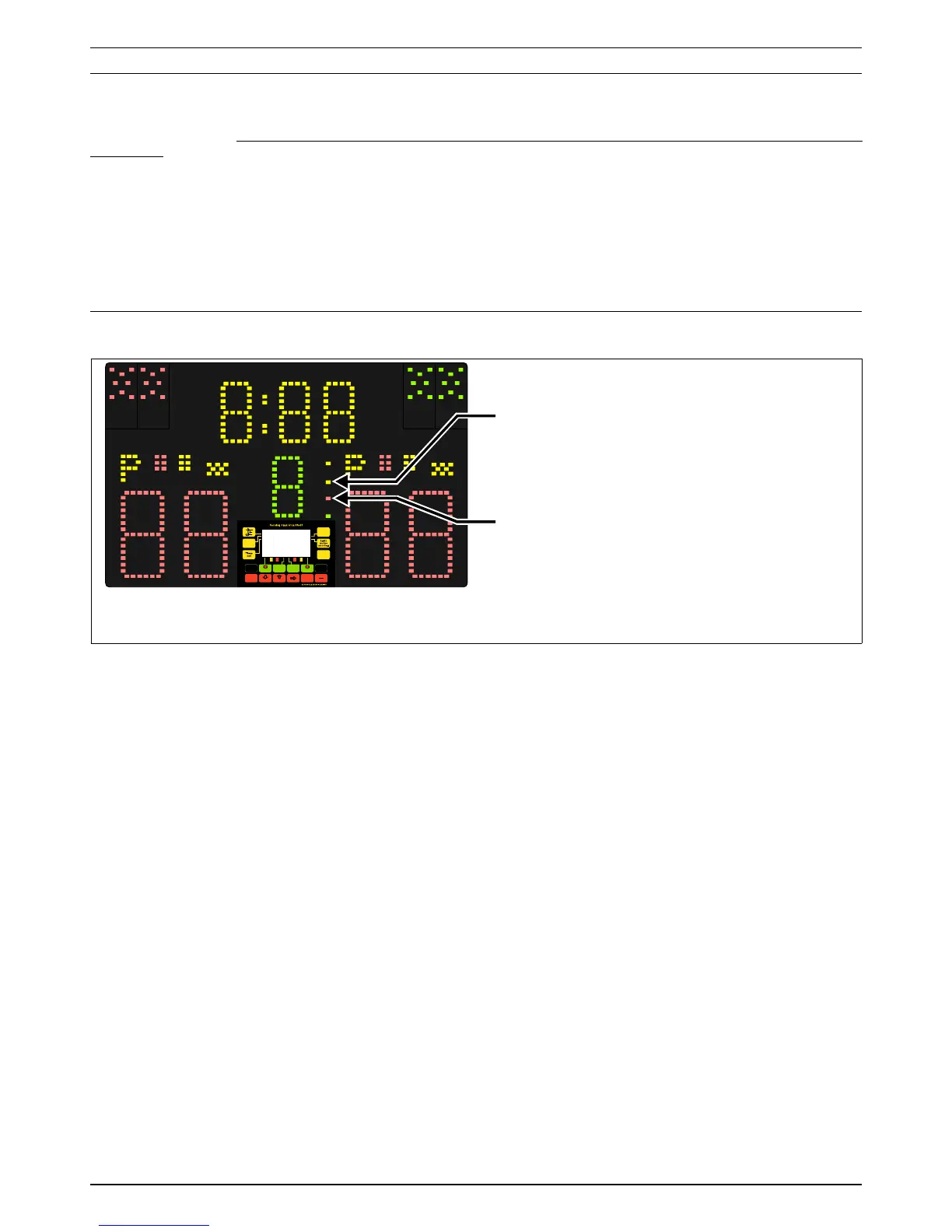
To show that there is an active connection status with the central system, the yellow LINK light on the FA-07 will switch on
(see Fig. 15); the piste number assigned and communicated to the FA-07 will appear on the graphic display panel so that its
correspondence can be verified.
If there is no reception of messages sent from the central system for over 40 seconds, the FA-07 will consider the connection
concluded and will interrupt and switch off all relative indications.
6.5 Matches managed via LAN
When the FA-07 recognizes that connection via LAN is active, the yellow LINK light (see Fig. 15) will switch on and the piste
number associated to the FA-07 will appear on the graphic display panel.
Following is a description of the various phases for managing a match via LAN connection .
6.5.1 Request for a new/subsequent match
By pressing the [Alt-1] + [NEXT] keys on the remote control, first the FA-07 will completely set all of its current data to zero,
then it will send a request to the central system for data regarding the subsequent match. When such information has been
received, the names and nationalities of the fencers will appear, flashing several times, on the FA-07’s graphic display panel.
If this does not happen, for example because the central system does not yet have such data, the request will have to be
repeated.
Along with the data of the new match, please note that the central system can also send the score, match number, and
chronometer value, etc…, for managing team competitions where the matches which immediately follow continue with the
previous scores and the match number is automatically determined by the central system. The reception of all data is also
necessary when a previously interrupted match is recalled (see chapter 6.5.4).
Information regarding the new match may include the time the match is scheduled to begin; if so, the time will be shown on
the FA-07's graphic panel.
If you do not wish to immediately begin the assigned match, in order to use the FA-07 for other autonomous matches or trials
the information received should be set to zero by pressing the [Alt-1] + [RESET_ALL] keys. The match to run can then be
later requested.
Remember that the referee can invert the fencers’ positions via the [Fencers_swap] key on the remote control and can also
insert the reserve fencers via the [F1] and [F2] keys in a team competition.
6.5.2 Match start
If the FA-07 has received and is displaying the data for a new match (e.g., fencers’ names, etc…), the referee can
communicate the start of the match to the central system by pressing the [Alt-1] + [BEGIN] keys on the remote control. From
that moment onwards the FA-07 continuously transmits data via LAN and the “Match Running” light will switch on (see Fig.
15) to indicate that the match is underway.
To interrupt the match, press [Alt-1] + [RESET_ALL]: the FA-07 will switch off the “MATCH Running” light and stop sending
data to the central system. Such data may later be recovered by pressing the [Alt-1] + [NEXT] keys.
6.5.3 Match end
By pressing the [Alt-1] + [END_final_approval] keys on the remote control, the referee communicates the end of the
match to the central system. After the central system confirms receipt of such information the FA-07 will consider the match
ended and switch off the “Match Running” light and the word “END” will be displayed for 2 seconds on the chronometer. If this
FAVERO ELECTRONICS SRL
Page 12 / 16
940-M06-EN FA-07 Manual


 To Next Page