ENGLISH
light does not switch off, the causes may be that:
A) The FA-07 did not receive the confirmation message and, therefore, the request must be made again via the [ Alt-1] +
[END_final_approval] keys.
B) The data received by the central system are not valid. In this case a message will be sent to the FA-07 indicating the
type of error. The graphic display panel will flash and show the type of error.
If a fencer abandons or is excluded from a match, the referee must record the event via the [Abandon/Exclusion] key located
on the FA-07’s keyboard. The referee makes an “A” appear on the graphic display panel in the case of abandonment, or an
“E” in the case of exclusion. A request for the match end must then be made.
Once the central system has been informed of the match end, and the “MATCH Running” light has been switched off, a new
match can be requested as described in chapter 6.5.1.
6.5.4 Correcting a previously sent match
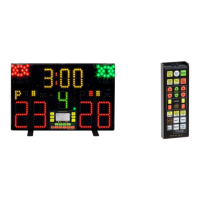
Via the [Alt-1] + [PREVIOUS] keys of the remote control, the referee can ask the central system for the data pertaining to the
previously concluded match, in order to make eventual corrections. The central system will decide whether to accept such
requests or not.
Once the FA-07 receives the data, its graphic display panel will flash several times and all information will be updated with the
new data. At this point, one should:
A) reactivate the match by pressing the [Alt-1] + [BEGIN] keys on the remote control, as described in chapter 6.5.2;
B) carry out the modification of scores, or other, as necessary;
C) confirm the match end via the [Alt-1] + [END_final_approval] keys, as described in chapter 6.5.3.
940-M06-EN FA-07 Manual
Page 13/ 16
FAVERO ELECTRONICS SRL


 To Next Page