77X INSTALLATION & OPERATION MANUAL
771/772/773/774 MODELS
21
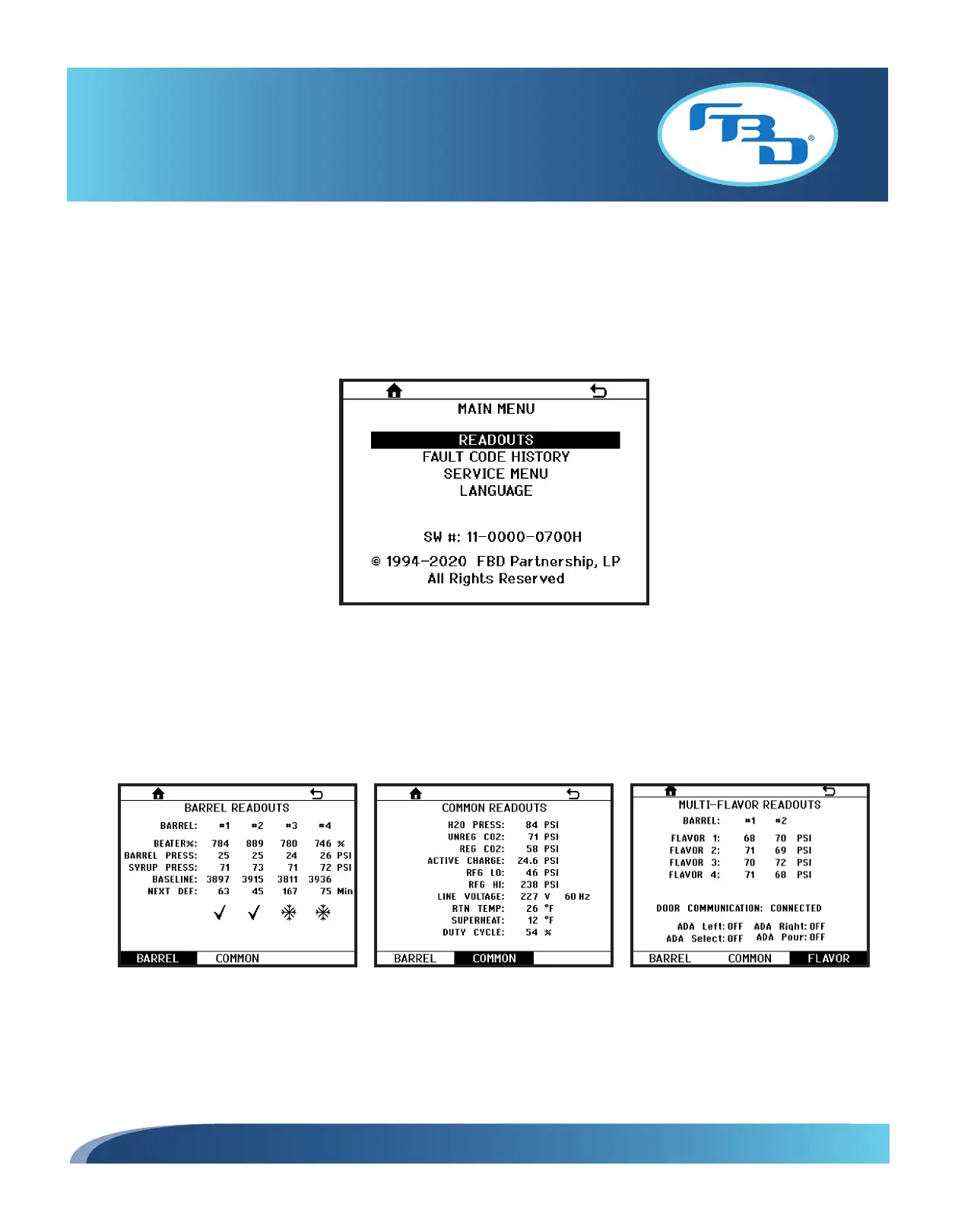
7.5 Main Menu
The MAIN MENU (Figure 7.4) allows the user to:
• View the readouts (pressures, temperatures, etc).
• Access the fault code history.
• Access the SERVICE MENU.
• Set a language.
7.6 Readouts Menu
The READOUTS menu shows the current status of all temperature and pressure sensor readings, line voltage and other
pertinent information about the operation of the dispenser. Some readouts are common to the dispenser and others are
side, or barrel, specific. Press the BARREL or COMMON soft key button to switch between the two readouts (Figures 7.5
and 7.6). For multi-flavor dispensers, there will also be a third menu that shows the FLAVOR readouts (Figure 7.7).
Figure 7.5
Figure 7.4
Figure 7.6 Figure 7.7



 To Next Page