77X INSTALLATION & OPERATION MANUAL
771/772/773/774 MODELS
33
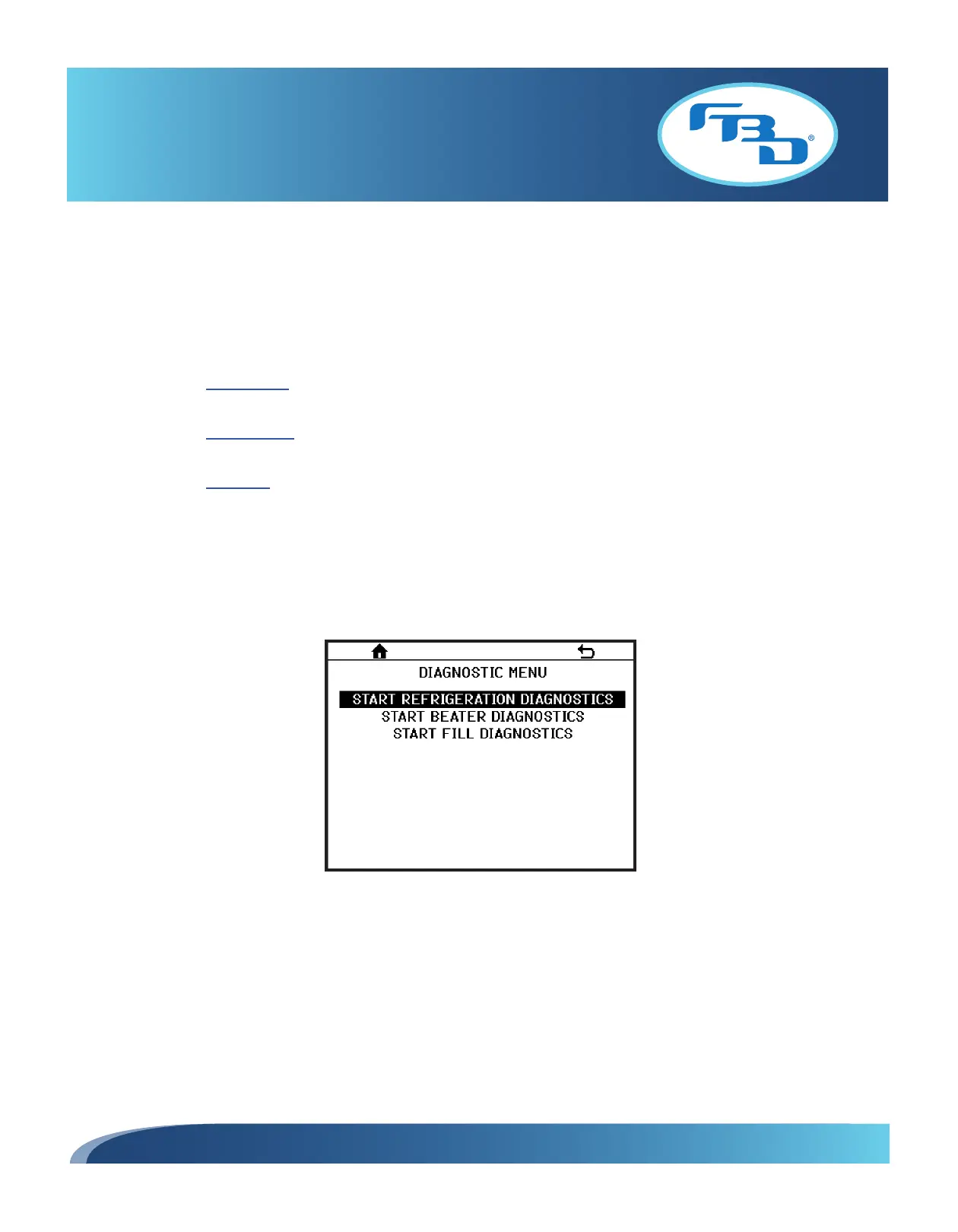
7.21 Diagnostics Menu
The DIAGNOSTICS MENU (Figure 7.36) is a powerful feature of the 77X dispensers. Any time a malfunction is suspected,
the best option for the service technician is to first run the diagnostic sequence for the system involved. This can eliminate
hours of guesswork and parts swapping.
There are three diagnostic sequences:
• Refrigeration: This sequence will help identify any component failure in the refrigeration system such as
compressor, condenser fan, refrigeration or defrost solenoids and low or over charge issues.
• Beater Circuit: This sequence will help identify any component failure in the beater circuit system such as
the beater motor and capacitors.
• Fill Circuit: This sequence will help identify any component failure in the fill circuit system such as solution or
gas solenoids or any leaks in the product delivery system.
To begin, determine what the possible issue with the dispenser may be. Select the appropriate diagnostic sequence.
Initiate the sequence and let it perform its checks. You may be asked to perform some manual operations or answer
questions to proceed with the process. If any errors are found, the display will note the error and provide an error code.
Refer to the “Diagnostic Fault Codes” section (Section 10.3) to diagnose the cause of the error.
Figure 7.36



 To Next Page