10
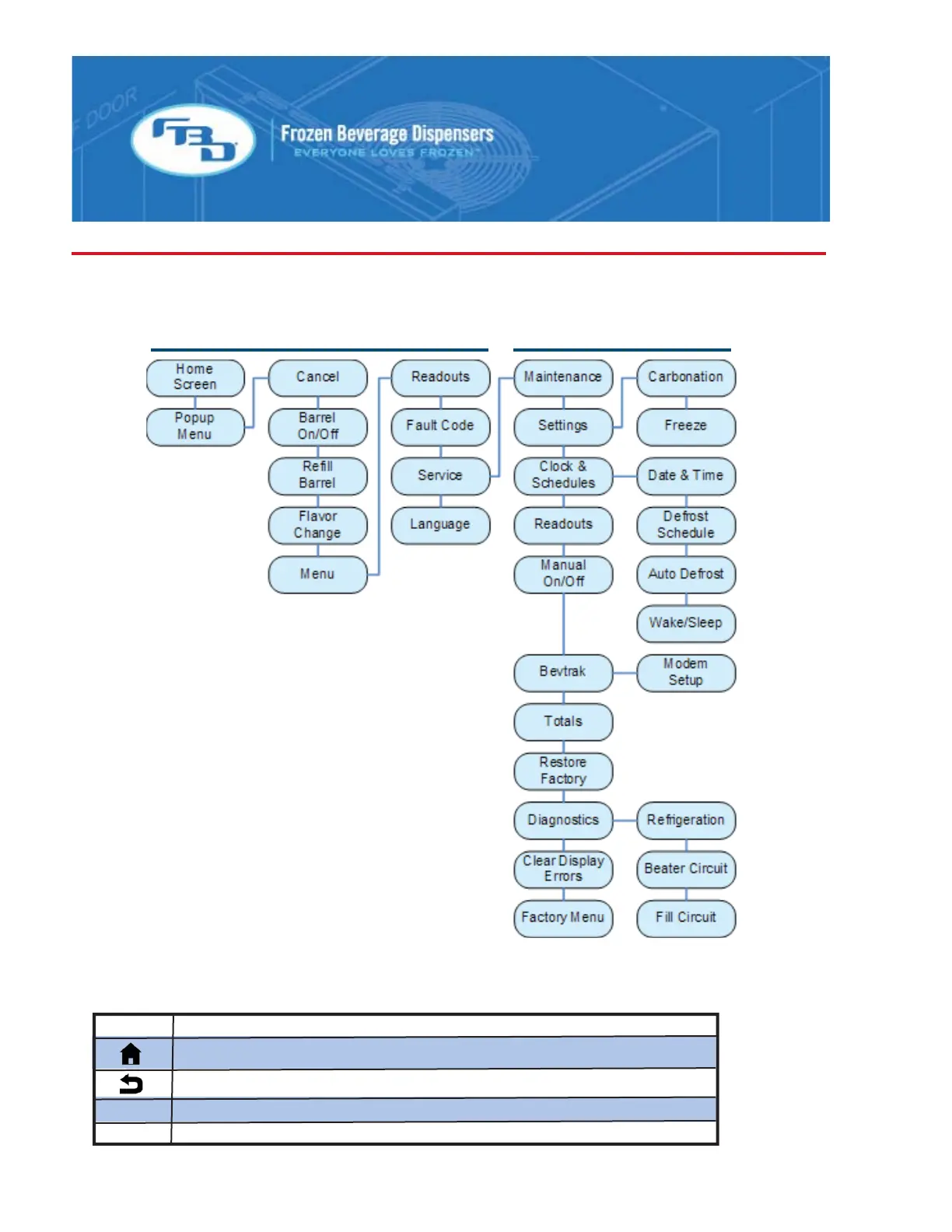
Menu Tree
The menu is divided up into two levels. The first is the “store level” that is intended for the store operator.
The second level is the service level that is intended only for a trained service technician. Below is a visual
representation of the menu tree. For more information about each menu, see the descriptions that follow.
STORE LEVEL SERVICE LEVEL
To access the service menu, highlight “MENU” in the pop-up and then simultaneously press the green select
key and the bottom center soft key.
The soft keys on the sub menus are similar on all screens:
BUTTON ACTION
Returns the display to the home menu.
Returns the display to the previous menu.
>>> Moves the highlighted selection to the column on the right.
<<< Moves the highlighted selection to the column on the left.



 To Next Page