EasyManua.ls Logo

FBD FBD563 - User Manual

FBD FBD563
56 pages
Print Icon
To Next Page IconTo Next Page
Loading...
REV LEVEL 04: 02/25/14
FBD Part Number: 24-2280-0001
NOTICE:
The information contained in this document is subject to change without notice.
FBD MAKES NO WARRANTY OF ANY KIND WITH REGARD TO THIS MATERIAL, INCLUDING, BUT NOT
LIMITED TO, THE IMPLIED WARRANTIES OF MERCHANTABILITY AND FITNESS FOR A PARTICULAR
PURPOSE. FBD shall not be liable for errors contained herein or for incidental consequential damages in connection
with the furnishings, performance, or use of this material.
This document contains proprietary information which is protected by copyright. All rights reserved.
©2014 FBD Partnership, LP. All Rights Reserved.
This manual supersedes and replaces 24-2280-0001/Rev 03, dated 03/27/12,
and is designated as Revision 04.
THIS MANUAL APPLIES TO FROZEN BEVERAGE DISPENSERS
IN THE 562, 563 AND 564 SERIES.
THIS DOCUMENT CONTAINS IMPORTANT INFORMATION.
This manual must be read and understood
BEFORE the installation and operation of the dispenser.
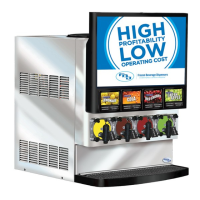
FBD562
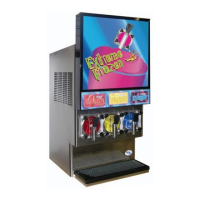
FBD563
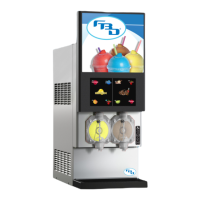
FBD564
Please refer to the FBD web site (www.fbdfrozen.com) for information
relating to FBD Installation, Operation and Service Manuals, Instruction
Sheets, Technical Bulletins, Service Bulletins, etc.
FBD Partnership, LP
P.O. BOX 18597SAN ANTONIO, TX 78218 USA
210-637-2800FAX 210-637-2844www.fbdfrozen.com
FBD TECHNICAL SUPPORT • 1-866-323-2777
TECHNICAL SUPPORT FAX 1-210-637-2832
INSTALLATION AND OPERATION MANUAL
FOR THE
MODEL FBD56X SERIES
FROZEN BEVERAGE DISPENSERS

Table of Contents

Questions and Answers

  • K
    ktorresSep 10, 2025
    Why is the display door light out or flickering on my FBD Beverage Dispenser?
    • N
      Nicole MortonSep 10, 2025
      A display door light that is out or flickering on your FBD Beverage Dispenser may be due to: * A failed fluorescent tube. Replace the fluorescent tube. * A blown fuse. Check the inline fuse (in the electrical box) and the wiring from the contactor, through the ballast, to the lamp connection. * A failed or failing fluorescent ballast. Replace the ballast. * Failed LEDs. Replace the failed LED strip.
  • R
    Robert NealAug 25, 2025
    What to do if product does not flow freely from the dispensing valve of my FBD FBD563?
    • J
      jack25Aug 25, 2025
      If product isn't flowing freely from your FBD Beverage Dispenser's dispensing valve, consider the following: * Inspect the CO2 check valve and clean or replace it if faulty. * In “Manual On/Off”, energize the CO2 and solution solenoid valves and check for 24VAC at the coil. Clean or replace the solenoid if necessary. * Run a defrost cycle if there are ice particles in the dispensing valve. If necessary, open and close the dispensing valve several times or run warm water over the valve. * Check water/syrup flow rates and brix if the product in the cylinder is frozen too hard or solid. Adjust if necessary.
  • J
    joyce89Aug 27, 2025
    Why is my FBD FBD563 chamber filling even when it's turned off?
    • D
      Donald CortezAug 27, 2025
      If the chamber of your FBD Beverage Dispenser is filling even when turned off, it could be due to: * A solution solenoid plunger sticking. In “Manual On/Off”, energize the solenoid and check for 24VAC at the coil. Clean or replace the solenoid, if necessary. * A solution solenoid being energized. Test the solenoid relay on the relay board for 24VAC output and 5VDC relay coil input. Replace the Relay Board, if necessary. * The solution solenoid left “ON” in “Manual”. In “Manual On/Off”, turn the solenoid off.
  • J
    Jeffrey FrostAug 27, 2025
    How to troubleshoot low water pressure in my FBD FBD563?
    • H
      Holly LeAug 27, 2025
      To troubleshoot low or no water pressure in your FBD Beverage Dispenser: * Ensure the water is turned on and check for any line restrictions. * Make sure the CO2 is turned on and verify the “CO2 Press” readout is 70-72 psig. * Verify the “H2O Pressure” readout is at 70-72 psig. Check the water pressure transducer and replace it if needed. * Check the water pump and replace it if necessary.
  • N
    Natasha PerryAug 29, 2025
    What causes product to leak from the rear of the cold pack in my FBD Beverage Dispenser?
    • D
      Donna ChambersAug 29, 2025
      If product is leaking from the rear of the cold pack in your FBD Beverage Dispenser, it may be caused by: * A worn or damaged beater drive seal, which should be replaced. * A worn beater drive coupling, which should be replaced. * A seal that is not positioned correctly. From inside the chamber, reseat the seal, making sure it is flush with the back of the chamber.
  • S
    scott71Aug 30, 2025
    How to fix a leaking brix sample valve on my FBD FBD563 Beverage Dispenser?
    • T
      Tami ConleyAug 30, 2025
      To fix a leaking brix sample valve on your FBD Beverage Dispenser: * Turn off the CO2, water, and disconnect the syrup. Depressurize by opening the sample valve. Remove the clamp from the sample valve, then remove the sample valve. Change the o-ring and washer and reinstall. * If the inside of the solution module is scratched or damaged, replace the solution module.
  • S
    Stacy McintyreSep 18, 2025
    What causes a faulty tank pressure reading on the LCD of my FBD FBD563 Beverage Dispenser?
    • M
      Melvin JohnsonSep 18, 2025
      A faulty tank pressure reading on the LCD of your FBD Beverage Dispenser can be caused by: * Pressure transducer failure. Check the transducer and replace it if necessary. * A possible short in the wiring from the transducer to the PC board. Clean and dry both ends of the cable, and check for loose connections. * Poor contact within the connector. Reposition or replace the transducer.
  • D
    David MillerNov 22, 2025
    Why won't the chamber fill in my FBD Beverage Dispenser?
    • C
      Cynthia MyersNov 22, 2025
      There are several reasons why the chamber of your FBD Beverage Dispenser might not be filling. Here's what to check: * Ensure the “Fill“ function is activated by pressing the “Fill” button. The LCD display should show “Filling” or “Fill Hold”. * If the pressure in the chamber is above 15-20 psi higher on the readouts, gently pull the faceplate relief valve “RFill” (refill) point. * If the unit is “Defrosting” or “Sleeping”, press “Def,” then “Run.” Wait for the unit to freeze and the red light to go out. * Check the LCD messages for “Out of ……” condition, indicating a lack of CO2, syrup, or water. * If the Tank Pressure readout isn't moving between 18 and 40 psig or doesn’t lower when chamber pressure is reduced, observe “Tank Transducer” in “Readouts”. Check the transducer and ...
  • T
    Tyler RogersSep 8, 2025
    What causes excessively rapid rising/falling beater counts in my FBD FBD563?
    • M
      Mark BrennanSep 9, 2025
      Excessively rapid rising or falling beater counts in your FBD Beverage Dispenser can be caused by: * A Lower Board problem. Replace the lower board. * A Buck/Boost transformer problem (if used). Disconnect and replace the Buck/Boost transformer.
  • D
    Destiny RiveraSep 5, 2025
    What causes low voltage on the LCD of my FBD Beverage Dispenser?
    • T
      Thomas HillSep 5, 2025
      Low voltage on the LCD of your FBD Beverage Dispenser can be caused by: * Low voltage to the unit (below 215 volts). Check the voltage at L1 & L2 of the contactor and at the wall receptacle. Install a Buck/Boost transformer if necessary. * An incorrect voltage offset. Access the “Machine Settings” menu and adjust the voltage offset so the “Line Voltage” readout equals the L1 and L2 contactor voltage. * A voltage Offset transformer problem. Check CTRL_P6 on the upper board for 24VAC. Replace the transformer if necessary.

Summary

Safety Precautions

Lifting

Precautions for safely lifting the dispenser unit to prevent injury.

Electrical

Safety guidelines for electrical connections and grounding to prevent shock.

Carbon Dioxide (CO2)

Safety measures related to CO2 gas handling and cylinder storage.

Quick Reference Sheet for Installing FBD Units

Operating Requirements

1. Preparing the Location

3. Installing the Unit

4. Connecting to Electrical Power

5. Connecting Water, CO2, and Syrup Supplies

5.1 Water Supply

Connecting the potable water line, including backflow prevention and filter requirements.

5.2 CO2 Supply

Connecting the carbon dioxide supply for carbonation and pressure regulation.

5.3 Syrup Supply

Connecting the syrup lines from Bag-in-Box or figal tanks.

6. Starting the Unit

6.1 Initial Power-Up

Steps for powering on the unit for the first time and checking initial settings.

6.2 Brixing

6.3 Filling the Chamber

Critical Regulator and Flow Control Settings

CO2 Primary Regulator

Setting the main CO2 pressure regulator to the correct operating range.

CO2 Secondary Regulator

Adjusting the secondary CO2 regulator for precise carbonation pressure.

7. Operation of the Dispenser

Common Controls and Displays

7.2 Machine Access

7.3 Machine Settings

7.4. Readouts

8. Cleaning and Sanitizing the Unit

8.4 Sanitizing the Syrup Systems

8.5 Preventive Maintenance

9. Basics of Operation

10. Changing Factory Set Level Control

10.4 Changing the Default Level Control Setting

11. Changing Factory Thaw and Freeze Settings

11.2 Changing Thaw and Freeze Settings

12. Critical Information

13. Troubleshooting Guide

13.4 Product Does Not Flow Freely or Does Not Flow at All From Dispensing Valve.

13.5 Product Leaking From Rear of Cold Pack.

13.6 Brix Sample Valve Leaks.

13.7 Low Water Pressure or No Water Pressure.

13.9 Solenoids Not Activating.

13.10 Solenoids Continuously Activated.

13.11 Line Voltage Low on LCD.

13.12 Low Beater Counts.

13.13 Excessively Rapid Rising;Falling Beater Counts.

13.16 Fan Motor Not Running.

13.17 LCD Readout Garbled or Blank.

13.18 One or More Keypad Buttons Will Not Function.

13.20 Faulty Tank Pressure Reading on LCD.

13.21 Compressor Wont Start.

13.22 Compressor Runs Long Time but Wont Freeze Down.

13.23 High Head;Suction Pressure.

13.25 Drink Too Wet or Liquid.

13.26 Drink Quality Is Too Light.

13.27 Drinks Collapse or Fall. (CO2 is Escaping From the Drink.)

13.28 Drink Tends to Grow or Continue to Expand in Volume After Drawn Into Cup.

LCD Display Error Messages

13.30 MaxFil, Maximum Fill

13.31 DefPMax, Defrost Pressure Maximum

13.32 DefPrO, Defrost Product Out

13.33 BTR-LO, Beater Count Low

13.34 SYROUT, Syrup Out

13.35 H2 OOUT, Water Out

13.36 CO2 OUT, CO2 Out

13.37 RTempE, Return Temperature Error

13.38 InTmpE, Inlet Temperature Error

FBD FBD563 Specifications

General IconGeneral
BrandFBD
ModelFBD563
CategoryBeverage Dispenser
LanguageEnglish

Related product manuals