FS10 Series
36 Fluid Components International LLC
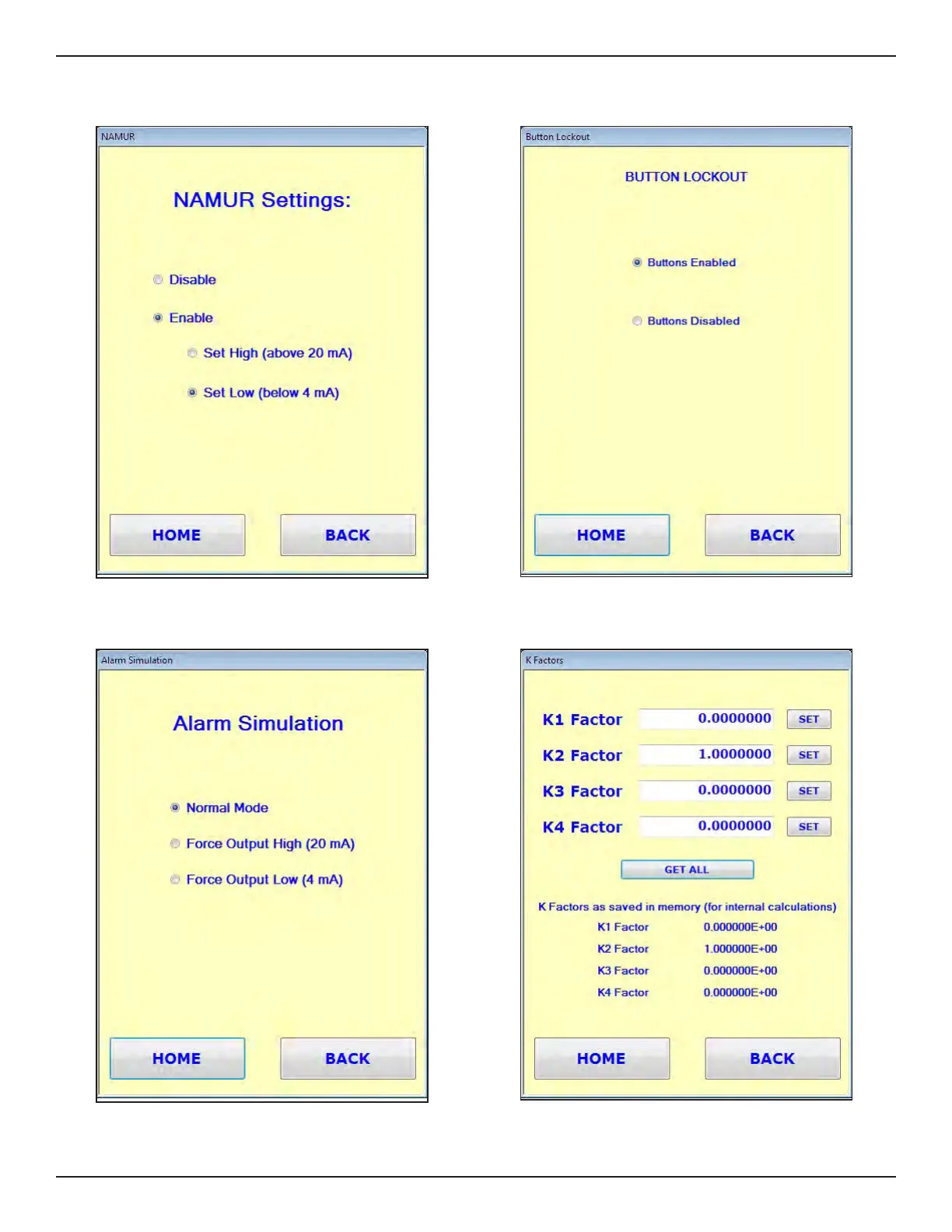
Utilities/Button Lockout Window
Enables/Disables front panel buttons.
Utilities/NAMUR Window
Disables/Enables NAMUR (set as High or Low).
Utilities/Alarm Simulation Window
Forces a high or low alarm condition for testing.
Utilities/K Factors Window
Displays instrument's flow rate K Factor values. This window also allows a
trained technician to manually enter K Factor values.



 To Next Page