System Manual
11
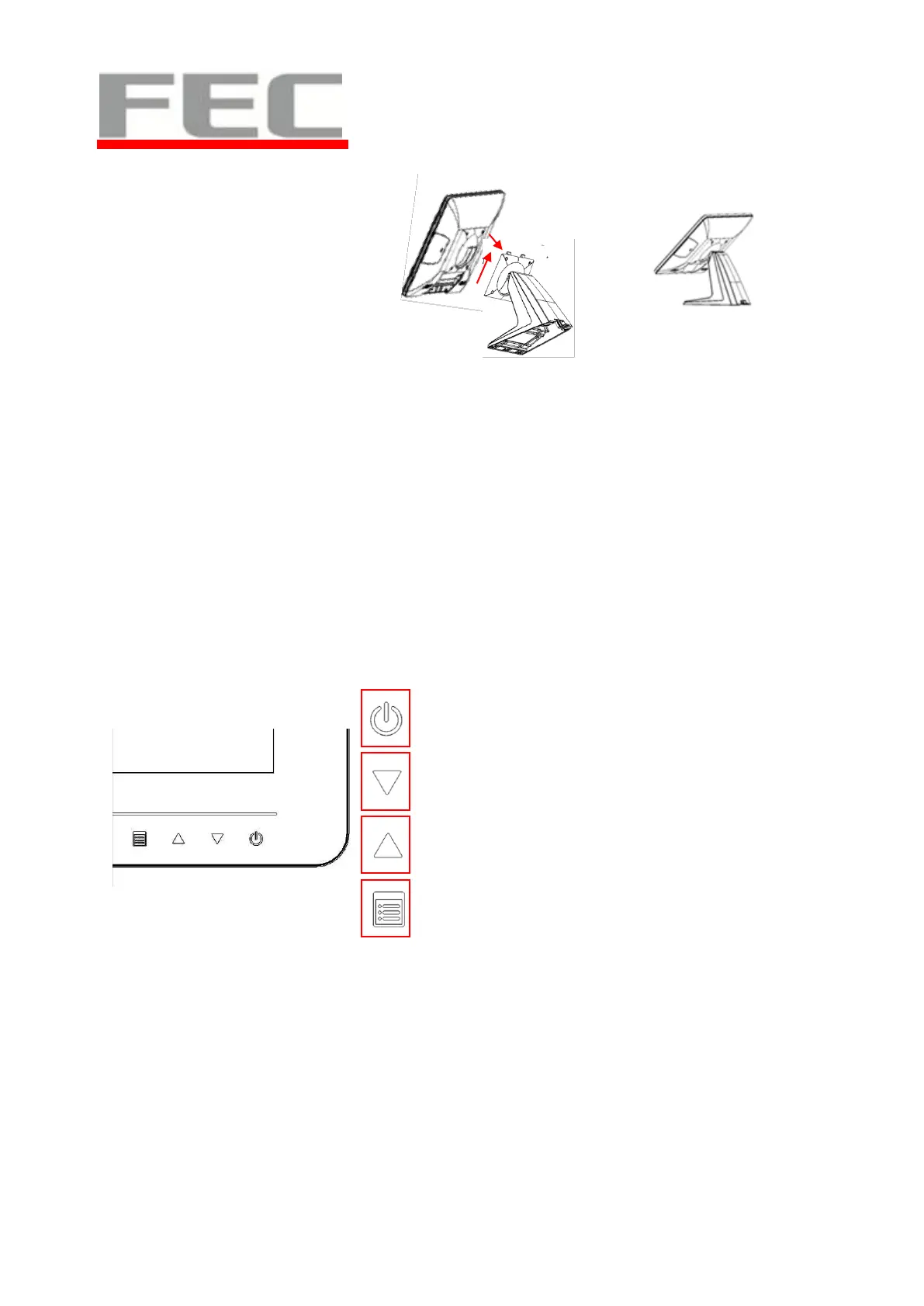
4. Reverse the process can
assembly back the touch
display module.
** please make sure the touch
display module is firmly
connected to the docking slot
**
**Note**
During the process of disassembly and installation, please ensure the terminal is
“Power Off” and remove AC.
OSD Function and Adjustment
OSD function and adjustment
Menu Function Introduction
Back Light Power (finger touch for 5 seconds)
Back Light Power On – Blue LED indication
Back Light Power Off – Red LED indication
Menu item up select, item value increase and auto
tune
Menu item down select and item value decrease
Display OSD menu and enter
Next page
All buttons are invisible till one touch of any. After 5 seconds, the lights will back to invisible without further touch.


 To Next Page