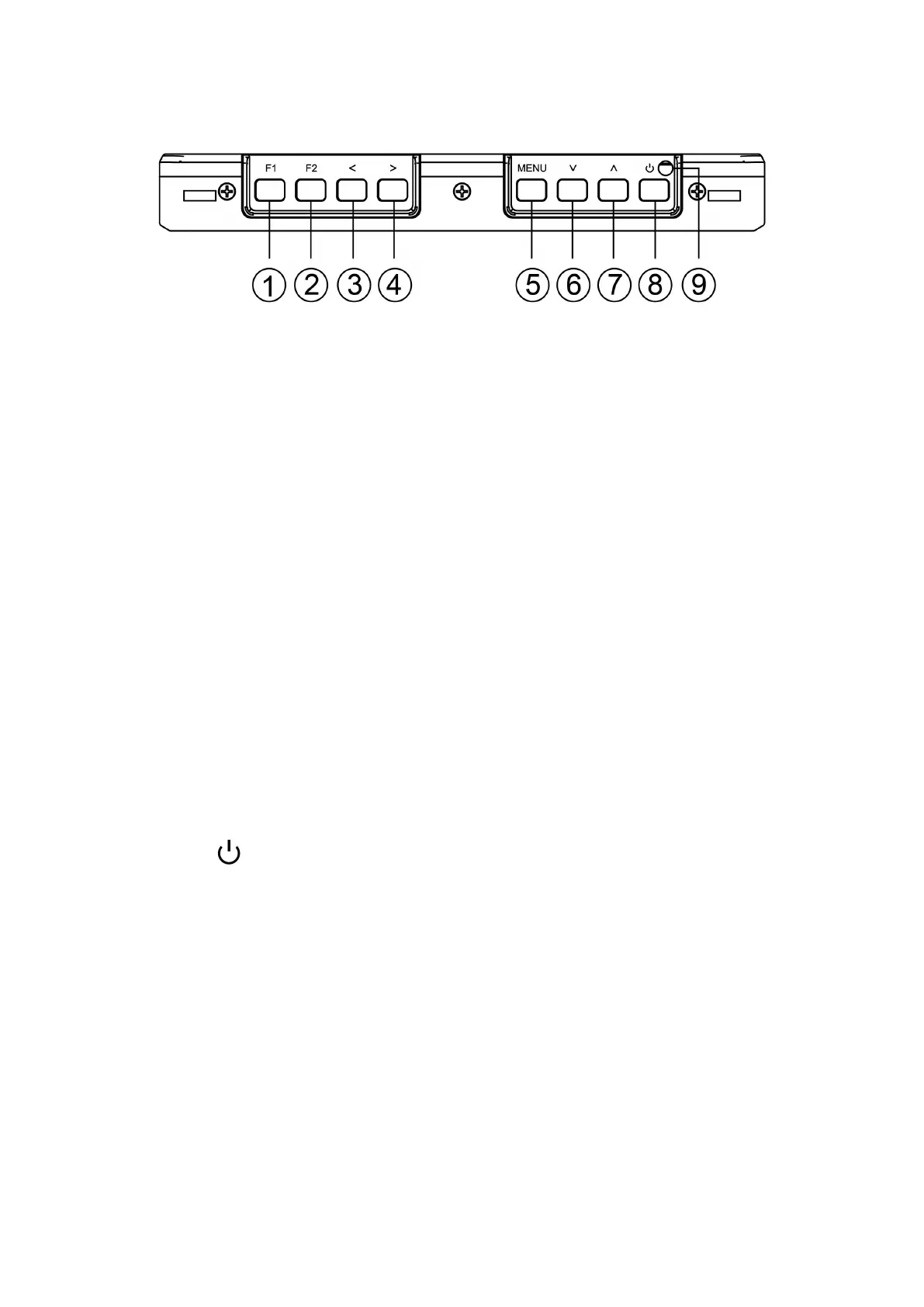
1.1 Button Instruction
①. F1: Custom button, enter into the Secondary F menu of the
OSD Menu to set custom button according to your own habit.
②. F2: Custom button, same setting as F1.
③. <: Volume down, in menu operation it is the adjust button
for the set item.
④. >: Volume up, in menu operation it is the adjust button for
the set item.
⑤. MENU: Menu button.
⑥. ∨: When enter into OSD operation, it is for the down item
selection.
⑦. ∧: When enter into OSD operation, it is for the up item
selection.
⑧. : Power On/Off button
⑨. Power Indicator light: when power on/standby, it turns red;
when signal in, it turns green.



 To Next Page