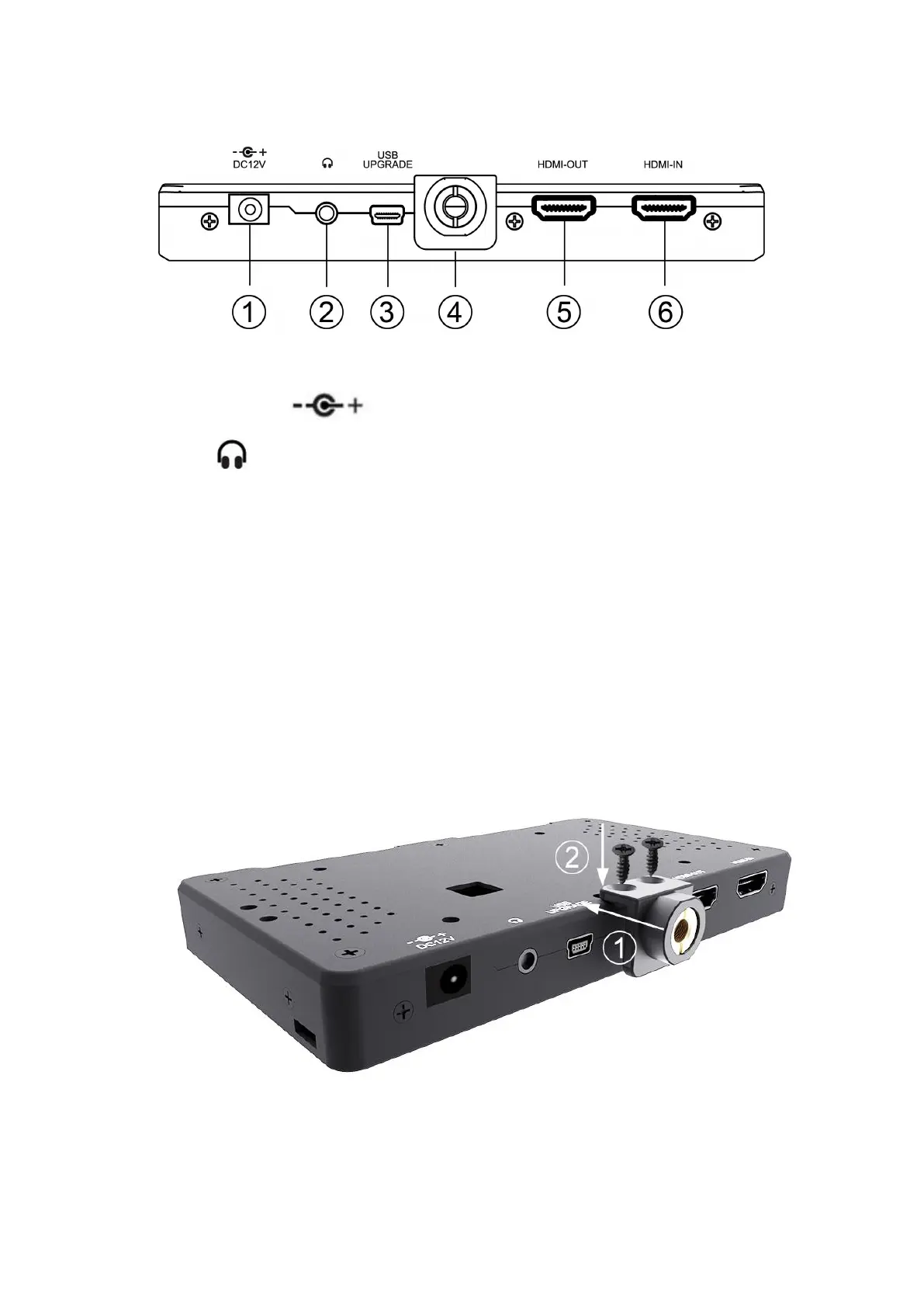
1.2 Port Instruction
① DC12V: DC power input interface, polarity as the input
power .
② : Earphone port output
③ USB upgrade port
④ Install 1/4" screw lock
⑤ HDMI-OUT: HDMI signal output
⑥ HDMI-IN: HDMI signal input
1.3 1/4" Screw Lock Installation
You can install it on the bottom or right side of the monitor.
① Fasten the 1/4" screw lock with the monitor.
② Use 2 screws to fasten the1/4" screw lock and the monitor.



 To Next Page