- 9 -
6. Optional accessories
6.1 Remote handle (Optional)
Use with the Remote Handle for Feiyu Pocket 3 to achieve more functions and control.
Follow the methods below to install and connect. For more function introductions,
please refer to the manual of the remote handle.
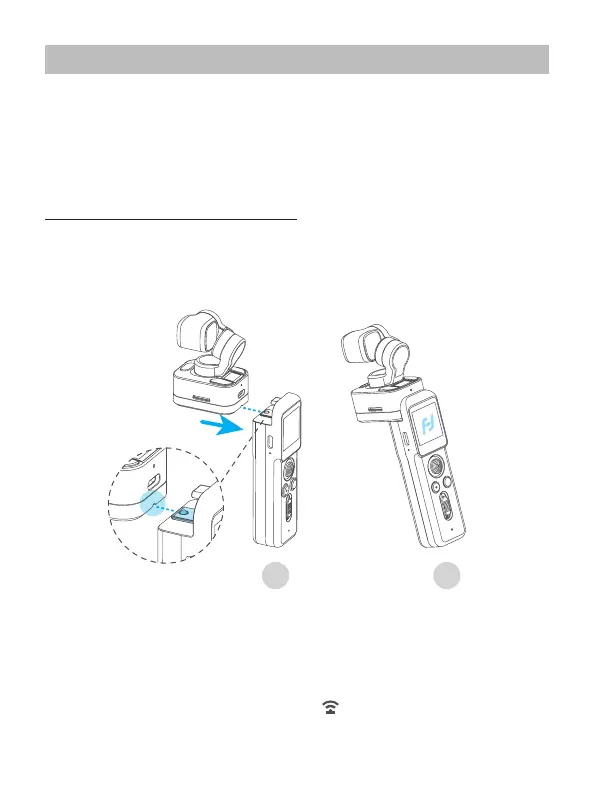
Steps for installation and connection
6.1.1 USB-C connection
Put the dovetail slot which at the bottom of Feiyu Pocket 3 Stabilized Camera aim to
the convex slot of remote handle, and slide in along the slot to connect the USB-C port.
Then users can control the camera through the remote handle after power on.
21
6.1.2 Wireless connection
Before using for the rst time, please connect the remote handle with camera
physically (Refer to 6.1.1), and power on.
Then detach the remote handle and the stabilized camera, and the screen on camera
will prompt to enter wireless connection status , then the remote handle can
control the camera wirelessly.


 To Next Page