- 2 -
3. Start to Use
(1) Please fully charge the battery before powering on the product for the
rst time.
(2) When not in use, power o the product.
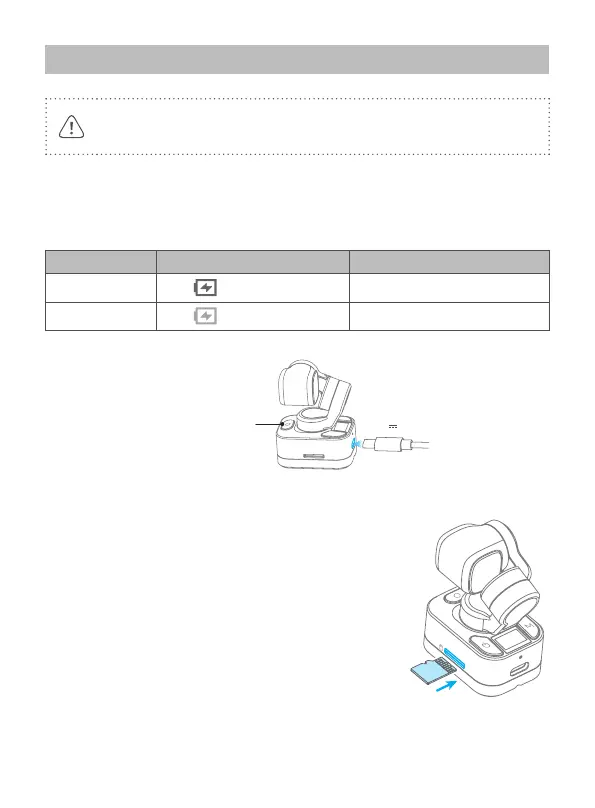
3.1 Charging
Connect USB-C cable with charging port to charge.
We recommend that you charge your camera at least once a month.
Charging status While working (screen status) While o (indicator status)
Charging Display Red light is on
Complete Disappear Light is o
Indicator
5V 2A
3.2 Insert MicroSD card
An UHS - Ⅰ Speed Grade 3 (U3) rating microSD card
(equipped by user) is required.
Please format the microSD card with Feiyu Pocket 3
when insert it at the rst time.


 To Next Page