- 5 -
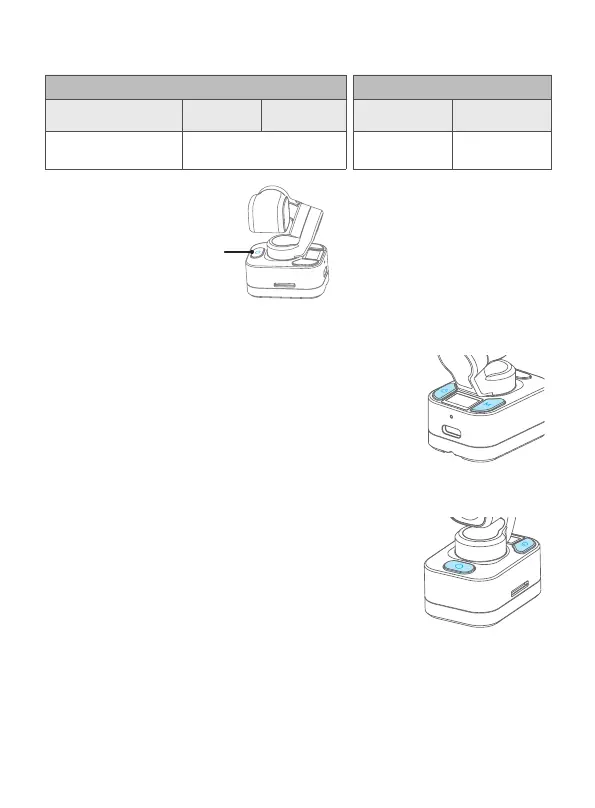
4.5 Indicator light instructions
Indicator status Indicator status
(While OFF)
Take photo Recording
Update
rmware
Charging Complete
Green light ash once Green light keeps ashing Red light is on Light is o
Indicator
4.6 Gimbal calibration
When camera is not level, users can use calibration
function to x.
Method: Press the power button and gimbal mode
button at the same time
4.7 Reset
Reset the camera parameters to factory default
Settings
Method: Press the power button and shutter button
at the same time


 To Next Page