- 9 -
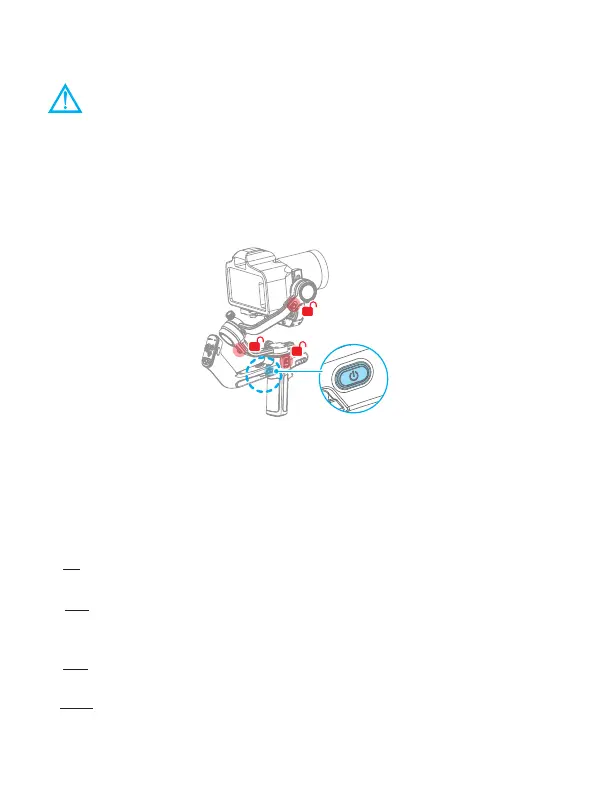
5. Power ON/ OFF
(1) Before power on the gimbal, make sure you have balanced gimbal, and
unlocked all the three axes.
(2) If you haven't unlocked all the 3 axes, gimbal will enter sleep mode to
protect itself. Please single tap power button to wake up gimbal after
unlocked all the 3 axes.
! Please set motor power rst after powering on gimbal for the rst time or after
changing a new camera/lens.
Long press the power button and release it when you hear the beep sound to power
on/ o.
6. Function/Modes introduction
6.1 Follow modes introduction
①
PF
(Default mode)
Pan follow, only the pan axis follows the movement of user's hand.
②
PTF
Pan and tilt follow, where both the pan and tilt axes follow the movement of user's
hand, but roll axis does not.
③
FPV
Pan, tilt and roll follow, where all 3 axes follow the movement of user's hand.
④
Lock
All 3 axes do not follow the movement of user's hand, gimbal keeps the direction of
the camera xed.















 To Next Page