
 Need help?
Do you have a question about the Fender Reflecting Pool and is the answer not in the manual?
Bypasses reverb effect; LED indicates when reverb is active.
Adjusts reverb decay time, controlling the length of the reverb signal.
Attenuates high frequencies and darkens the reverb tail.
Controls the "wet/dry" mix of the reverb signal.
Modifies an algorithm-specific parameter like decay tilt or regeneration.
Toggles between Hall, Room, and Special reverb types.
Selects variations within each reverb type (e.g., hall size, shimmer).
Bypasses delay effect; LED indicates when delay is active.
Sets delay time by tapping; LED flashes in sync with delay.
Sets delay time from 10ms to 1 second, with rhythmic subdivisions.
Controls the number of delay repeats.
Blends main and secondary delay signals.
Controls the "wet/dry" mix of the delay signal.
Controls modulation speed for delay.
Flashes in time with delay modulation speed.
Controls modulation depth for delay.
Toggles between Digital, Analog, or Tape delay types.
Selects rhythmic subdivisions for the second delay tap.
Selects distinct delay repeat types, affecting quality.
High-impedance input for electric guitar, bass, keyboards.
High-impedance input for electric guitar, bass, keyboards.
Low-impedance output for connecting to amp or pedal.
Low-impedance output for connecting to amp or pedal.
Connects a momentary footswitch for remote tap tempo control.
Standard center-negative 9VDC jack for power supply connection.
Selects between "Trails" (DSP) or "True" bypass modes.
Turns control knob illumination on and off.
Connection point for firmware updates.
Warnings regarding electrical safety, liquid exposure, and hearing damage.
Information on where to find the manual in other languages.
Details on impedances, power requirements, dimensions, and weight.
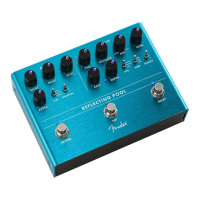
The Fender Reflecting Pool is a sophisticated digital delay-reverb pedal designed to create lush and complex time-based effects for musicians. It leverages advanced DSP technology to offer a wide array of sonic possibilities, featuring independently switchable delay and reverb sections, a dedicated tap tempo footswitch, and stereo input/output capabilities. The pedal is designed in California, U.S.A.
The reverb section of the Reflecting Pool offers extensive control over its ambient effects. The Reverb Footswitch & LED allows you to bypass the reverb effect, with the LED illuminating when the reverb is active.
The Decay control adjusts the length of the reverb signal. Turning the knob counter-clockwise produces smaller room and ambient sounds, while clockwise settings create the sound of vast, expansive spaces. This allows for a wide range of reverb sizes, from intimate to cavernous.
The Damp control attenuates high frequencies in the reverb tail, effectively "darkening" the sound. This can be used to create warmer, more vintage-sounding reverbs or to prevent the reverb from becoming too bright or harsh.
The Level (Reverb) knob controls the wet/dry mix of the reverb signal, allowing you to blend the processed reverb sound with your original dry signal to achieve the desired balance.
The Extra knob is a versatile parameter that modifies an algorithm-specific setting. Its function changes depending on the selected reverb type:
The Reverb Type Switch allows you to toggle between three main reverb types:
The Variation Switch further refines each reverb type by toggling among three different variations for each.
The delay section of the Reflecting Pool provides comprehensive control over its time-based effects. The Delay Bypass Footswitch & LED allows you to bypass the delay effect, with the LED illuminating when the delay is active.
The Delay Tap Tempo Footswitch & LED enables you to set the delay time by tapping two or more times at your desired rate. The LED flashes in sync with the delay time, providing visual feedback.
The Time control knob sets the delay time from 10 milliseconds to 1 second. To select various rhythmic subdivisions, you can press and hold the Tap footswitch while turning the Time control knob. Subdivisions include (clockwise): 16th note, dotted 16th note, 8th note, 8th note (triplet), dotted 8th note, quarter note, and half note. Releasing the Tap footswitch after selection applies the chosen subdivision.
The Feedback control adjusts the number of delay repeats, from a single echo to infinite repeats.
The Mix control blends between the main delay and a secondary delay tap, which is defined by the SUBD toggle switch. At the minimum setting, only the main delay is heard. As the knob is turned, the secondary delay tap becomes increasingly audible, and at the maximum setting, only the secondary delay tap is heard.
The Level (Delay) knob controls the wet/dry mix of the delay signal, allowing you to blend the processed delay sound with your original dry signal.
The Rate control adjusts the modulation speed of the delay, and the Rate LED flashes in time with this modulation speed, offering visual indication.
The Depth control adjusts the modulation depth, adding movement and character to the delay repeats.
The Delay Type Switch allows you to toggle among three main delay types:
The Subdivision Switch enables the selection of rhythmic subdivision for the second delay tap (secondary delay time is a subdivision of the main delay time). Rhythmic subdivision values include: 50% (8th note relative to quarter note), 66% (quarter note triplet relative to quarter note), and 75% (dotted 8th note relative to quarter note).
The Quality Switch enables the selection of three distinct delay repeat types, useful for progressively reducing the delay repeat quality, adding character to the echoes.
The Reflecting Pool offers versatile connectivity options:
To ensure the longevity and safe operation of your Reflecting Pool pedal, several important safety instructions should be followed:
The device complies with Part 15 of FCC Rules, meaning its operation is subject to two conditions: (1) it may not cause harmful interference, and (2) it must accept any interference received, including interference that may cause undesired operation.
The Reflecting Pool is a robust and versatile pedal designed to be a central part of a musician's time-based effects rig, offering a wide palette of sounds and flexible control for both live performance and studio recording.
 General
| Inputs | 1 x 1/4" |
|---|---|
| Bypass | True Bypass |
| Input Impedance | 1 MΩ |
| Connectivity | 1/4" input and output jacks |
| Outputs | 2 |
| Power Supply | 9V DC |


 To Next Page