FIGURES
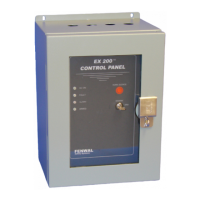
Figure 1: Exterior View of EX 200™ with Front Door Open.............................................. 8
Figure 2: Location of Components on Printed Circuit Board........................................... 11
Figure 3: Detailed View of Trouble Indicators ................................................................. 16
Figure 4: Standard Panel Outline Drawing ..................................................................... 18
Figure 5: Larger Enclosure Panel Outline Drawing......................................................... 19
Figure 6: Recommended Field Wiring Termination ........................................................ 21
Figure 7: Switch Bank S1................................................................................................ 23
Figure 8: Switch Bank S3................................................................................................ 24
Figure 9: DET3 Vent Monitoring Wiring Schematic ........................................................ 25
TABLES
Table 1: FAULT Indicator Operation – External Faults ..................................................... 9
Table 2: Trouble Indicators Definitions ........................................................................... 17
Table 3: PCB Trouble Code Definitions .......................................................................... 17
Table 4: EX 200™ Programming Options Summary ...................................................... 27
Page 2 FSS/MC-519 Rev. BC FENWAL
Protection Systems


 To Next Page