
 Need help?
Do you have a question about the Fenwal EX 200 and is the answer not in the manual?
Crucial safety advice for proper installation and operation to prevent injury or death.
Explains the priority of warnings, cautions, and notes for safe operation.
Procedures for inspecting shipping cartons and verifying contents upon receipt.
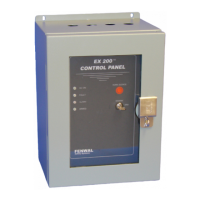
Details the EX 200™ control panel's function, design, and typical applications in explosion protection.
Highlights key advantages and new functionalities of the EX 200™ control panel.
Explains the function of LED indicators on the front panel for system status.
Details the function and operation of the ARM/DISARM switch and HORN SILENCE button.
Lists and defines various terminal connections for system components and functions.
Explains the internal LED indicators used for system trouble conditions.
Guidance on physically mounting the control panel and preparing its enclosure.
Outlines essential requirements and recommendations for wiring the EX 200™ system.
Step-by-step instructions for connecting the AC power supply to the control panel.
Detailed steps for correctly installing the backup battery into the control panel.
Instructions on configuring the control panel using plugs and jumpers for detection circuits.
Details the configuration options available through Switch Bank S3.
Procedures for applying AC and DC power to the control panel.
Instructions on how to arm the EX 200™ control panel and what to expect.
Steps to safely disarm the EX 200™ control panel and indicators.
Procedure for safely removing AC and DC power from the control panel.
Requirements for FENWAL-certified personnel to commission the system.
Guidelines for cleaning the control panel's polycarbonate door.
Instructions on when and how to replace the backup battery.
Emphasizes disarming and powering down before configuration changes or rewiring.
Details the power supply requirements and specifications for the EX 200™ panel.
Lists and describes the various input circuits and their functions.
Details the control panel's output signals and their specifications.
Provides physical dimensions, weight, operating environment, and mounting details.
Lists available models and their corresponding part numbers for the EX 200™ system.
Lists common spare parts available for the EX 200™ control panel.
Outlines the procedure and necessary information for returning products for service.
Details the warranty terms and conditions for the EX 200™ control panel.
 General
| Brand | Fenwal |
|---|---|
| Model | EX 200 |
| Category | Control Panel |
| Language | English |

 To Next Page