24
FACE RECOGNITION
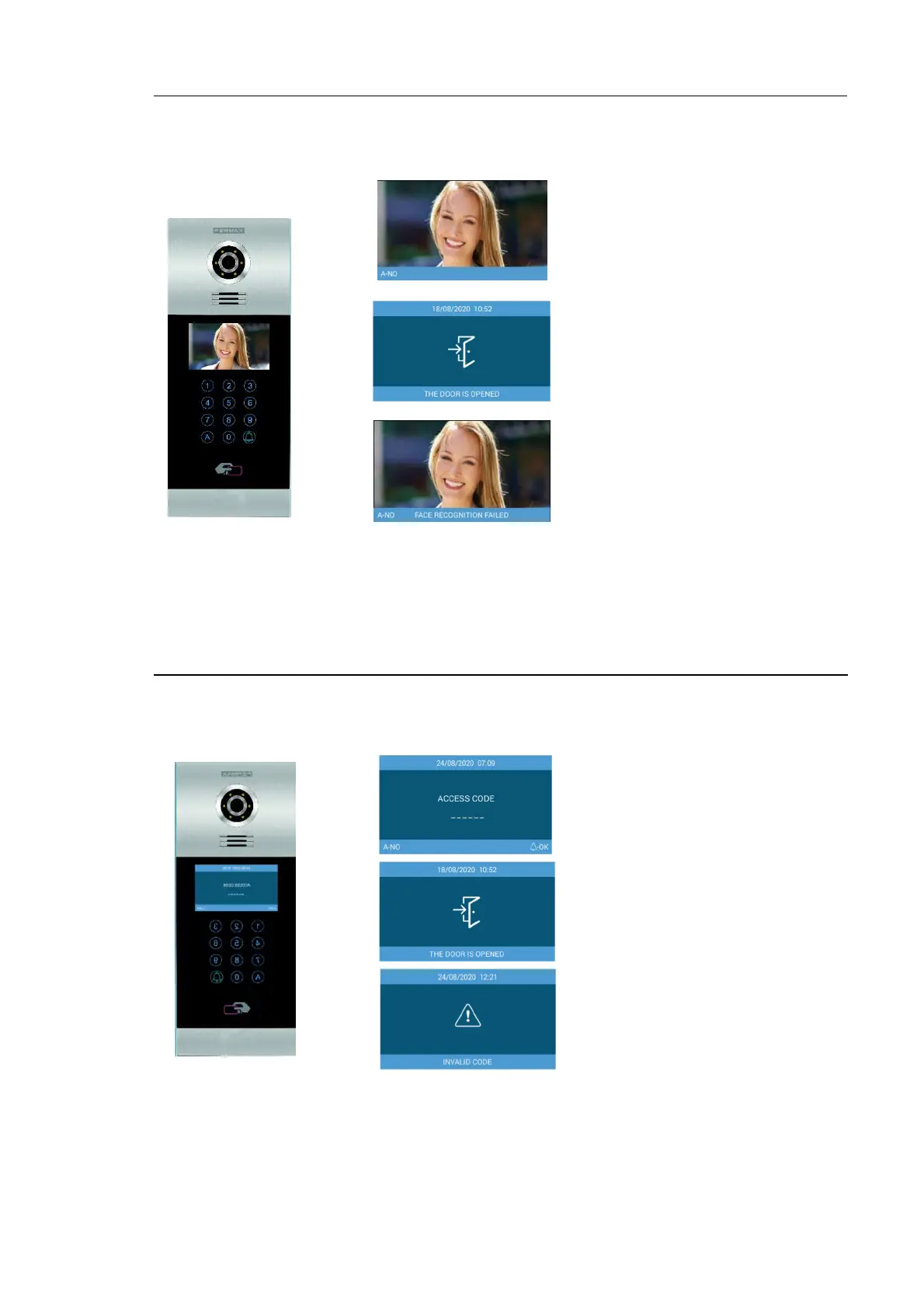
This function allows users to be identified by means of facial recognition.
Dialling “A” twice the face recognition interface will appear. If the user´s face has been programmed
and the system recognizes him, the door will open.
NOTE:
Face recognition requires some previous programming by means of the FERMAX MEET
MANAGEMENT Software.
ACCESS PIN
This function allows users open the door by means of entering an ACCES PIN code.
Dial “A0” to enter in PIN CODE mode:
The panel admits up to 8 different ACCESS PIN CODE, that must be programmed by the installer.
Length of each ACCESS PIN CODE could be between 4 to 6 digits.
See WEB BROWSER PROGRAMMING section for further details.
The person has to stay in front of the
panel for a few seconds.
If the user is recognized, the door will
open.
indicates that the systems does not
recognize the person.
CODE followed by “bell”.
To cancel, just dial “A”
If the PIN is correct, the door will
open
The entered code is not valid.







 To Next Page