Pag 39
VIDEO DIGITAL COLOR KIT manual
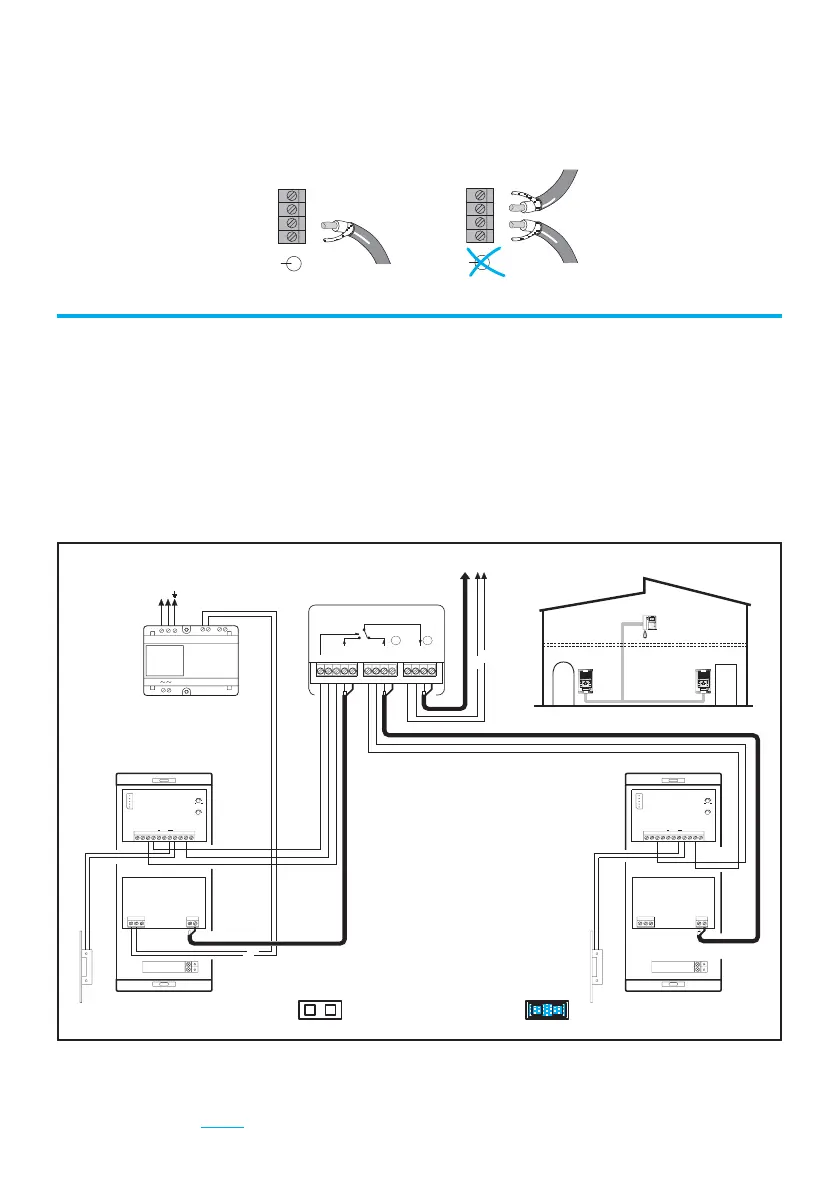
it has been installed (see page 32), assigning one of the pushbuttons in
the Outdoor Panel.
* The resistor in the connector must be cut in all the monitors with 2 coaxial
cables connected. Do not cut it when only one coaxial is connected.
NOTE:
Terminals can only be programmed from the main panel (JP1 connected).
Vac
INT.
EXT.
INT.
EXT.
ALIMENTACION
FUENTE DE
REF.6062
Vac
-+-+
+
-
AMPLIFICADOR ADS AMPLIFICADOR ADS
1 1
-+
CT VM
S
+
LVM
+
L
Vi Mi
MoVo
L
+
+
CT
-
MV
+
L
-
BXCt SL AbBAb
+
X
-
BXCt SL AbBAb
+
X
VoViVS
SALIDA VIDEO
VIDEO OUTPUT
VIDEO EXTERIOR
EXTERNAL VIDEO
REF.2450
PACK CAMBIADOR VIDEO ADS
ADS VIDEO SWITCHER PACK
PANEL VIDEO
VIDEO PLACA
1
2
HIGH RESOLUTION
FLAT MONITOR
HIGH RESOLUTION
CCD CAMERA
PAN &TILT
HIGH RESOLUTION
CCD CAMERA
PAN &TILT
ADDITIONAL PANEL
MAIN PANEL
V
M
M
V
75 Ohm
Wiring for ADDITIONAL COLOR VIDEO PANEL KITS
How to add an Aditional Outdoor Panel
It is possible to extend the DIGITAL KIT by installing an Aditional Outdoor
Panel at another access to the building (service gate, garage, etc...). Depending
on the type of aditional Panel (video or audio) you will be able to use the
ADITIONAL VIDEO PANEL KITS (REF.6075, REF.6077 Y REF.6079) and
ADITIONAL AUDIO PANEL KITS (REF.6056, REF.6057 Y REF.6058) for 1, 2
and 3 lines respectively.
The wiring of these ADITIONAL PANEL KITS are idependent from the number
of lines. Therefore, the diagrams shown can be used for every VIDEO DIGITAL
COLOR KIT.
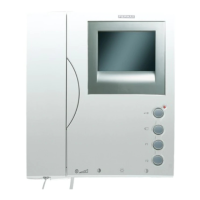
TO THE MONITOR
Cut the resistor.Do NOT cut the resistor.
Do not
connect
JP1
Connect
JP1












 To Next Page