© Ferno-Washington, Inc. / March 2016 / 234-3621-00
18
Maintenance
6.8 Attaching the Fastening System
to the Ambulance Floor
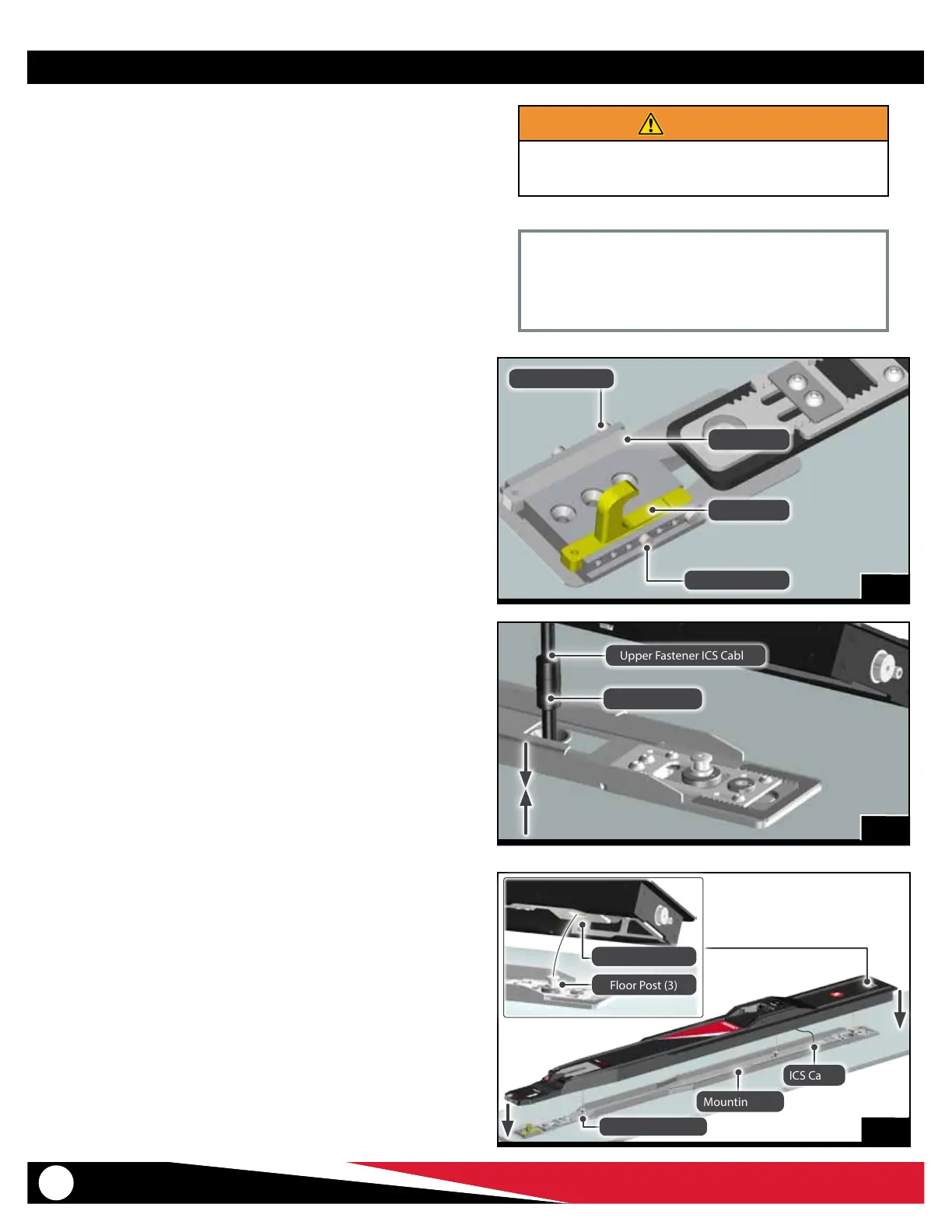
1. After cleaning, verify that the four locator pins that hold the
position of the safety hook and insert are in position (Figure 15).
2. Remove the rubber band and plastic bag cover from the two
halves of the ICS cable.
3. Verify that the oor lock indicator window is showing green (no
red). See “Floor Lock Indicator Window” on page 13.
Note: Monitor the position of the ICS cable as you attach the fastening
system to the mounting rail.
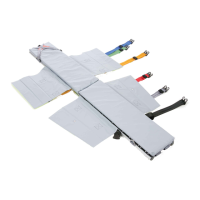
4. Connect the ICS cable to the oor connector (Figure 16). Center
any excess cable in the middle of the mounting rail where it will
not be kinked or damaged.
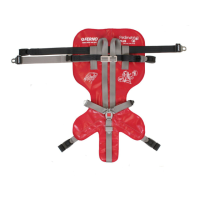
5. Using additional help as needed, orient the upper fastening
system over the mounting rail with the receiving plates over the
oor posts. Set the upper fastening system in place (Figure 17).
6. Verify the upper fastening system is properly positioned on the
mounting rail, with the safety hook passing through the slot in
the nose. The fastening system should be in contact with the oor.
Important
Do not remove the locator pins that hold the position of
the safety hook and insert (Figure 14). Verify all four pins are
present. Keep the pins in position.
WARNING
An improperly-secured fastening system can fail in
a crash. Conrm all fasteners are fully tightened and
properly secure the fastening system to the oor.
ICS Cable
Floor Post (3)
Receiving Plate (3)
Mounting Rail
Floor Post (3)
Upper Fastener ICS Cable
Floor Connector
17
Locator Pin (2)
Locator Pin (2)
Insert
Safety Hook
15
16


 To Next Page