15
LEVELS & ROUTING
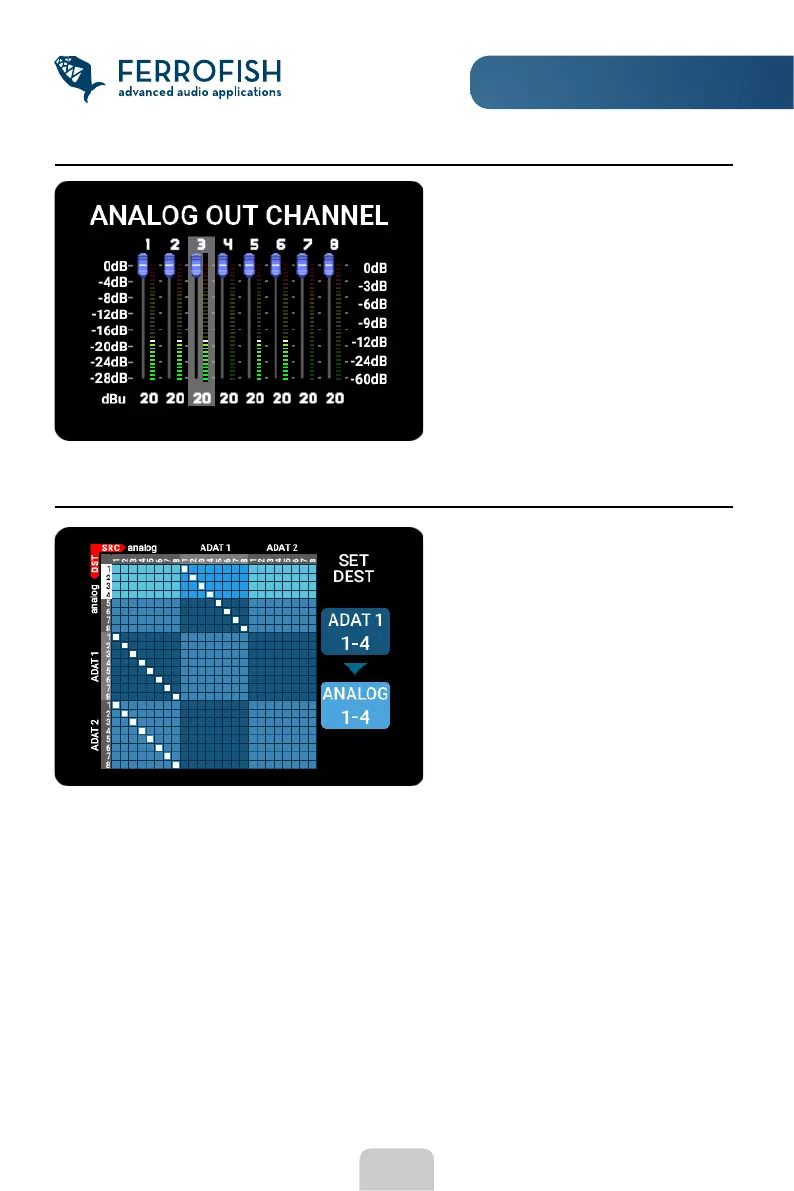
LEVELS
To do a routing, rst select the output you want to adjust by moving the knob.
After pressing the MENU button, you can now assign the input to the selected output by
moving the white connection point. Another press of the MENU button then jumps to the
next output, which can then treated the same way.
To go back to the output selection, press the ESC button.
ROUTING
The LEVELS display is similar to the
GAINS display and is used to adjust
the output volumes. The outputs are
also individually adjustable in 1 dB
steps from +20dBu to -8dBu. Note
that the levelmeter display does not
change while you adjust, as the
levels are shown before the
attenuation is done.
Here you can assign an input (top) to
each output (left).
A connection between input and
output is indicated by a white
square.
Note that the view changes if you
set a sample rate higher than 48
kHz, as the number of available
ADAT channels is reduced in this
case.



 To Next Page