16
SETUP MENU
Setup Menu
This menu, accessible from the
main menu, is intended for general
settings.
The menu items are described
below
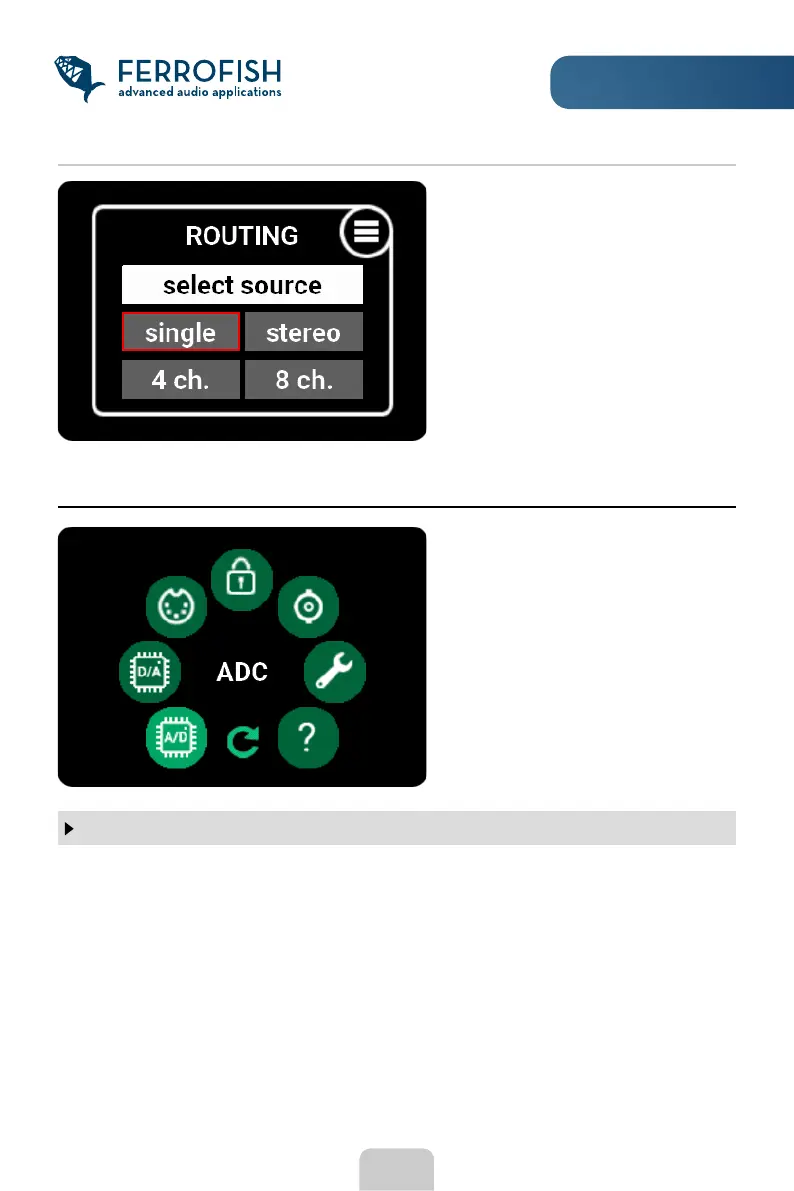
To simplify routing of a group of
outputs, you can also choose
multiple channels at the same time.
To do this, press the MENU button
until the routing menu appears.
Here you have the choice to select 1,
2, 4, or 8 channels.
Here you can choose one of the eight or seven different anti-aliasing lters for the ADC
and DAC converters. These lters are necessary for the system to prevent frequencies
above half of the sampling frequency from "mirroring" (aliasing) and thus being audible
as distortion. In addition to their actual function, the lters have other characteristics
that can be inuenced by selecting a lter, in particular signal delay, phase behavior,
pulse response and lter course. In case of doubt, please use the standard lter #1
recommended by the manufacturer.
Further information can be found in the data sheet of the ES9017 and ES9840Q chips
used.
ADC / DAC SETTINGS



 To Next Page