04
FRONT VIEW
Front view
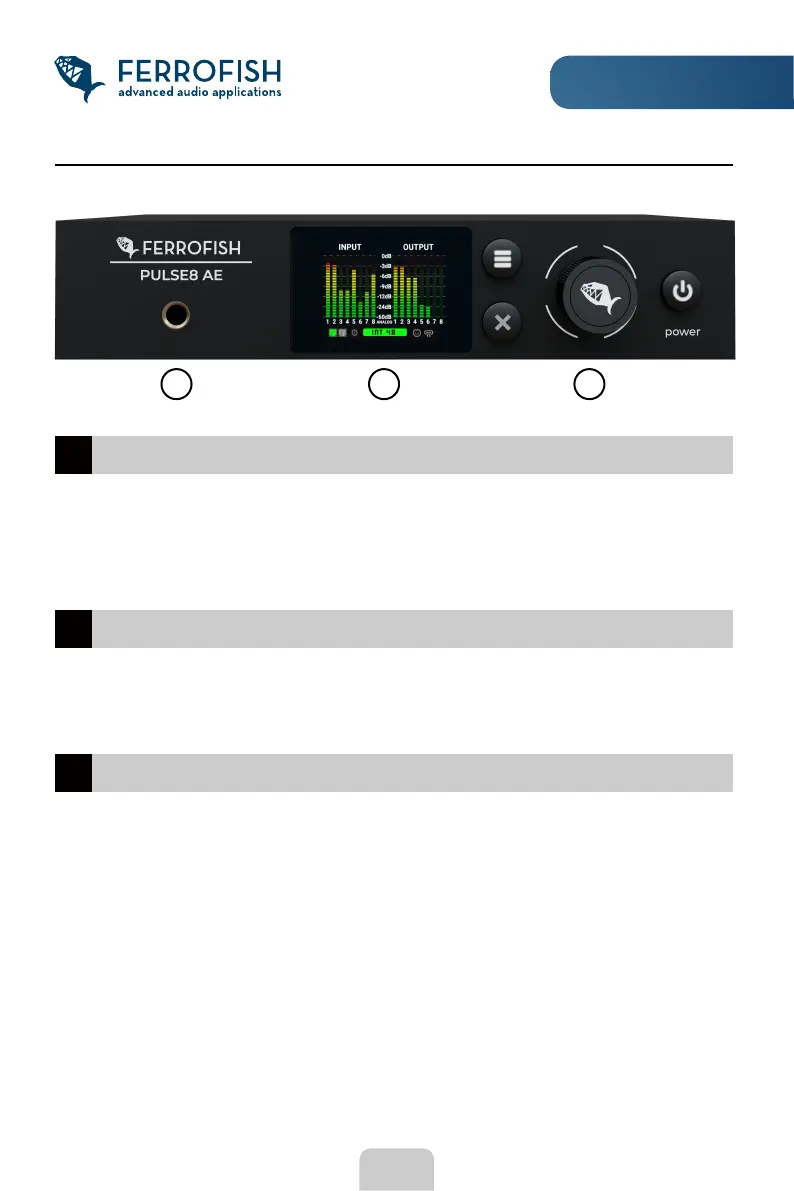
Headphone output1
The headphone output is powered by a high-quality DAC and amplier chip, and
works independently of the analog outputs located on the backside. To adjust the
headphone settings, go to the main display, and move the knob. You can nd out
more about headphone settings in the following chapters.
TFT screen2
The TFT screen shows the levels of the 8 analog inputs and outputs as well as the
status of the device. Pressing the MENU button takes you to the main menu from
where the device can be setup.
Controls3
The controls include the MENU button (three bars) as well as the ESC button (X
symbol), the rotary knob, and the POWER button for turning the device on/off.
To prevent switching off the device accidentally, you need to press the POWER
button for approx. 3 seconds.
1
2
3



 To Next Page