Main Menu
2.0 Overview
OvuSense has two parts – a personal Sensor shaped like
a small tampon, and a Reader. When you first unpack the
Reader it will need to be charged overnight. When using your
OvuSense Reader for the first time, you will be automatically
prompted to set up the date and time as indicated in
Section 5.2
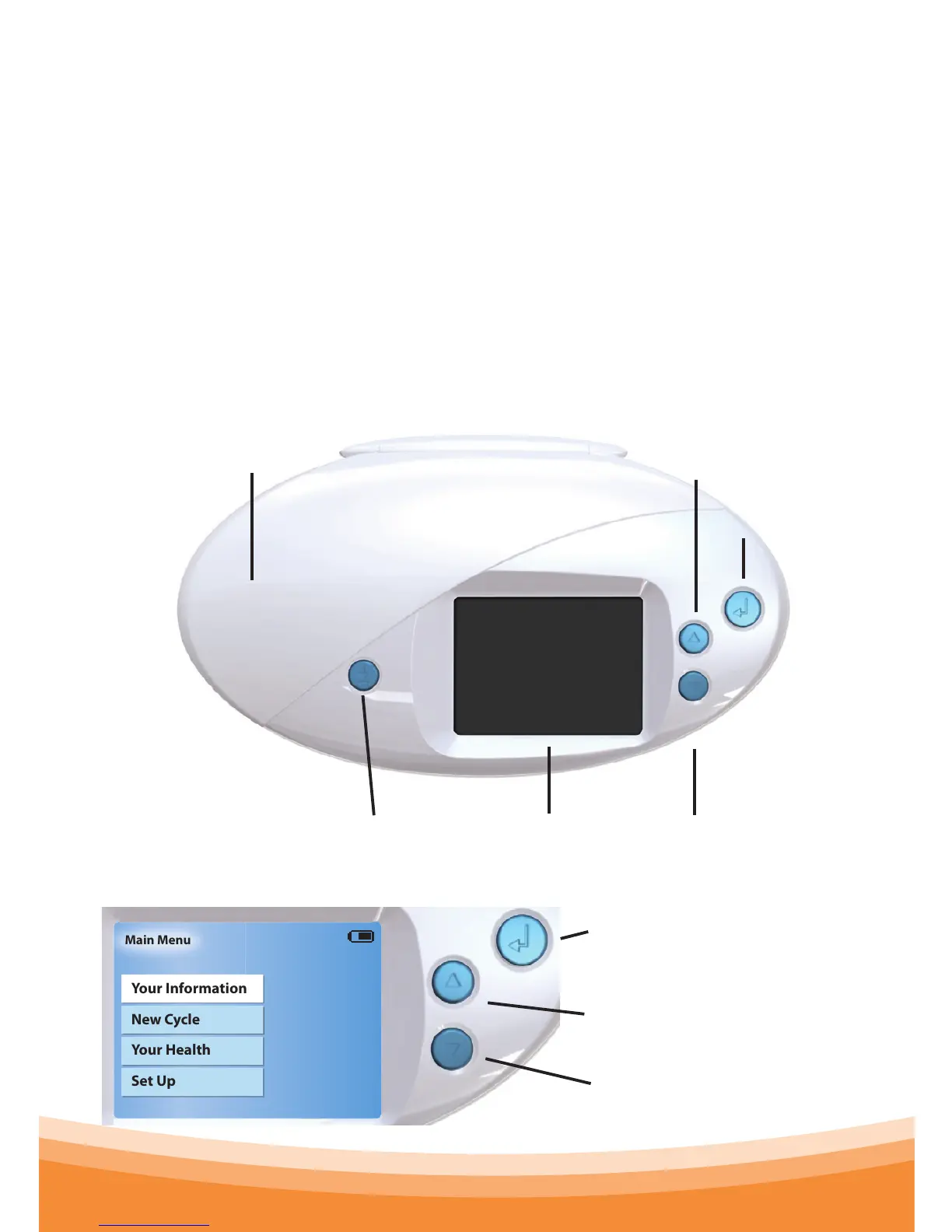
The Reader
Personal Sensor Cover
Conrm
Select / Up
Select / DownDownload LCD Display
Operating Keys
Conrm key, referred to in this
manual with the symbol
Up key, referred to in this
manual with the symbol
Down key, referred to in this
manual with the symbol



 To Next Page