4 Getting Started
Festo CDPX-… en 1203NH
4-3
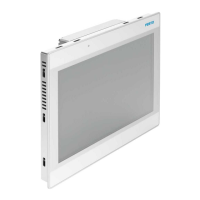
System settings in System Mode can be activated with the so-
called Emergency system access procedure. This procedure
consist in tapping in the middle of the touch screen with a
finger at a high frequency while the systems powering up. The
Emergency procedure can only be accessed at power-up.
“User mode” is the simplest possible interface where a
generic user can get access to the basic settings of the
panel:
· Calibrate Touch: allows to calibrate the touch screen
interface
· Network: allows to change the options of the panel on-
board network card
· Time: allows to change the panel RTC options, including
time zone and DST
· Display settings: automatic backlight turnoff and
brightness adjustment
· BSP settings: allows to check the BSP (Board Support
Package) version (example 2.37), check the operating
hours timers for the unit and separately for the backlight,
enable/disable the buzzer, enable/disable the use of the
“low battery” front LED indicator
· Plugin list: allows to check the presence of optional
plugin modules installed
“System Mode” (only intended for service activity) is the
complete interface of the System Settings tool where all the
available options are available; in addition to the options
available in the “User Mode” we have the following important
options:
· Format Flash: allows to format the internal panel flash
disk
Caution
Formatting will erase ALL data on the flash disk.
· Resize Image Area: allows to resize the flash portion
reserved to store the splash screen image displayed by
the unit at power up; default settings are normally ok for
all the units


 To Next Page