4 Getting Started
4-2
Festo CDPX-… en 1203NH
4.1 System settings
The CDPX panels have a system settings tool to allow basic
and preliminary settings to the unit.
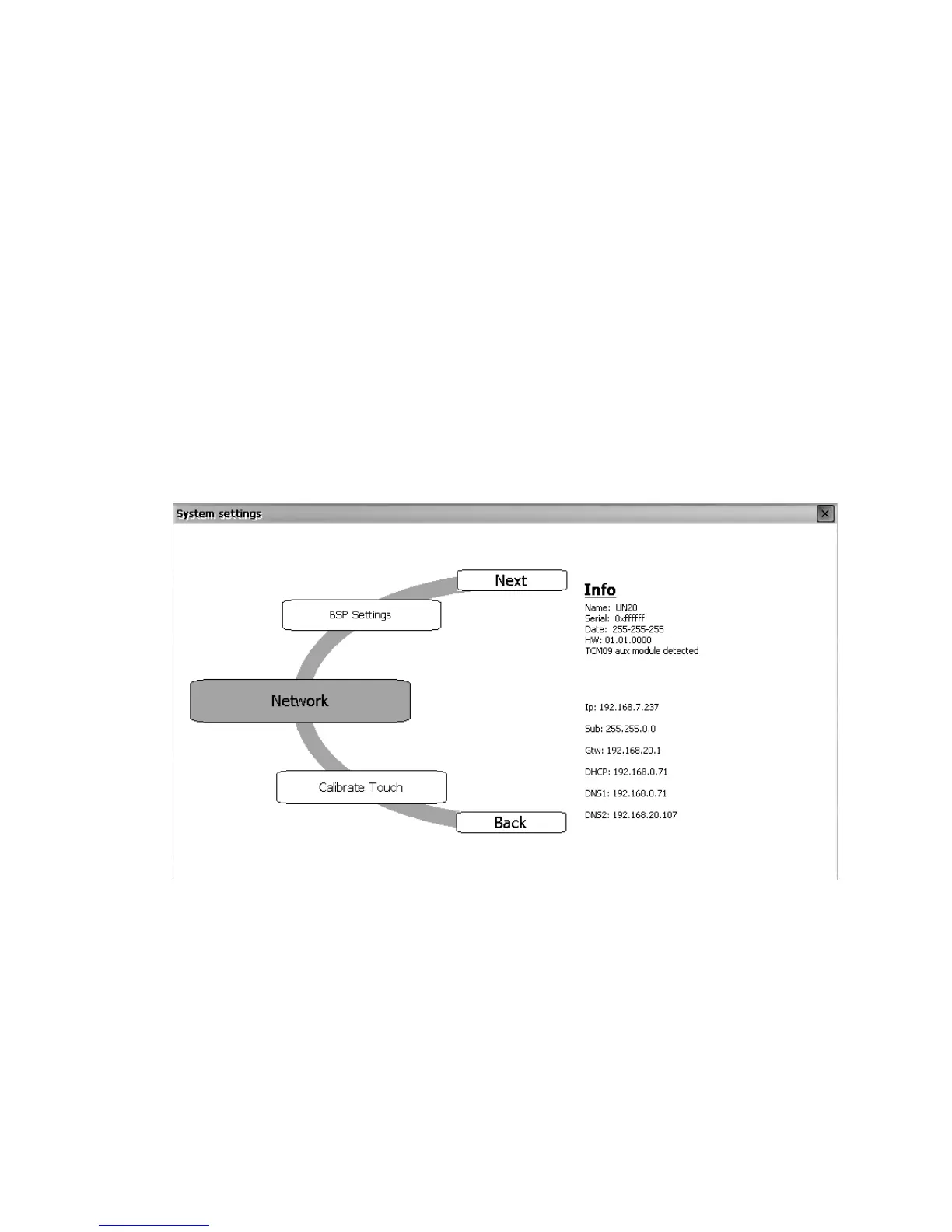
The System settings tool comes in the shape of a rotating
menu with navigation buttons at top and bottom to scroll
between the available options. The tool is showed in the
picture below.
On the left side the several components and functions are
highlighted and, per each of them, the right side (“Info” pane)
shows the information about the current version, when
applicable. In the picture below it is shown the version of the
Network component.
System Settings has two operating modes: User Mode and
System Mode. The difference between them is just in the
number of available options.
System settings in User Mode are activated from the context
menu. The contest menu can be recalled by clicking and
holding any unused area of the touch screen for a few
seconds. Default holding time is 2 sec. Hold time is a runtime
parameter that can be changed.


 To Next Page