Festo CP−FB13−E 0802e English20
6 Saving the string assignment
Prerequisite: The modules in the CP string must be con
nected correctly, the power supply must be switched off.
1. Switch on the power supply for the CP field bus node
and, if applicable, for the CPI/CP modules/valve
terminals.
2.
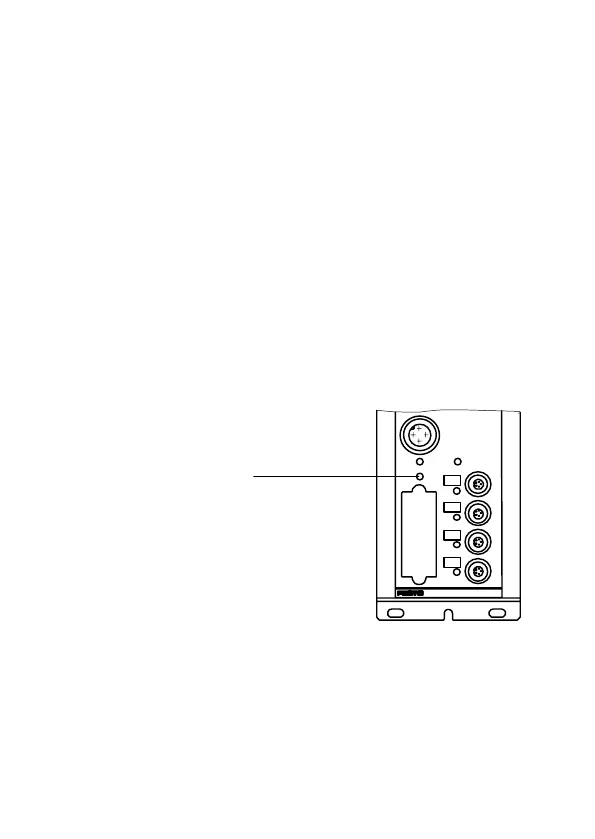
Save the current string assignment by pressing the
SAVE−button (for at least
1 s).
3. Check the address assignments of your CP system
before starting user programs.
1 SAVE button
The SAVE button
saves the current
string assignment
of the CP system
as the NOMINAL
configuration.
0
1
3
2
SAVE
POWER
24VDC
POWERV
ERROR
1








 To Next Page