EasyManua.ls Logo

Festo SFAM-62 - User Manual

Festo SFAM-62
8 pages
Print Icon
To Next Page IconTo Next Page
Loading...
Flow sensor SFAM−62
Festo AG & Co. KG
Postfach
D−73726 Esslingen
++49/711/347−0
www.festo.com
Operating instructions 743 859
0902NH
Original: de
Note
Installation and commissioning may only be performed in accordance with these
instructions by technicians with appropriate qualifications.
Note
The product is suitable for use only for industrial purposes.
In residential areas, measures for radio interference suppression may be
necessary. It is not suitable for commercial invoicing, such as for measurement
of air consumption in public utilities.
1 Product description
1.1 Overview
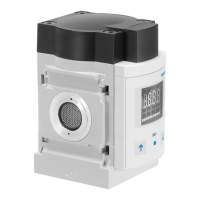
6
SFAM−Ū−M
1
2
3
4
5
7
6
SFAM−Ū−T
8
5
1 Display
2 B button
3 Edit button
4 A button
5 Plug for electrical connection
6 Supply port
7 Sieve cartridge
8 Starting stretch
Fig.1
1.2 Features
Feature Order
code
Design
Basic type SFAM Flow sensor
Grid dimension −62 62mm
Flow measuring range −1000 max. 1000l/min
gg
−3000 max. 3000l/min
−5000 max. 5000l/min
Flow input L unidirectional from the left
p
R unidirectional from the right
Type of fastening −M manifold assembly
yp g
−T thread fitting
−W additional wall mounting
Pneumatic connection G12 G½
N12 ½" NPT
Electrical output −2SA 2x PNP or NPN, 1 analogue output 4 Ū 20 mA
p
−2SV 2x PNP or NPN, 1 analogue output 0 Ū 10 V
Electrical connection −M12 plug M12x1, 5−pin, A−coded
Electrical accessories
1)
−2.5S connecting cable, straight socket, cable length 2.5m
−5S connecting cable, straight socket, cable length 5m
−2.5A connecting cable, angled socket, cable length 2.5m
−5A connecting cable, angled socket, cable length 5m
1) Included in the scope of delivery.
Fig.2
2 Function and application
The SFAM is designed to monitor changes in flow and air consumption for suitable
media in pipe systems or end devices in industry; suitable media èchapter 11
Technical specifications. The structural design enables autonomous operation
(SFAM−Ū−T) or combination with service units of the MS series (SFAM−Ū−M).
Measurement is carried out by means of a thermal procedure. The amount of heat,
which is drawn from a heated surface of the sensor by the medium flowing through
it, is calculated here. Through the amount of heat removed, the flow or accumu
lated air consumption is determined and shown on the display. The connection to
higher−level systems is made via 2 binary outputs (OutA/B) and one analogue
output (OutC). Switching points can be set for both binary outputs. For flow
measurement, switching points are possible for both binary outputs, and for accu
mulated air consumption measurement a consumption switch impulse for outputA
(OutA). The combination of accumulated air consumption measurement (OutA)
and flow measurement (OutB) is possible. The flow rate value is passed on via the
analogue output.
3 Conditions for the safe use of the product
Warning
Depending on the functioning of the machine/system, manipulation of signal
states may cause serious personal injury.
· Note that if the switching status of the outputs is modified in Edit mode, the
new status will be effective immediately.
· Activate the password protection (security code) in order to prevent the
unintentional change by unauthorized third parties èchapter5.4, section
Security code.
Warning
Use of the product in combination with prohibited media can result in personal
injury.
·Do not use the product in conjunction with inflammable gases, corrosive
gases, oxygen etc. The product is intended only for measuring the flow of
media, which are listed as suitable in the specifications chapter 11.
Important
Condensation water, oil mist, foreign matter and other dirt in the compressed air
can damage the product and cause incorrect measurements and functional
disorders.
· Make sure that the specified air quality class is maintained for the operating
medium èchapter 11 Technicalspecifications.
Note
Improper handling can result in malfunctions.
· Make sure that the following specifications are always observed:
Question and Answer IconNeed help?

Do you have a question about the Festo SFAM-62 and is the answer not in the manual?

Summary

1 Product description

1.1 Overview

Provides an overview of the SFAM flow sensor and its components.

2 Function and application

2.1 Function and application

Describes the thermal measurement principle, outputs, and application of the SFAM flow sensor.

3 Conditions for the safe use of the product

Safety Warnings and Precautions

Important warnings and precautions for safe product operation and handling.

4 Installation

4.1 Mechanical assembly

Details the mechanical mounting instructions for the SFAM flow sensor.

4.2 Pneumatic connection

Specifies the requirements for pneumatic connections to ensure accuracy.

4.3 Electrical connection

Outlines the electrical wiring, voltage, and connection requirements for the SFAM.

Combination with MS series

Integration with MS series units

Instructions for combining the SFAM with MS series service units.

5 Commissioning

Initial Commissioning Steps

Guides through the initial steps for commissioning the SFAM device.

Flow Measurement Output Settings

Details setting switching points and hysteresis for flow measurement outputs.

Display Information and Modes

Symbols on the display

Explains the various symbols used on the SFAM display.

Preparing commissioning

Lists the essential steps and checks before commissioning the SFAM.

5.1 Symbols for menu structure

Illustrates symbols used for navigating the SFAM's menu structure.

5.2 RUN mode

Describes the normal operating mode, displaying measurement values and signal states.

5.3 SHOW mode

Explains how to view current settings for switching outputs.

5.4 EDIT mode

Output A Settings (Flow;Consumption)

Details configurable settings for Output A, including flow or consumption measurement.

Output B Settings (Flow;Color)

Details configurable settings for Output B, including flow and display color change.

Configuring SFAM Outputs

Setting switching function for flow

Configures the switching function for flow measurement on outputs.

Setting switching function for consumption

Configures the switching function for air consumption measurement.

Setting display colour change (Out B)

Configures the display color change feature for Output B.

Setting special menu [SPEC]

Accesses advanced settings like standard conditions, units, filters, and security.

Advanced Settings and Configuration

Setting standard conditions

Configures standard conditions for accurate air mass flow measurement.

Setting physical unit for flow

Selects the desired physical unit for flow measurement (l/min or scfm).

Setting analogue filter constants

Adjusts filter time constants for the analogue output signal.

Setting digital filter for smoothing

Configures digital filter steps for display smoothing.

Setting switching element output (PNP;NPN)

Configures switching outputs as PNP or NPN.

Setting security code

Sets a numerical code to protect settings from unauthorized access.

5.5 TEACH mode

Teaching Switching Variables

Guides on teaching switching points for threshold or window comparator modes.

Threshold Comparator Teaching

Details teaching the switching point for threshold comparison.

Window Comparator Teaching

Details teaching switching points for window comparison.

5.6 RECORDER mode

Manual Air Consumption Recording

Performs manual accumulated air consumption measurement.

Resetting Measurement Value to Zero

Resets the accumulated measurement value to zero.

6 Operation and Maintenance

Important Operation Notes

Crucial notes on operation, heat, and comparing volume flows.

Factory Reset Procedure

Step-by-step guide to reset the SFAM to its factory default settings.

9 Eliminating Malfunctions

Troubleshooting Common Issues

Lists malfunctions, possible causes, and remedies for SFAM issues.

11 Technical Specifications

General and Mechanical Specs

Covers general info, materials, mounting, and pneumatic connection specs.

Signal, Output, and Electronics Specs

Details input signals, switching/analogue outputs, electronics, and electrical connections.

Summary

1 Product description

1.1 Overview

Provides an overview of the SFAM flow sensor and its components.

2 Function and application

2.1 Function and application

Describes the thermal measurement principle, outputs, and application of the SFAM flow sensor.

3 Conditions for the safe use of the product

Safety Warnings and Precautions

Important warnings and precautions for safe product operation and handling.

4 Installation

4.1 Mechanical assembly

Details the mechanical mounting instructions for the SFAM flow sensor.

4.2 Pneumatic connection

Specifies the requirements for pneumatic connections to ensure accuracy.

4.3 Electrical connection

Outlines the electrical wiring, voltage, and connection requirements for the SFAM.

Combination with MS series

Integration with MS series units

Instructions for combining the SFAM with MS series service units.

5 Commissioning

Initial Commissioning Steps

Guides through the initial steps for commissioning the SFAM device.

Flow Measurement Output Settings

Details setting switching points and hysteresis for flow measurement outputs.

Display Information and Modes

Symbols on the display

Explains the various symbols used on the SFAM display.

Preparing commissioning

Lists the essential steps and checks before commissioning the SFAM.

5.1 Symbols for menu structure

Illustrates symbols used for navigating the SFAM's menu structure.

5.2 RUN mode

Describes the normal operating mode, displaying measurement values and signal states.

5.3 SHOW mode

Explains how to view current settings for switching outputs.

5.4 EDIT mode

Output A Settings (Flow;Consumption)

Details configurable settings for Output A, including flow or consumption measurement.

Output B Settings (Flow;Color)

Details configurable settings for Output B, including flow and display color change.

Configuring SFAM Outputs

Setting switching function for flow

Configures the switching function for flow measurement on outputs.

Setting switching function for consumption

Configures the switching function for air consumption measurement.

Setting display colour change (Out B)

Configures the display color change feature for Output B.

Setting special menu [SPEC]

Accesses advanced settings like standard conditions, units, filters, and security.

Advanced Settings and Configuration

Setting standard conditions

Configures standard conditions for accurate air mass flow measurement.

Setting physical unit for flow

Selects the desired physical unit for flow measurement (l/min or scfm).

Setting analogue filter constants

Adjusts filter time constants for the analogue output signal.

Setting digital filter for smoothing

Configures digital filter steps for display smoothing.

Setting switching element output (PNP;NPN)

Configures switching outputs as PNP or NPN.

Setting security code

Sets a numerical code to protect settings from unauthorized access.

5.5 TEACH mode

Teaching Switching Variables

Guides on teaching switching points for threshold or window comparator modes.

Threshold Comparator Teaching

Details teaching the switching point for threshold comparison.

Window Comparator Teaching

Details teaching switching points for window comparison.

5.6 RECORDER mode

Manual Air Consumption Recording

Performs manual accumulated air consumption measurement.

Resetting Measurement Value to Zero

Resets the accumulated measurement value to zero.

6 Operation and Maintenance

Important Operation Notes

Crucial notes on operation, heat, and comparing volume flows.

Factory Reset Procedure

Step-by-step guide to reset the SFAM to its factory default settings.

9 Eliminating Malfunctions

Troubleshooting Common Issues

Lists malfunctions, possible causes, and remedies for SFAM issues.

11 Technical Specifications

General and Mechanical Specs

Covers general info, materials, mounting, and pneumatic connection specs.

Signal, Output, and Electronics Specs

Details input signals, switching/analogue outputs, electronics, and electrical connections.

Overview

The SFAM-62 is a flow sensor designed for monitoring changes in flow and air consumption within industrial pipe systems or end devices. It can operate autonomously (SFAM-...-T) or be integrated with MS series service units (SFAM-...-M). The measurement principle is thermal, calculating the amount of heat drawn from a heated sensor surface by the flowing medium to determine flow or accumulated air consumption, which is then shown on a display.

Function Description

The SFAM-62 provides two binary outputs (Out A/B) and one analog output (Out C) for connection to higher-level systems. Switching points can be configured for both binary outputs. For flow measurement, switching points are available for both binary outputs. For accumulated air consumption measurement, a consumption switch impulse is provided for output A (Out A). A combination of accumulated air consumption measurement (Out A) and flow measurement (Out B) is also possible. The flow rate value is transmitted via the analog output.

The device offers various display modes and settings. In RUN mode, it displays current measurement values for flow (l/min or scfm) and air consumption (m³, scf, or l), along with the signal states of the switch outputs (set or not set). A flashing value indicates that the measurement is outside the permissible range.

The SHOW mode allows users to view the current settings for switching outputs Out A and Out B. Pressing the A or B button initiates SHOW mode for the respective output. Repeated presses cycle through the settings. If faults are present, corresponding fault numbers are displayed first. After all settings are shown, the SFAM returns to RUN mode, displaying the current measurement value. This mode also facilitates switching between displayed measurement values, such as combining air consumption and flow measurements.

The EDIT mode enables comprehensive configuration of the device. Settings include:

  • Switching mode: For Out A, either air consumption (ConS) or flow (FLW) can be selected.
  • Switching function: Threshold-value or window comparator for Out A and Out B.
  • Switching points: SP, SP.Lo, and SP.Hi for Out A and Out B.
  • Consumption switching impulse (CI): Only for Out A in ConS mode.
  • Hysteresis (Hy): For Out A and Out B.
  • Switching element function: Normally open (no) or normally closed (nc) for Out A and Out B.
  • Color change of the display: From blue to red for flow mode (for Out B).
  • Special menu settings:
    • Standard conditions via Option (OFF, 1, 2).
    • Physical units for flow (FLW) (scfm, l/min).
    • Analog filter (AnA.F).
    • Digital filter (dIG.F).
    • Physical units for air consumption (ConS) (m³, scf, l).
    • Switching output (nPn/PnP).
    • Security code (Lock).

To enter EDIT mode, the Edit button must be pressed for 3 seconds. If a security lock is active, the code must be entered first. The binary outputs can be wired as PNP or NPN connections, and this configuration must be matched in the special menu.

The TEACH mode allows for teaching switching points. This process involves generating a flow (Flow 1), pressing the A button and Edit button to record the first Teach point, generating a second flow (Flow 2), and then pressing the A button and Edit button again to record the second Teach point. The switching points (SP or SP.Lo/SP.Hi) are then set based on these taught values. If security blocking is active, the security code must be entered before teaching.

The RECORDER mode enables manual accumulated air consumption measurement. Pressing the A and B buttons simultaneously toggles between [Run] and [Stop] status. When [Run] is active, the measurement starts, indicated by a running light. If RECORDER mode is exited while measurement is ongoing, it continues in the background. The measurement value can be reset to zero by pressing the B button in RECORDER mode.

Usage Features

The SFAM-62 is intended for industrial use only. It is not suitable for commercial invoicing or for measuring air consumption in public utilities. For use in residential areas, additional radio interference suppression measures may be necessary.

Installation requires a horizontal mounting position with a tolerance of ±5%. The device can be fastened using manifold assembly, thread fitting, or additional wall mounting.

When combining with MS series service units, the SFAM-62 must have a pneumatic connection of at least 1/2". It should be installed after filter control valves (MS-...-LFR or MS-...-LR) or distribution units (MS-...-FRM-1/2) to ensure specified accuracies. The air mass flow is routed to the connection with the sieve cartridge (SFAM-...-M) or starting stretch (SFAM-...-T) and exits from the opposite connection. To maintain accuracy, the SFAM must be supplied via an inner connection diameter of at least 10 mm or a pneumatic connection of at least 1/2".

For electrical connection, only power units that guarantee reliable electrical isolation according to IEC/DIN EN 60204-1 and PELV power circuits are permitted. Signal cables should be shorter than 10 m to minimize interference. The device requires a DC +24V operating voltage.

The SFAM-62 is designed for specific media. Using it with inflammable gases, corrosive gases, oxygen, or other prohibited media can result in personal injury. It is crucial to ensure that the specified air quality class is maintained for the operating medium to prevent damage from condensation water, oil mist, foreign matter, and other dirt, which can lead to incorrect measurements and functional disorders.

The device requires a warm-up time of 5 minutes after power-on to achieve specified accuracy. High cycle frequencies with large pressure amplitudes should be avoided to prevent excessive internal heat and damage to the SFAM.

Maintenance Features

Before cleaning the exterior of the device, all energy sources (operating voltage, compressed air supply) must be switched off. Permitted cleaning agents include soap suds (max. +60 °C), petroleum ether, and all non-abrasive agents.

Before dismantling the device, ensure that the operating voltage and compressed air supply are switched off, and disconnect all respective connections from the SFAM.

The SFAM-62 can be reset to factory settings, which will erase all current configurations. It is recommended to note down existing settings before performing a reset. To reset, switch off the operating voltage, then simultaneously press and hold the A, B, and Edit buttons while switching the operating voltage back on. The SFAM will then enter RUN mode.

A security code can be set to protect settings from unauthorized access. This code must be entered each time settings are changed in EDIT or TEACH mode. It is important to keep the security code in a safe place, as forgetting it will necessitate a factory reset.

Festo SFAM-62 Specifications

General IconGeneral
Mounting positionAny
Model NumberSFAM-62
Ambient temperature-10 - 60 °C
Operating mediumCompressed air
Medium temperature-10 - 60 °C

Related product manuals