EasyManua.ls Logo

Fetco CBS-1241 - Enter Programming; Programing Menu Layout

Fetco CBS-1241
29 pages
Print Icon
To Next Page IconTo Next Page
To Previous Page IconTo Previous Page
Loading...
Go to fetco.com for the latest versions of all information Page 5 User Guide & Operator instructions P212e0August 2021
Enter Programming
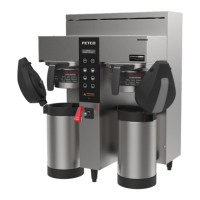
Screens shown are for twin brewer. Single brewer will not have menu A4-A6.
There are seven menu groups-A-G . See the following pages for the batch parameter definitions and all settings for the brewer
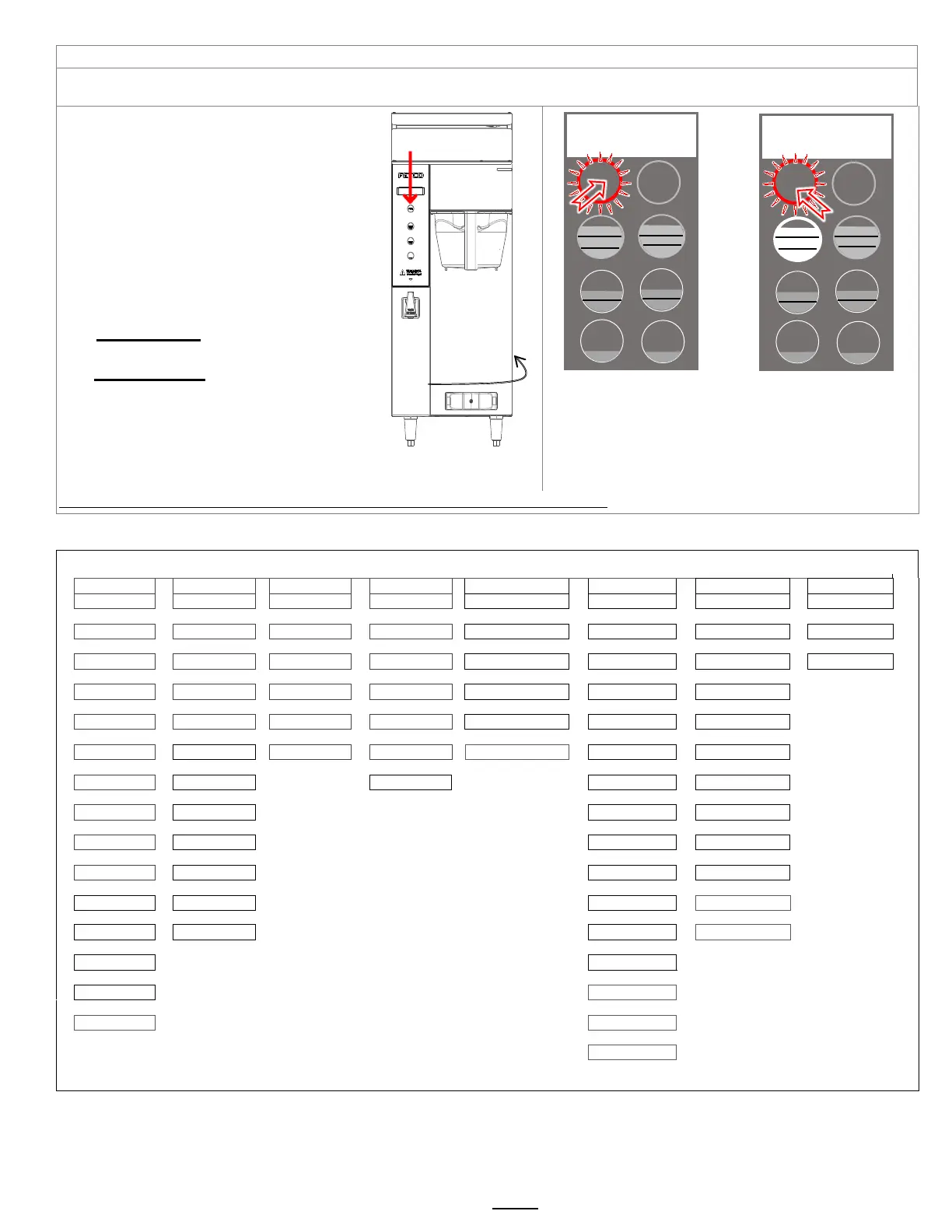
TO ENTER PROGRAMMING
1-Turn brewer “OFF” from power switch
2-Turn power switch to “ON”
…Screen will initialize and then
display digital process notifications
3-After Initialization-Red “STOP” Lamp turns on
4-Quickly hold down “STOP” button for 5 seconds
When brewer is In PROGRAMMING MODE
-the screen will display:
|BATCH PRG|
|A (or B-H) |
-Illuminated LED indicates active keypad positions
See the following pages for batch parameter
definitions and all settings for the brewer
Turn power OFF
Turn power ON
Wait for red LED
And quickly hold down
STOP button on front touch
panel for 5 sec.
First screen will display
for PROGRAMMING-A
Scroll through main menu
topics by pressing “STOP”
button.
Note: Only the left side buttons of a two sided brewer are used for programming
Programing Menu Layout
A10 to A70
B10-B40
C10-C50
D10-D90
E10-E70
F10-F120
G1-G15
H10-H11
Batch Parameters
General Settings
Service Inputs
Service Outputs
Calibration
Service Menu
Counters
Exit and Save
|
|
|
|
|
|
|
|
A11
Brew Volume
B1
Tank Temperature
C1
LLC Probe
D1
Heater SSR
E1
Ready Temp. Offset
F1
Firmware Ver.
G1
Filter Used
H1
Save Changes
|
|
|
|
|
|
|
|
A12
Brew Time
B2
Brew at Temp
C2
Basket Sensor
D2
Fill Valve
E2
LLC Sensitivity
F2
Bootloader Ver.
G2
Filter Life
H2
EXIT?
|
|
|
|
|
|
|
A13
Prewet Percent
B5
Show Tank Temp
C4
Tank Temperature
D3
Lt Brew Valve
E3
Slow Flow Compensate
F3
Select Model
G3
Filter Reset
|
|
|
|
|
|
|
A14
Prewet Delay
B4
Units of Temp
C5
USB Drive
D4
Rt Brew Valve
E4
Lt Brew Flow
F4
Option Bypass
G4
Counter Reset
|
|
|
|
|
|
|
A16
Drip Delay
B6
Units of Volume
C6
Keyboard Test
D12
LCD Brightness %
E5
Rt Brew Flow
F5
Option BB Lock
G5
Choose Counter
|
|
|
|
|
A20
Batch (2) Enabled
B7
Customer Name
D13
LED Brightness %
F8
Backup to USB
G10
Brewer Volume [T]
|
|
|
|
A21
Brew Volume
B7
Customers Name
F9
Restore from USB
G11
Brewer Volume
|
|
|
|
A22
Brew Time
B9
Demo Mode
F10
Restore Defaults
G12
LT Brews[T]
|
|
|
|
A23
Prewet Percent
B10
Eco Mode
F11
Error Log
G13
LT Brews
|
|
|
|
A26
Drip Delay
B11
Eco Idle Time
F12
Erase Error Log
G14
Rt Brews [T]
|
|
|
|
A30
Batch (3) Enabled
B12
Eco Idle Temp
F13
Service Phone#
G15
Rt Brews
|
|
A90
Copy Batch
F14
Override Lt BBS
See Page 12
|
|
A91
Copy Batch: From
F15
Override Rt BBS
|
|
A92
PASTE: To
F16
Override Lt BBL
|
F17
Override Rt BBL
Left and Right top and middle batches are permanent SEE BOX on the following page for all “A” menus
STOP BUTTON
On/OFF switch
located lower
right on back of
brewer
Batch Program
A
STOP
STOP
CBS-1232
ver 2.1.210323
STOP
STOP