16
OUTPUTS
Programming
Items
Factory set
Default
Programming Range
(display)
Notes
Left Pump
• Left Pump Test (Press to test)
TEST
Press To Test
Runs pump to verify
flow. Have container
under brewbasket!
’’ ’’ ’’ ’’
• L. Pump Calib
Calibrate
*Flow Rate
0.49
|_________[]________|
0.39 0.59
Factory or service use
for flow rate
L.Bypass Pump*
• Left BP Pump
Test
(Press to test)
TEST
Press To Test
Runs pump to verify
flow. Have container
under brewbasket!
’’ ’’ ’’ ’’
• L. BP Pump
Calib
Calibrate
*Flow Rate
0.49
|_________[]________|
0.39 0.59
Factory or service use
for flow rate
Right Pump
• Right Pump Test (Press to test)
TEST
Press To Test
Runs pump to verify
flow. Have container
under brewbasket!
’’ ’’ ’’ ’’
• R. Pump Calib
Calibrate
*Flow Rate
0.49
|_________[]________|
0.39 0.59
Factory or service use
for flow rate
R.Bypass Pump*
• Right BP Pump
Test
(Press to test)
TEST
Press To Test
Runs pump to verify
flow. Have container
under brewbasket!
’’ ’’ ’’ ’’
• R. BP Pump
Calib
Calibrate
*Flow Rate
0.49
|_________[]________|
0.39 0.59
Factory or service use
for flow rate
Fill Valve
• Fill Valve Test (Press to test)
TEST
Press To Test
Operates fill valve.
Have container under
both brewbaskets!
Heater
• Heater Test (Press to test)
TEST
Press To Test
Energizes Heater(s)
Use for servicing.
Screen
• Screen Contrast Contrast
8
|____________[]____|
1 10
• S. Brightness
Brightness
8
|____________[]____|
1 10
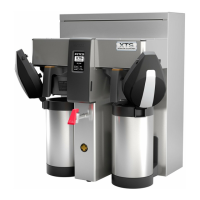
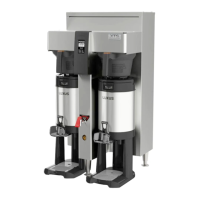
*Bypass option is only on 1 gallon airpot version
*How to calculate flow rate
Measured Æ
2.90
———
=
0.96
Set Point Æ
3.00
If flow rate setting is 0.49
Then new flow rate is
0.49 X 0.96=0.47
By entering the new flow rate number
into the brewer, the software will
correct the discrepancy in the pump.


 To Next Page