CONNECT Nav+
150
The SETUP mode enables to set dif-
ferent car and CONNECT Nav+ sys-
tem operating modes and parameters.
Parameters and operating modes
have been grouped in the following
four areas:
– LANGUAGE
– DATE & TEMP
– VEHICLE
– CONNECT.
Every above area is then divided in
different sub-areas. Read carefully
through this chapter to learn any fea-
tures offered by CONNECT Nav+
system.
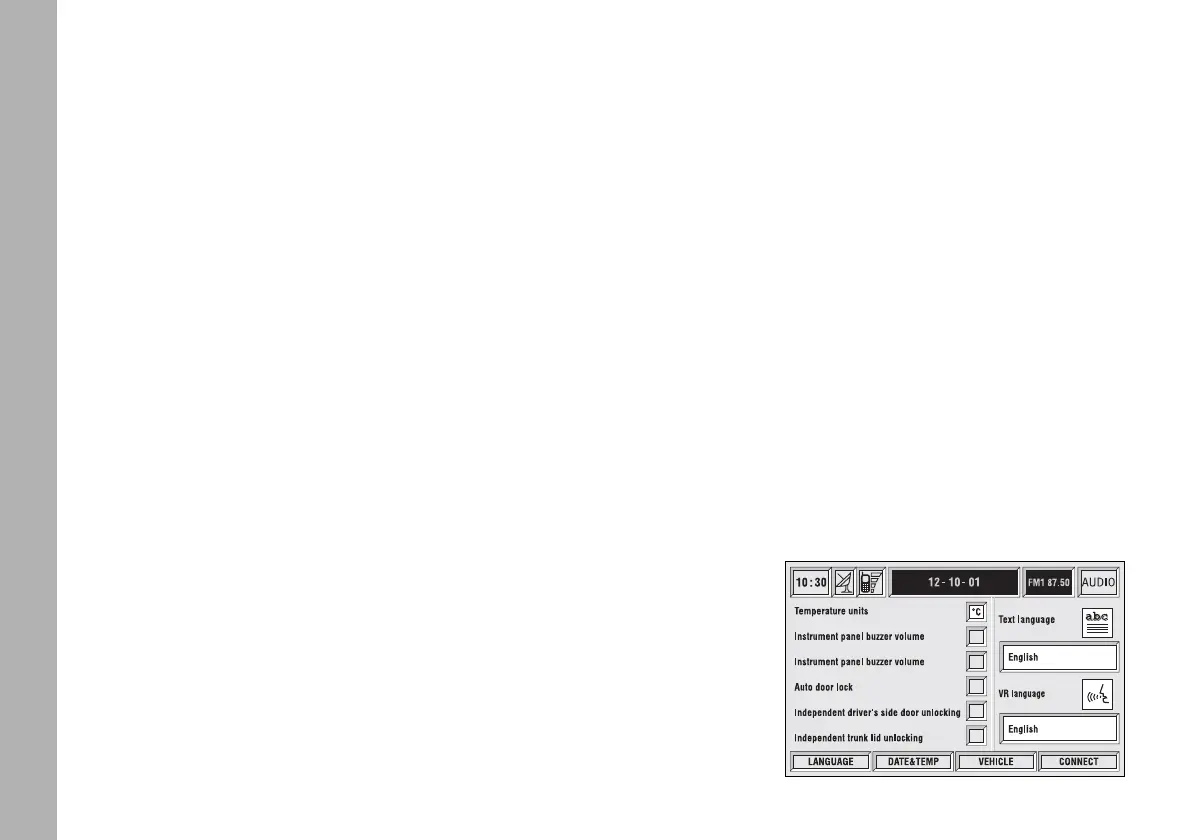
To enter the SETUP mode, press the
“SETUP” key 4-fig. 1 on the front
panel. Screen in fig. 166 will be dis-
played.
IMPORTANT If the ignition key is
at STOP certain SETUP informa-
tion/operations will only be accessible
for reference.
Any new setting on the CONNECT
Nav+, will be operative only after
check performed by car check com-
ponents; otherwise the warning mes-
sage “Setup change failed” will be dis-
played.
IMPORTANT To be sure that any
new setting is positively received by
car check components, it is strictly
necessary that ignition key is at MAR.
For each item on the display, symbol
“✓” indicates whether the item is set.
“Temperature units” shows directly
the selected unit (°C= Celsius, °F=
Fahrenheit).
On the right side of the display “Text
Language” shows which language for
written text is active, “VR language”
(Voice Recognition language) shows
which language is used by the system
for voice commands.
S
S
E
E
T
T
U
U
P
P
fig. 166
F0C4130g



 To Next Page