CONNECT Nav+
84
“Settings”
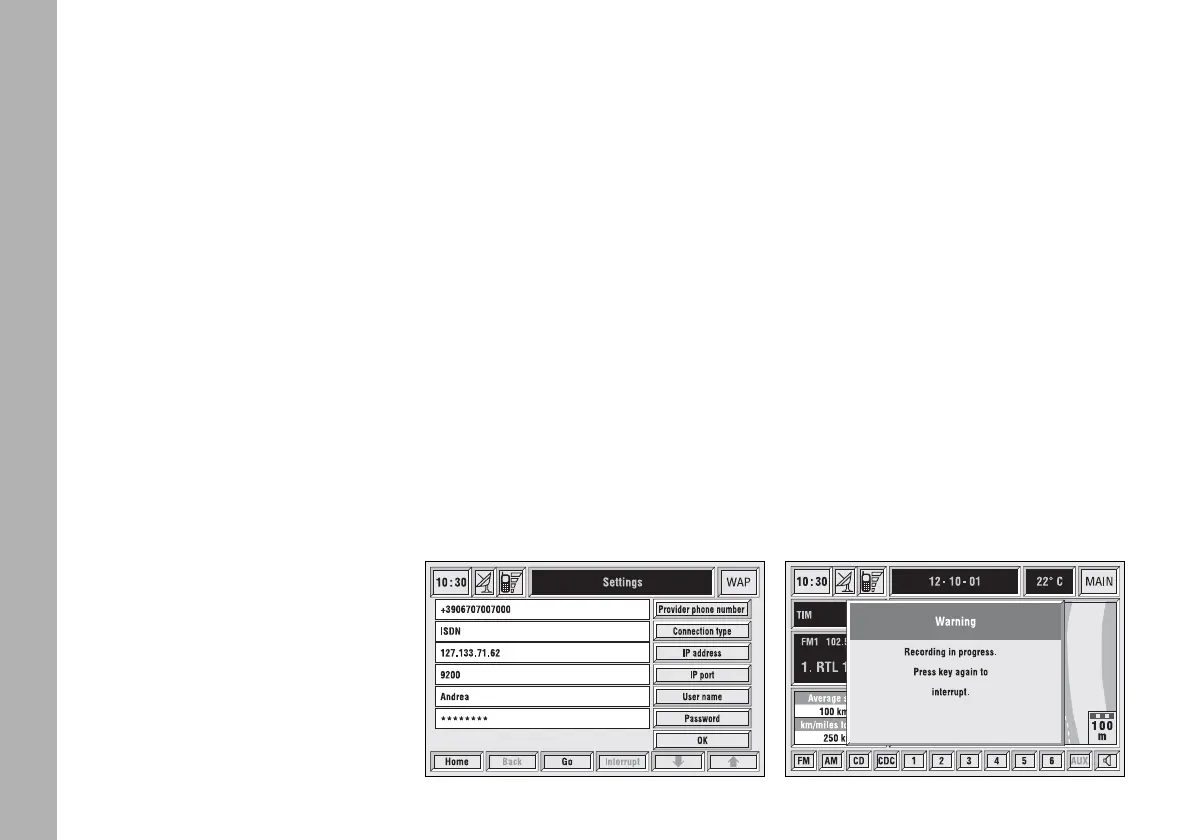
Settings shall be performed with ref-
erence to the information provided by
the WAP service provider.
This key fig. 69 selected by rotating
the encoder 14-fig. 1 and then con-
firmed by “ENTER” 15-fig. 1, allows
the following:
– to enter WAP provider telephone
number, by selecting “Provider phone
number” icon fig. 74;
– to enter connection line type, by
selecting “Connection type”, which
can be ISDN (numeric) or PSTN (ana-
log);
– to enter IP address, by selecting “IP
address” icon;
– to enter IP port, by selecting “IP
port” icon;
– log-in user name, by selecting
“User name” icon;
– enter the password used to access
the WAP service, by selecting “Pass-
word” icon”;
Any of these keys activates the key-
pad to be used for entering the re-
quired data.
“Voice Memo”
FUNCTION
“Voice Memo” allows management
of the messages recorded in the voice
box.
It is activated by long push on
ô
2-
fig. 1 or
ô
3-fig. 2 key (where pro-
vided): a beep and a display message
fig. 75 mark the start of recording.
fig. 74
F0C4150g
fig. 75
F0C4152g



 To Next Page