CONNECT Nav+
90
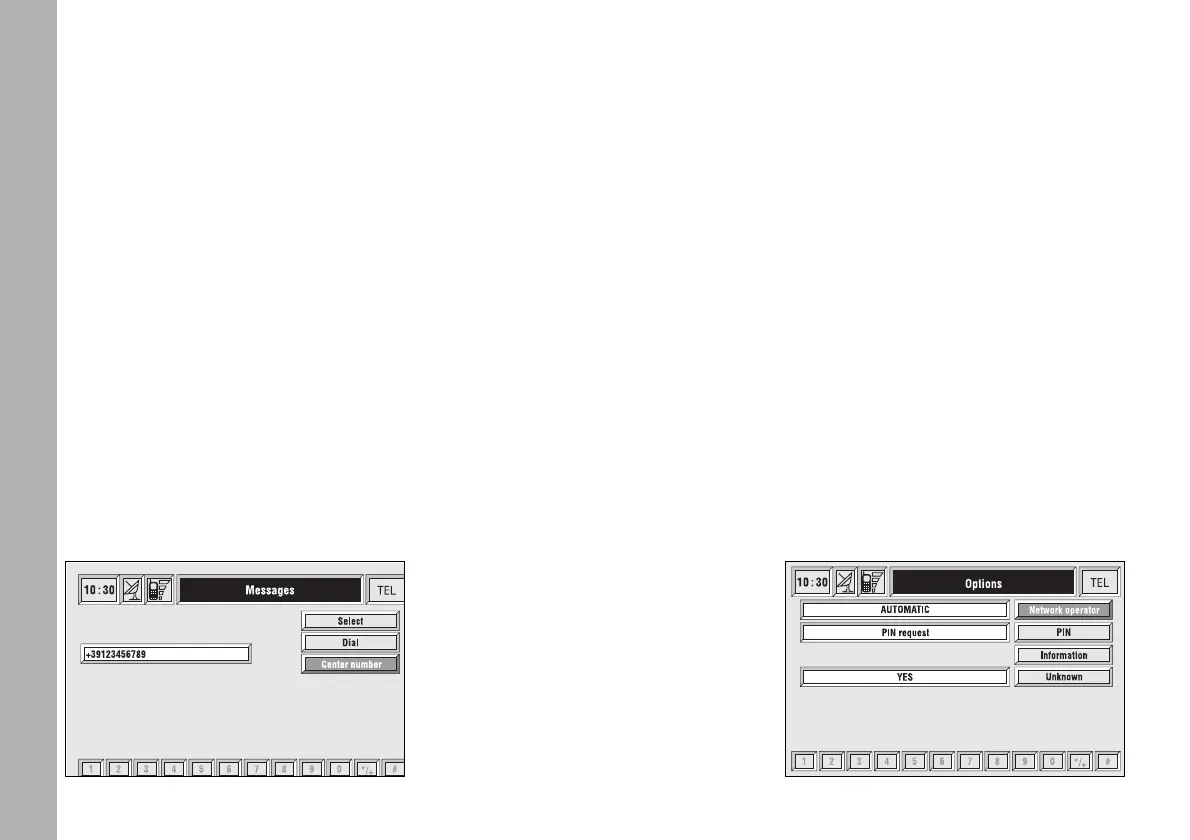
Center number
Selecting - by rotating the encoder
14-fig. 1 and pressing “ENTER” to
confirm 15-fig. 1 - “Center number”
using the keypad (0-9, + and * keys)
the user can set the service Provider
phone number fig. 86. This number is
given by the Provider.
Selecting “Options” by rotating the
encoder 14-fig. 1 and pressing “EN-
TER” to confirm 15-fig. 1, the display
shows fig. 85 screen with the follow-
ing icon keys:
“Network operator”: to select
provider;
“PIN”: for PIN code request at pow-
er on;
– if current setting of “Enable PIN re-
quest” is “NO”, the display shows
“PIN NOT REQUESTED”;
– if current setting of “Enable PIN re-
quest” is “YES”, and the current set-
ting of “Recall last PIN” is “YES”, the
display shows “Recall PIN – Request
PIN”;
– if current setting of “Enable PIN re-
quest” is “YES”, and the current set-
ting of “Recall last PIN” is “NO”, the
display shows “PIN request”.
“Information”: shows information re-
lated to the GSM module (Provider
name, IMEI code, etc…).
“Unknown”: enables or disables for-
warding of caller telephone number to
the called party.
fig. 87
F0C4201g
fig. 86
F0C4163g
“OPTIONS” FUNCTION



 To Next Page