CONNECT Nav+
44
While playing a CD this icon key is
disabled, regardless of the “Prog” func-
tion status (on/off); the icon key will
return active when you stop the CD.
Delete
“Delete” icon enables to clear the
CD name.
To turn the function on, select
“Delete” icon rotating the encoder 14-
fig. 1 and press “ENTER” 15-fig. 1.
Delete name
“Delete name” icon enables to delete
a previously stored sequence name.
To turn the function on, select
“Delete name” icon rotating the en-
coder 14-fig. 1 and press “ENTER”
15-fig. 1.
OK
To confirm your choices, select the
“OK” icon with the encoder 14-fig. 1
and press “ENTER” 15-fig. 1; the
name and the associated sequence are
stored.
IMPORTANT In case of buffer full,
a warning message “WARNING, CD
DIRECTORY FULL” will be displayed
to point out the problem. The user
shall have to delete some previously
stored CD names.
“AUDIO SETUP” FUNCTION
(AUDIO ADJUSTMENTS)
To access the audio setup menu
while listening to a CD, select the “Au-
dio setup” icon with the encoder 14-
fig. 1 and then press “ENTER” to con-
firm 15-fig. 1.
For the description of the different
functions available in the menu, see the
corresponding paragraph of the “RA-
DIO MODE” chapter.
CD-CHANGER
MODE (if installed)
IMPORTANT Never use 8 cm au-
dio or MP3 CDs, even with the spe-
cific adapter, since this format damages
the system.
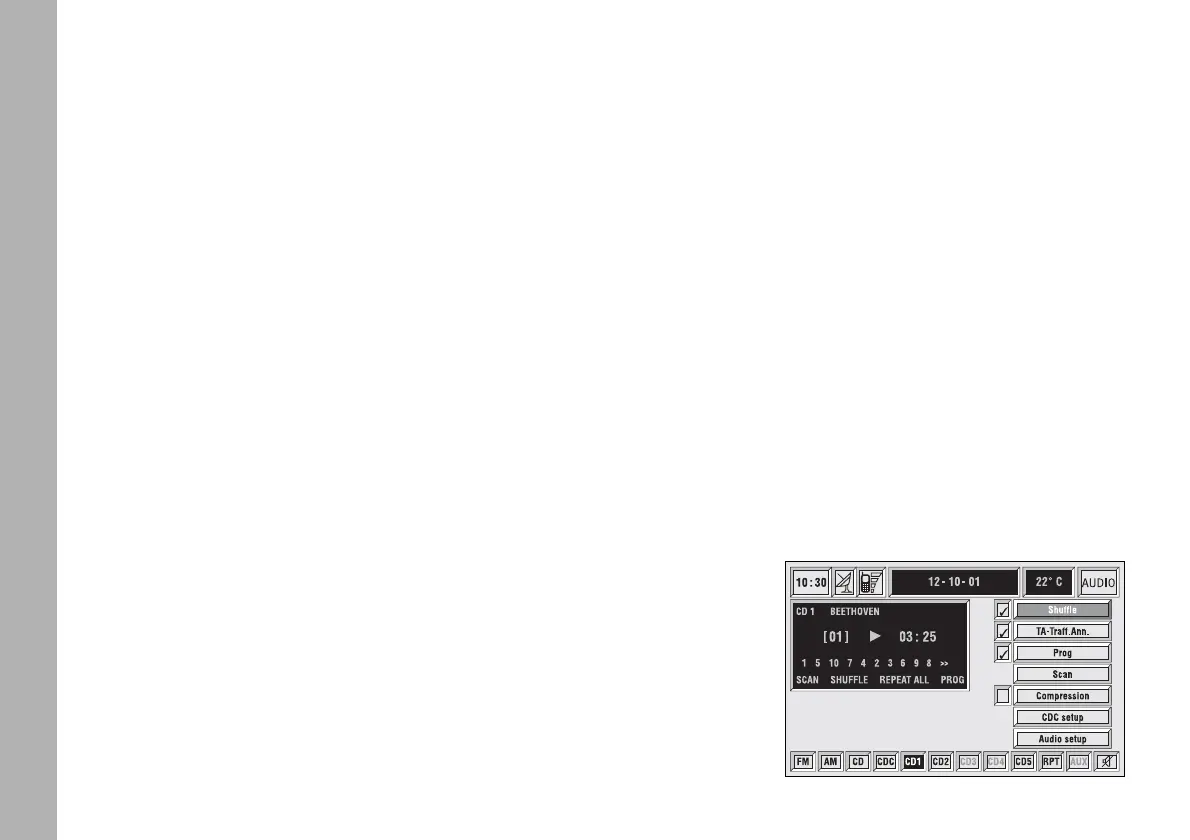
If the multiple CD player is installed,
selecting CDC source (CD-Changer),
the following functions are displayed
fig. 23:
– Shuffle
– TA-Traff. Ann.
– Prog
– Scan
– Compression
– CDC setup
– Audio setup.
fig. 23
F0C4019g



 To Next Page