CONNECT Nav+
70
Type-in or search as required by se-
lecting the first letters of the name
with the encoder 14-fig. 1 and then
press “ENTER” to confirm 15-fig. 1.
If the user tries to add an already ex-
isting number to the “Frequent num-
bers” list, the display will show the al-
ready stored entry.
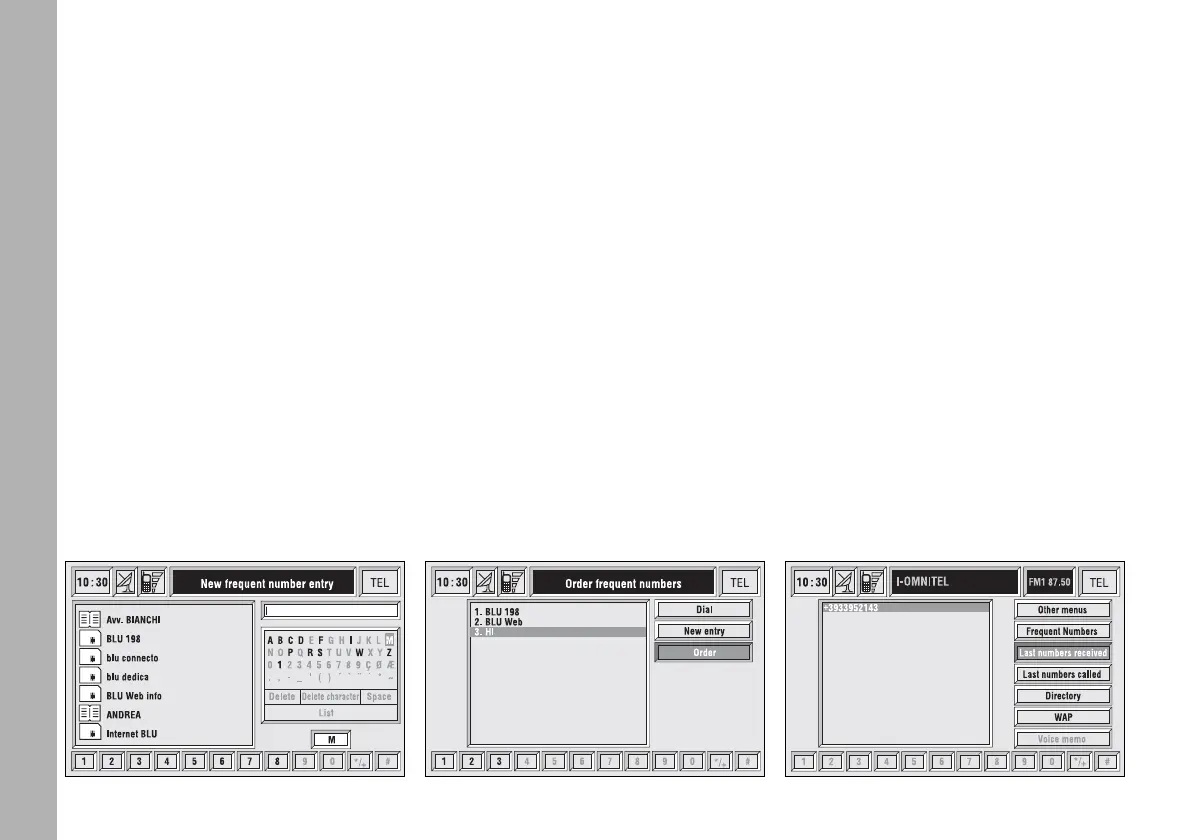
“Order” function
“Order” function fig. 50 allows
arrangements of the entries in the
“Frequent Numbers” list.
To move an entry from position “3”
to position “1” for example, proceed
as follows:
– rotate the encoder 14-fig. 1 to se-
lect the “Order” key and then press
“ENTER” to confirm 15-fig. 1;
– select the number in position “3”
with the encoder 14-fig. 1 and then
press “ENTER” to confirm 15-fig. 1;
– move selected number from posi-
tion “3” to “1” by rotating the en-
coder 14-fig. 1 then press “ENTER”
15-fig. 1 to store the new position.
“Last numbers
received” FUNCTION
“Last numbers received” pops up the
list of the last 10 calls received. The list
shows the name (if stored in the di-
rectory) and the phone number rele-
vant to the most recently received
calls fig. 51.
The list is managed and updated by
the system automatically.
fig. 49
F0C4190g
fig. 50
F0C4046g
fig. 51
F0C4047g



 To Next Page