CONNECT Nav+
85
A maximum of 3 minutes of user’s
voice sampling is available and can be
split in several recording sessions.
A further push of
ô
key 2-fig. 1
stops sampling. Next sampling will be
queued after the previous one.
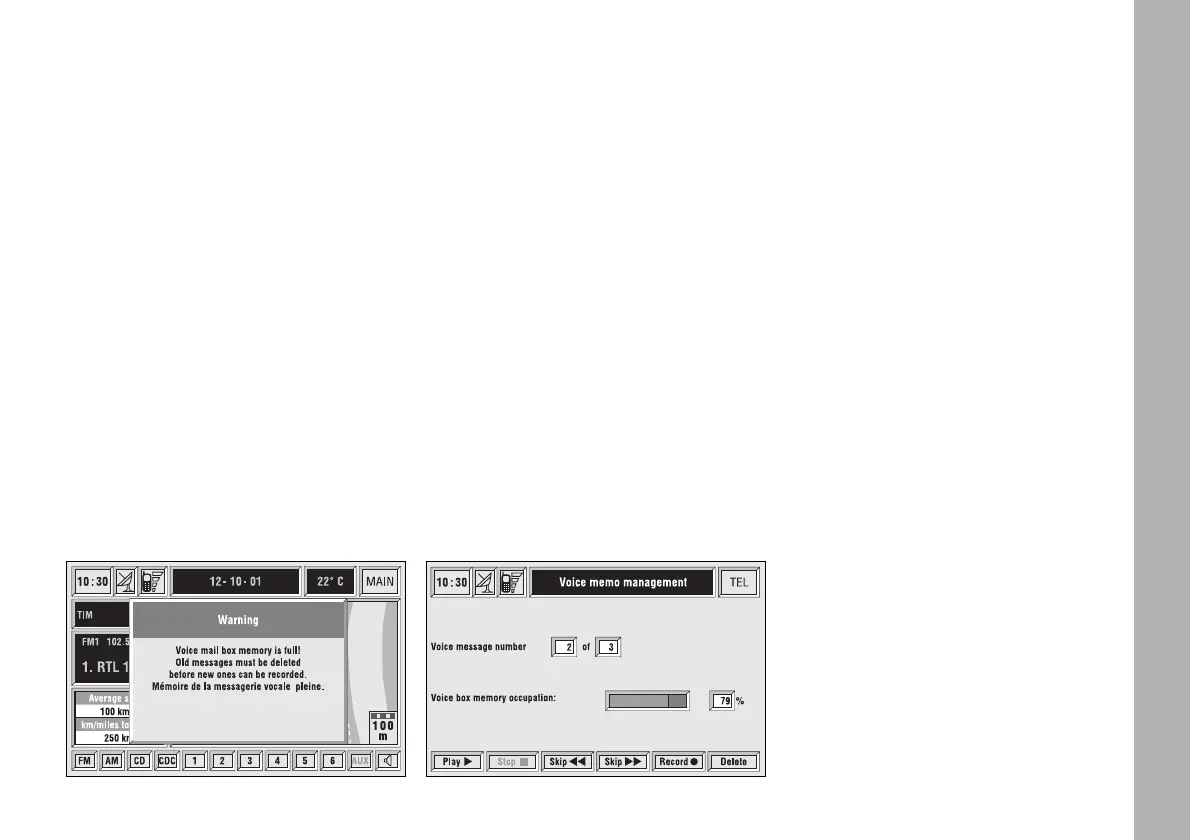
After 1 minute recording operation
is stopped and the display shows the
screen in fig. 76, the function will be
disabled.
Push on “Voice memo” key in main
telephone screen displays the screen
in fig. 77, where percentage of mem-
ory occupied/available and active mes-
sage number (compared with total
memorized messages number) are
shown.
The icon keys at the bottom of the
display can be activated by the corre-
sponding multifunction keys on the
keypad 17-fig. 1. Options are the fol-
lowing:
Play
˙
plays active message;
Stop
■
stops message playback
or recording;
Skip
¯¯
skips to previous
message;
Skip
˙˙
skips to next message;
Record
ç
starts recording;
Delete
deletes all recorded
messages.
fig. 76
F0C4153g
fig. 77
F0C4195g



 To Next Page