8 9
ASSOCIATIONS ADVANCED PARAMETERS
#5: Associations
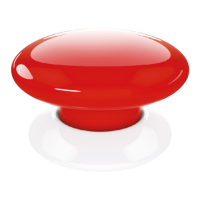
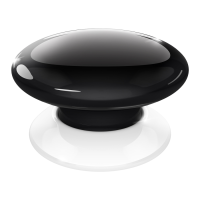
The Button provides the association of four groups:
1st association group – “Lifeline” reports the device status and al-
lows for assigning single device only (main controller by default).
2nd association group – “On/O” is assigned to clicking the button
and is used to turn on/o associated devices.
3rd association group – “Dimmer” is assigned to holding the but-
ton and is used to change level of associated devices.
4th association group – “Alarm“ is assigned to clicking and/or hold-
ing the button (triggers are dened in parameter 30) and is used to
send alarm frames to associated devices.
To add an association (using the Home Center controller):
1. Go to device options by clicking the icon:
2. Select the „Advanced” tab.
3. Click the “Setting Association” button.
4. Specify to which group and what devices are to be associated.
5. Save the changes.
6. Wake up the device manually to conrm changes (4 clicks).
FIBARO Button in 2nd, 3rd and 4th group allows to control 5 regular
or multichannel devices per an association group, with the exception
of “LifeLine” that is reserved solely for the controller and hence only 1
node can be assigned.
It is not recommended to associate more than 10 devices in general,
as the response time to control commands depends on the number of
associated devices. In extreme cases, system response may be delayed.
Association (linking devices) - direct control of other devices within
the Z-Wave system network e.g. Dimmer, Relay Switch, Roller Shutter
or scene (may be controlled only through a Z-Wave controller).
NOTE
Association ensures
direct transfer of
control commands
between devices, is
performed without
participation of the
main controller and
requires associated
device to be in the di-
rect range.
NOTE
Increasing number
of associations will
increase battery con-
sumption resulting in
shorter battery life.
#6: Advanced parameters
1. Scenes sent to the controller
This parameter determines which actions result in sending scene IDs
and attributes assigned to them.
Available settings: 1 - Key Pressed 1 time
2 - Key Pressed 2 times
4 - Key Pressed 3 times
8 - Key Pressed 4 times
16 - Key Pressed 5 times
32 - Key Held Down
64 - Key Released
Default setting: 127 (all) Parameter size: 1 [byte]
The Button allows to customize its operation to user’s needs. The set-
tings are available in the FIBARO interface as simple options that may
be chosen by selecting the appropriate box.
In order to congure the Button (using the HC controller):
1. Go to the device options by clicking the icon:
2. Select the „Advanced” tab.
3. Modify values of chosen parameters.
4. Save the changes.
5. Wake up the device manually to conrm changes (4 clicks).
Wake up interval
Available settings: 0 or 3600-64800 (in seconds, 1h - 18h)
Default setting: 0
The Button will wake up at each dened time interval and always try to
connect with the main controller. After successful communication at-
tempt, the device will update conguration parameters, associations
and settings and then will go into Z-Wave communication standby.
After failed communication attempt (eg. no Z-Wave range) the device
will go into Z-Wave communication standby and retry to establish
connection with the main controller after the next time interval.
Setting wake up interval to 0 disables sending Wake Up notication
to the controller automatically. Wake up may be still performed man-
ually by clicking the Button 4 times.
NOTE
Values of parameter
1 may be combined,
e.g. 1+2=3 means that
scenes will be sent
after pressing the but-
ton once or twice.
NOTE
Longer wake up time
interval means less
frequent communica-
tion and thus a longer
battery life.
NOTE
The device supports
the generic Z-Wave
command class "Basic"
but will ignore any SET
or GET commands and
will not respond with a
Basic Report.


 To Next Page
 Loading...