Need help?
Do you have a question about the FIBARO FGBWHWPF-102 and is the answer not in the manual?
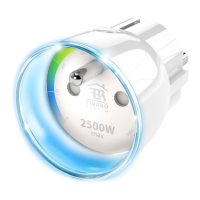
The Wall Plug can turn ON/OFF connected electrical device either through iOS mobile app or button.
The Wall Plug measures current active power consumption of connected device and reports it to your iOS device.
The Wall Plug counts energy consumed by connected device and reports accumulated value to your iOS device.
Functionality allows to switch off connected load after 4 seconds from exceeding the power set by the user.
Functionality allows to set time after which connected load will be automatically turned on/turned off.
 General
| Brand | FIBARO |
|---|---|
| Model | FGBWHWPF-102 |
| Category | Home Automation |
| Language | English |


 To Next Page