Need help?
Do you have a question about the FIBARO FGWP-102 and is the answer not in the manual?
How to use the B-button for device control and menu navigation.
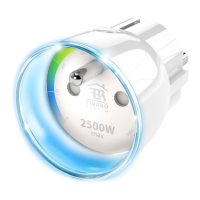
Explains the LED ring signals for status, power, and network range.
Using the Home Center interface for device control and monitoring.
Procedure to restore the device to its original settings.
How to erase stored power and energy consumption data.
Step-by-step guide to link devices using the Home Center.
Explains the LED ring signals indicating Z-Wave network range and communication status.
Core operational settings like "Always On" mode and power failure recovery.
Parameters for configuring power and energy reporting frequency and thresholds.
Settings for controlling associated devices based on power levels and button presses.
How the device reacts to Z-Wave alarms and command frames.
 General
| Maximum power | 2500 W |
|---|---|
| Product color | White |
| Current rating | 13 A |
| LED indicators | Yes |
| Transmit power | 1 mW |
| AC input voltage | 110-230 V |
| Connector gender | Male/Female |
| Sockets quantity | 1 |
| AC input frequency | 50 - 60 Hz |
| Plug connector type | Type F |
| Maximum indoor range | 30 m |
| Maximum outdoor range | 50 m |
| RF transmission frequency | 868.4 MHz |
| USB charging port | No |
 Weight and Dimensions
| Depth | 43 mm |
|---|---|
| Height | 65 mm |

 To Next Page