8
OPERATING THE DEVICE
Resetting the device to factory defaults:
Reset procedure allows to restore the device back to its factory set-
tings, which means all information about the Z-Wave controller and
user conguration will be deleted.
1. Make sure the device is powered.
2. Press and hold the B-button.
3. Wait for the LED ring to glow yellow (3rd menu position).
4. Release the B-button.
5. Click the B-button once to conrm selection.
6. After few seconds the device will restart with factory settings,
which is signalled with the red ring colour.
NOTE
Resetting the device is
not the recommend-
ed way of removing
the device from the
Z-Wave network. Use
reset procedure only
if the primary con-
troller is missing or
inoperable. Certain
device removal can
be achieved by the
procedure of remov-
ing described in “Add-
ing the device” on
page 5.
i
Controlling the Wall Plug with FIBARO Home Center controller:
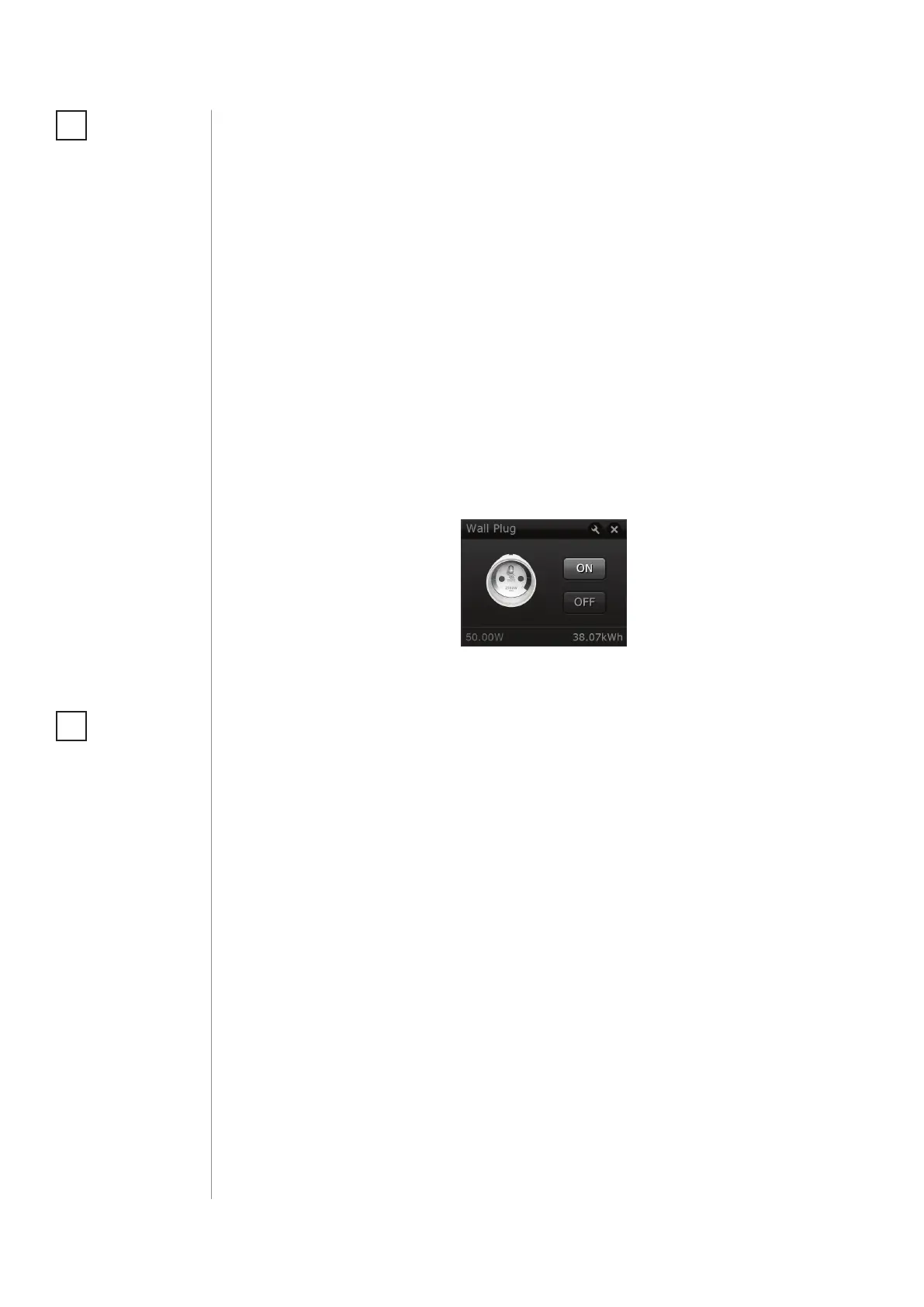
The Wall Plug after successful adding is represented in the
Home Center interface with a single icon. It allows to turn on and o
the device and displays current active power and cumulative energy
consumption.
Disabling visual indicator:
Visual indication ring may be turned o for status signalling (turned
ON/OFF, power consumption). That means each status change will
be signalled by a short white blink of the ring. Disabling it will not
change operation of the device. To disable the LED ring:
1. Insert the Wall Plug in a socket.
2. Press and hold the B-button for about 3 seconds.
3. Release the B-button after LED ring starts pulsing white.
To restore visual indications perform above procedure again.
NOTE
Disabling the LED ring
indications will also
aect alarm signaliza-
tion.
i


 To Next Page