2 - 13
Installation Procedures
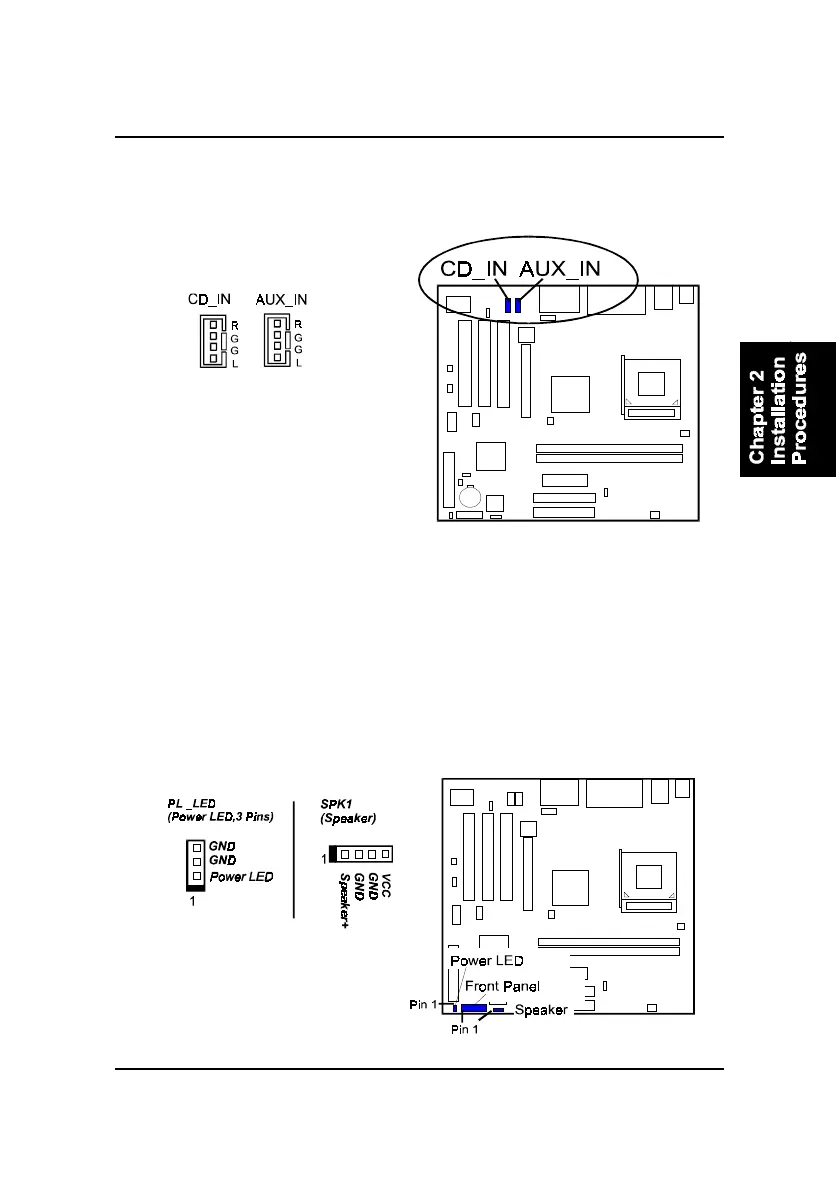
Front Panel Block, Power LED and Speaker Connector
This block connector includes the connectors for linking with HDD LED,
power LED (2 and 3 pins), dual power LED, power button, suspend button,
reset button, and IR on the front panel of the system case. Please identify
polarities of plug wires for the case speaker and LEDs. Please ask vendor
about this information when you buy them and install the system by yourself.
The plug wires polarities of these buttons will not affect the function.
CD Audio-In Connectors
The CD_IN connector is used as a port for audio input from CD drive. The
AUX_IN privided users with one extra audio input port from CD drive.



 To Next Page