1
1-29 Setting up PostScript or PCL printing with Windows NT 4.0
4. To share the printer on the network, click the Sharing tab.
Select whether to share the printer, and specify the operating systems used by
network clients.
5. Click OK to exit the Printer Properties dialog box.
Completing the Windows NT 4.0 TCP/IP and LPR connection
After installing the PostScript or PCL printer driver and printer driver files, complete
the setup for the TCP/IP and LPR connection by performing the following steps:
•Prepare the Fiery X3e to accept print jobs using TCP/IP and LPR protocols.
For details, see the Configuration Guide.
•Enable LPD from the Fiery X3e Control Panel. For details, see the Configuration
Guide.
• Configure the computer for the TCP/IP connection.
Before you continue, contact the system administrator for the IP address assigned to
the Fiery X3e, as well as the subnet mask and the gateway address, if they are used.
The TCP/IP protocol should already be installed on your Windows NT computer.
TO SET UP TCP/IP AND LPR PRINTING FOR WINDOWS NT 4.0
1. Open the Properties dialog box for the Fiery X3e and click the Ports tab.
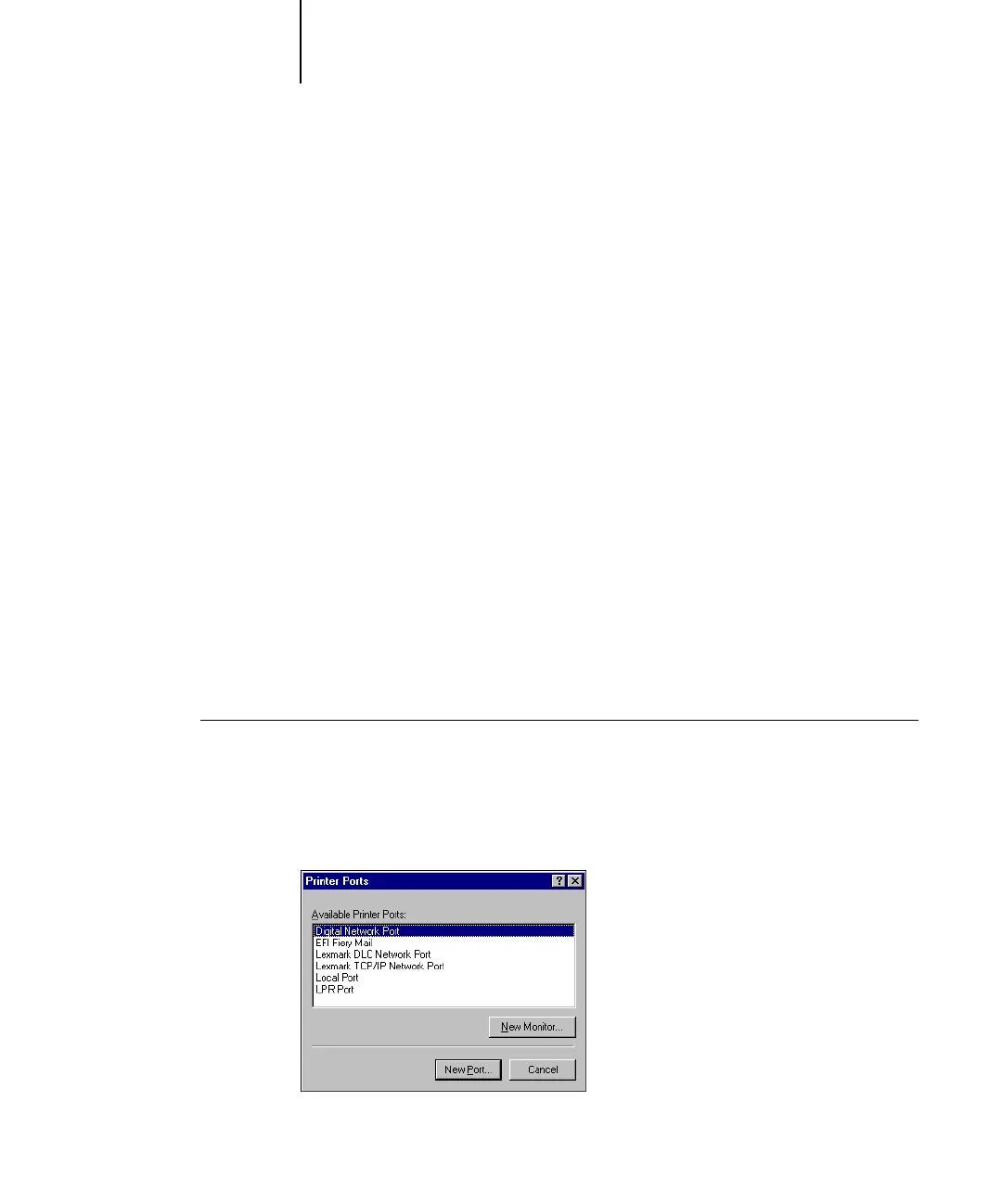
2. Click Add Port.
The available port types are displayed.



 To Next Page