1
1-54 Installing User Software on a Windows Computer
TO SET UP IPP PRINTING WITH WINDOWS 2000/XP/SERVER 2003
1. On Windows 2000, click Start, choose Settings, and then choose Printers.
On Windows XP, click Start and choose Printers and Faxes.
On Windows Server 2003, click Start, choose Control Panel, and then choose Printers
and Faxes.
2. On Windows 2000, double-click the Add Printer icon and click Next.
On Windows XP, click Add Printer.
On Windows Server 2003, choose Add a printer.
3. Select Network printer and click Next.
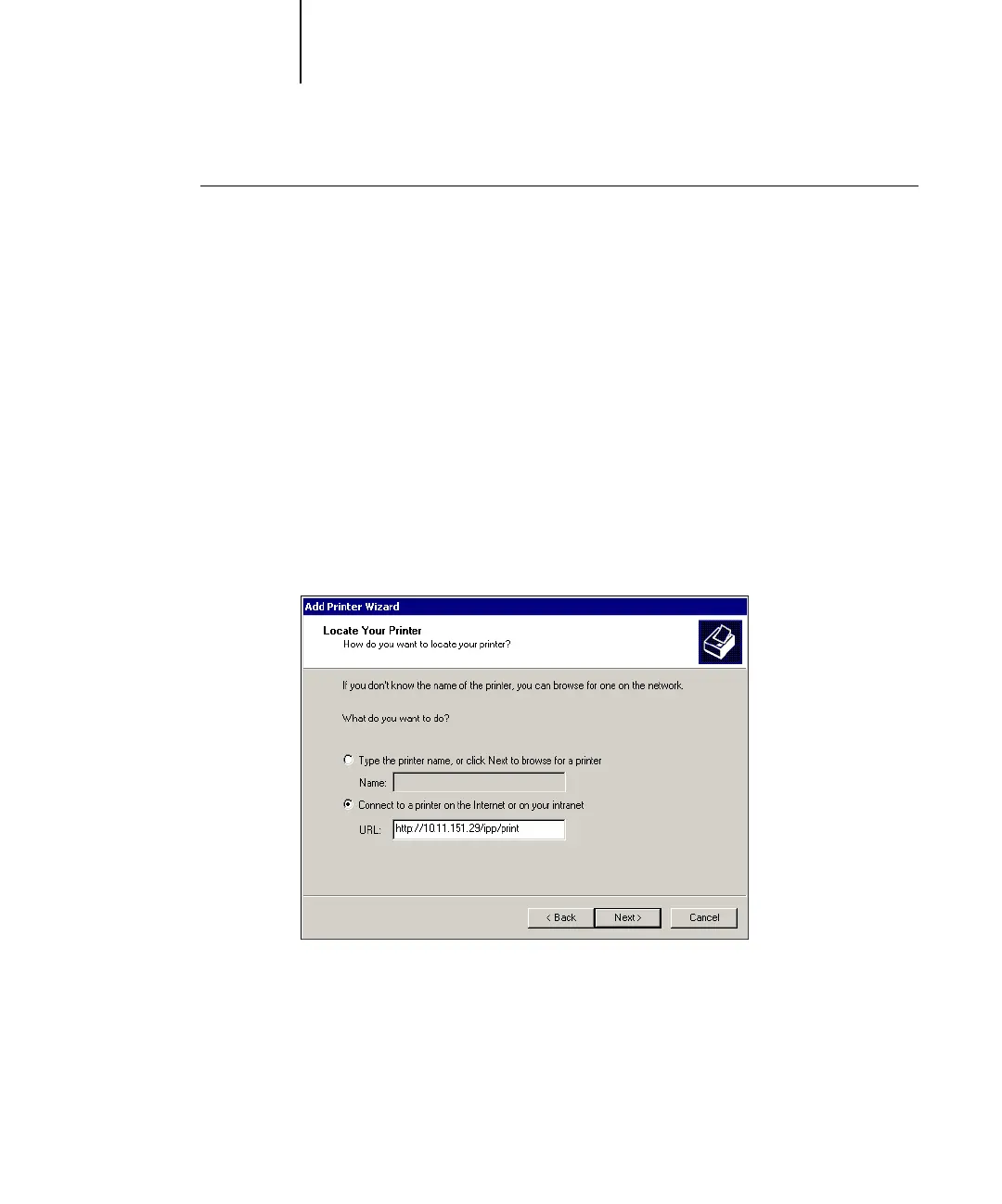
4. Select “Connect to a printer on the Internet or on your intranet.” Type an IP address
or computer name in the URL field.
The URL for the printer is the IP address or DNS name followed by “ipp” and the
connection you want to print to (print, hold, or direct). Insert slashes between the
different elements.



 To Next Page